



Introduction: The Importance of ERP Integration for Shopify Stores
Are you an ambitious e-commerce business owner striving to reach the pinnacle of efficiency? If so, you're likely on the lookout for strategies to streamline operations, minimize manual tasks, and drive your business's growth. One solution that's been gaining traction in the e-commerce world is the integration of Enterprise Resource Planning (ERP) systems with Shopify stores.
ERP integration holds the key to unlocking the full potential of your Shopify store. It lets you automate numerous day-to-day tasks, reducing the time spent on managing various platforms and allowing you to focus on what truly matters: growing your business. When integrated with your Shopify store, an ERP system can provide real-time visibility into your inventory levels, automate orders and shipments, and offer centralized business insights for informed decision-making.
Moreover, a well-integrated ERP system can enhance your customers' shopping experience. It gives them access to up-to-date information about their purchasing process, improving their confidence in your products and services. This, in turn, increases customer satisfaction and encourages repeat purchases.
However, integrating an ERP system with your Shopify store is not a decision to be taken lightly. It requires careful consideration of factors such as compatibility with Shopify, ease of integration, scalability, and ease of use.
In this guide, we'll delve into the ins and outs of ERP integration with Shopify, shedding light on its benefits, the process involved, and the top ERP systems compatible with Shopify. By the end of this journey, you'll have a clear understanding of how ERP integration can boost your Shopify store's efficiency and drive your e-commerce success to new heights.
Understanding ERP and Its Role in E-commerce
Before we delve into the specifics of how ERP integration can supercharge your Shopify store, let's take a moment to unpack what ERP is and why it's crucial in the e-commerce landscape.
What is ERP?
ERP, or Enterprise Resource Planning, is a type of software that integrates various business operations into a single, unified platform. The goal of ERP is to streamline and automate individual activities across an organization, promoting transparency and cross-departmental alignment. In essence, an ERP solution is like the central nervous system of a business, connecting different processes and information sources for a more efficient operation.
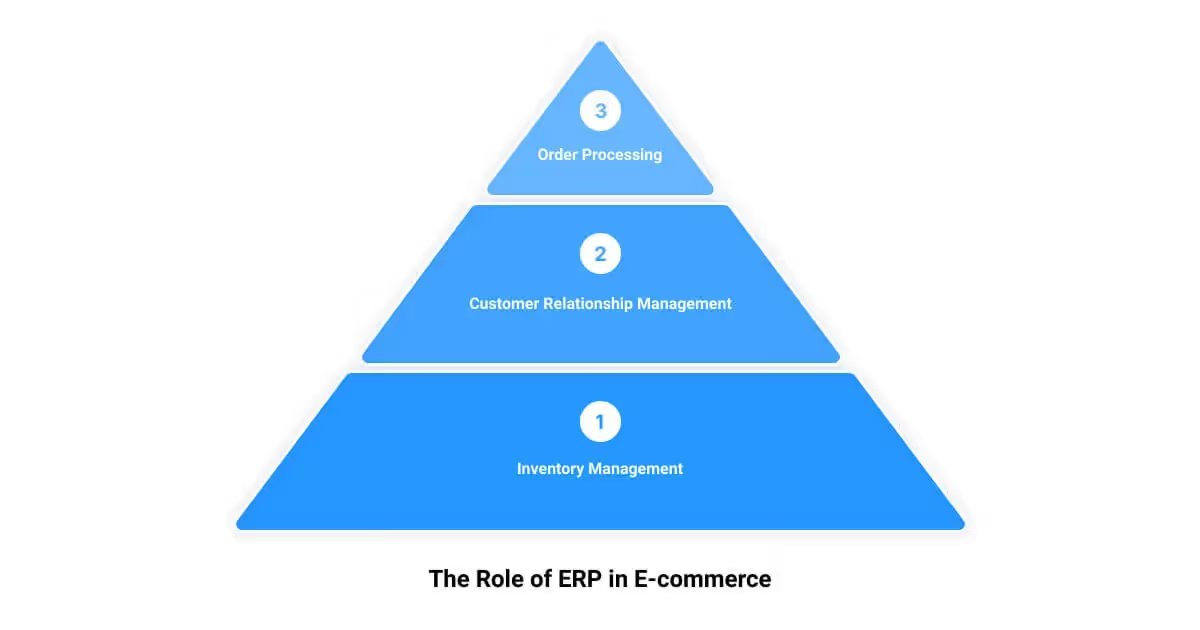
The Role of ERP in E-commerce
In the context of e-commerce, an ERP system takes on a pivotal role. It ties together back-office operations such as inventory management, accounting, warehouse management, HR functions, and IT services. This combination reduces the need for multiple isolated systems and provides a holistic view of your business operations.
ERP systems in e-commerce are akin to a robust engine that powers a high-speed car. They transform customer data from your Shopify store into meaningful insights, acting as the backbone of your business. In such a rapidly evolving digital marketplace, having a reliable ERP system in place is a non-negotiable requirement for long-term success.
The Benefits of ERP Integration in E-commerce
Integrating an ERP system with your Shopify store can unlock a treasure trove of benefits. Firstly, it significantly reduces IT costs, with 40% of businesses reporting a return on investment in this area. It can also lead to a decrease in inventory management levels (38%) and reduced cycle time (35%).
Moreover, an ERP integration can streamline your business processes. In fact, a whopping 95% of businesses reported an improvement in their processes after ERP integration. This can translate to more efficient operations, improved customer service, and ultimately higher sales and profitability.
In an era where data is king, an ERP system provides you with actionable insights and reports, allowing you to make informed business decisions. Whether it's about supply chain management or customer behavior analysis, an ERP system can provide you with the necessary data at your fingertips.
In conclusion, understanding ERP and its role in e-commerce is crucial before you embark on the journey of ERP integration with your Shopify store. With its potential to streamline operations, reduce costs, and provide valuable insights, an ERP system can be a game-changer in your e-commerce success story. In the following sections, we'll delve deeper into the process of ERP integration with Shopify and how you can harness its potential to boost your online store's efficiency.
The Process of ERP Integration with Shopify
Driving the efficiency of your Shopify store into the stratosphere requires a well-planned and executed ERP integration strategy. ERP, or Enterprise Resource Planning, is a system that unites your eCommerce operations under one digital roof. But how does this integration happen with a Shopify store? Let's unravel the mystery together.
What is ERP Integration with Shopify?
ERP integration with Shopify means connecting your Shopify store with a selected ERP system. This connection allows for seamless data flow between the two systems, automating essential back-office operations like inventory management, order processing, and financial reporting. In a nutshell, ERP integration with Shopify is like hiring a super-efficient virtual assistant who never sleeps and ensures all your store's operations run smoothly and accurately.
How Does ERP Integration with Shopify Work?
ERP integration with Shopify works like a well-oiled machine, bringing together separate business processes into a single, unified system. This integration begins with selecting an ERP system that aligns with your business needs and is compatible with Shopify. Some of the most popular Shopify ERP solutions include Odoo, Netsuite, SAP, Microsoft Dynamics, Sage ERP, Epicor, and Blue Cherry.
Once you've chosen an ERP system, it's time to map out the data flow. This involves outlining what data will be shared between Shopify and the ERP system, including product information, customer details, order status, and inventory levels. It's crucial to ensure that data flows both ways, from Shopify to the ERP and vice versa, for real-time synchronization.
Next, you'll need to configure the ERP system to communicate with your Shopify store. This step often involves using APIs (Application Programming Interfaces) that allow the two systems to talk to each other and share data. Depending on the complexity of your business operations and the chosen ERP system, this process may require the help of a Shopify development and integration expert.
Once everything is set up and configured, the process becomes fully automated. The ERP system will continually sync data from your Shopify store and vice versa, ensuring accurate and up-to-date information across all your business operations. This means you can focus on what matters most—growing your online store and providing an exceptional shopping experience for your customers.
To sum up, ERP integration with Shopify is not just about connecting two systems—it's about streamlining your business processes, reducing manual labor, and making data-driven decisions to drive your e-commerce success. And with the right ERP solution and integration strategy, you could be well on your way to achieving your online store's full potential.

Top ERP Systems for Shopify: A Comparative Analysis
Selecting the right ERP system for your Shopify store can be a game-changer for your business operations. Here's a comparative analysis of the top ERP systems that have proven to be effective for Shopify store integration.
Dynamics 365 Business Central
Noted for its robust integrations and built-in CRM, Microsoft Dynamics 365 can significantly enhance your operational efficiency. It automates transactions between your Shopify store and the ERP system, allowing you to conduct unlimited transactions without worrying about being billed per order or transaction.
Brightpearl
Brightpearl is a retail-focused ERP system that streamlines back-office processes. It offers real-time inventory updates, order management, and integrated accounting. It also provides direct integration with Shopify, reducing the need for manual data input.
NetSuite ERP Connector
NetSuite is a cloud-based ERP system that offers a wide range of integrations, helping you overcome various business challenges. Its real-time visibility into order status and fulfillment makes it a preferred choice for many Shopify Plus users. However, the license fee could get costly with an increasing number of users.
Acumatica Cloud ERP
Acumatica's cloud-based ERP solution is designed for small and midsize businesses. It offers a comprehensive suite of business management applications, including financials, distribution, project accounting, and CRM.
Infor eCommerce Connector
Infor provides industry-specific ERP solutions that can integrate with various eCommerce platforms, including Shopify. Its solutions are designed to help businesses optimize their inventory, manage orders efficiently, and enhance customer service.
Odoo
Odoo is a comprehensive suite of business applications including sales, CRM, project management, eCommerce, inventory, and accounting. Its ERP system integrates well with Shopify, allowing for seamless synchronization of products, orders, customers, and payments.
SAP
One of the best-known ERP systems globally, SAP S/4HANA meets various business requirements but comes with a hefty price tag. It automates order placement with selected courier services, ensuring a smooth delivery experience for customers.
Microsoft Dynamics
Microsoft Dynamics is another robust ERP solution that integrates well with Shopify. It offers a range of features and capabilities, including inventory management, sales, and customer service.
Sage ERP
Sage 100 ERP and Sage 300 ERP integrate well with Shopify, helping optimize your inventory and ensure accurate updates. They also offer a range of modules for different business functions, from accounting and finance to sales and customer service.
Epicor
Epicor provides industry-specific ERP solutions that can be tailored to your business needs. Its integrated suite of applications include modules for CRM, inventory management, sales management, and financial management.
Blue Cherry
Blue Cherry by CGS is an ERP solution catering specifically to businesses dealing with fashion apparel and footwear. Its comprehensive solutions support the entire fashion process – from design to distribution.
Choosing the right ERP system for your Shopify store requires careful consideration of your business needs, budget, and scalability. By examining the features, benefits, and costs of these top ERP systems, you can make an informed decision that will help your eCommerce business thrive.

Key Factors to Consider When Choosing a Shopify ERP System
Your Shopify store's success hinges on more than just a great product line or stellar customer service. The technology that powers your eCommerce operations plays a pivotal role in streamlining processes, enhancing customer experiences, and ultimately, driving growth. In this context, selecting the right ERP (Enterprise Resource Planning) system is a critical business decision. To help guide your choice, let's delve into the key factors you should consider when choosing a Shopify ERP system.
Compatibility with Shopify
Ensuring that your chosen ERP system is compatible with Shopify is paramount. Even the most robust ERP solution will be a liability rather than an asset if it doesn't integrate seamlessly with your eCommerce platform. A compatible ERP system will not only allow for a smooth integration process but also ensure that your eCommerce operations run efficiently. Look for ERP systems that explicitly state their compatibility with Shopify or have a proven track record of successful Shopify integrations.
Seamless Integration
A well-integrated ERP system should blend seamlessly with your existing technology stack. It should work like a well-oiled machine, efficiently sharing data across your ERP and other business platforms. This seamless integration can enhance your store's efficiency, reduce data redundancy, and minimize the risk of errors. Be sure to consider how the ERP system integrates with your overall tech stack, including your CRM, inventory management system, and marketing automation tools.
Scalability
The scalability of an ERP system is another key factor to consider. As your business grows, your ERP system should be able to grow with it. A scalable ERP system can easily accommodate an increase in data volume, transaction frequency, and user count, ensuring that your eCommerce operations continue to run smoothly even as your business expands. Additionally, a scalable ERP system can be easily upgraded to incorporate new features and technologies, future-proofing your business against technological advancements.
Ease of Use
An ERP system should not only be powerful but also user-friendly. A system with a steep learning curve can slow down your operations and frustrate your team members. On the other hand, a user-friendly ERP system with an intuitive interface can enhance your team's productivity and efficiency. Look for an ERP system that offers clear, actionable insights into your business operations, as well as reliable customer support to assist with setup and troubleshooting.
Mobile-friendliness
In today's mobile-first era, it's important to choose an ERP system that is mobile-friendly. This allows your team members to access critical business data and carry out essential tasks from any location, boosting overall productivity. A mobile-friendly ERP system also caters to the growing trend of BYOD (Bring Your Own Device) in the business world, offering the flexibility that modern businesses require.
Choosing the right Shopify ERP system can dramatically enhance your store's efficiency, streamline processes, and drive growth. By considering these key factors, you can select an ERP system that aligns with your business needs and goals, setting your Shopify store up for success.
How First Pier Can Help with Your Shopify ERP Integration
When it comes to enhancing your Shopify store's efficiency, First Pier is your go-to partner. With a clear understanding of your business needs and a deep expertise in Shopify development and optimization, we strive to provide the best solutions that will help your business grow. We offer customizable workflows and expert support for ERP integrations, ensuring a smooth and efficient transition.
Expertise in Shopify Development and Optimization
First Pier has decades of experience in eCommerce. We specialize in Shopify development and optimization, providing clients with a stable, feature-rich platform built for selling. Our experts possess a deep understanding of how ERP systems can be integrated with Shopify to streamline sales, improve inventory management, and enhance customer satisfaction.
We focus not just on setting up the ERP system, but also help you optimize the integration to ensure it complements your existing workflows. Our goal is to help you maximize the benefits of ERP integration, enabling you to automate processes, reduce errors, and gain insights into your business operations.
Customizable Workflows and Expert Support for ERP Integrations
We understand that every business is unique, and so are its needs. Hence, we offer customizable workflows that can be tailored to align with your specific business processes. Whether it's managing web orders, tracking shipments, or handling financial data, we ensure the ERP system integrates seamlessly into your workflows.
More importantly, we don't just implement the system and leave you to figure it out. We offer expert support and training to help you set up and use the integration platform effectively. Our team is always available to answer your queries, troubleshoot issues, and guide you in making the most of your Shopify ERP integration.
With First Pier, you can be assured of a hassle-free and efficient ERP integration that enhances your Shopify store's efficiency and boosts your business growth. Our commitment to excellence and our in-depth expertise in Shopify and ERP systems make us the ideal partner for your Shopify ERP integration needs.
Conclusion: The Impact of ERP Integration on Your Shopify Store's Efficiency
The digital world is relentlessly evolving, and to keep pace, it's essential to leverage the right tools and technologies. Shopify ERP integration is not just a modern-day buzzword; it's a strategic element that can transform your online store into an efficient, customer-centric, and sales-driven powerhouse.
ERP systems can automate processes, improve inventory management, increase productivity, and enhance customer satisfaction by providing real-time updates on the entire purchasing process. With the ability to streamline your financial management, you can gain a unified view of your sales, expenses, and profits, helping you make informed financial decisions.
Moreover, integrating your Shopify store with a robust ERP system means you're investing in your store's future. It ensures your ecommerce platform can scale as your business grows, offering you the flexibility you need to meet your customers' evolving needs and market demands.
However, the efficiency of your Shopify store and the success of your ERP integration largely depend on choosing the right ERP system and the right ecommerce partner. Aspects such as Shopify compatibility, seamless integration, scalability, ease of use, and mobile-friendliness should be considered when choosing an ERP system.
When it comes to your ecommerce partner, you need someone with expertise in Shopify development and optimization, like First Pier. Our team offers customizable workflows and expert support for ERP integrations, ensuring a smooth and efficient integration process.
In conclusion, ERP integration is a valuable investment that can significantly boost your Shopify store's efficiency, streamline your business operations, and ultimately, drive business growth. However, it’s not just about having the tool; it’s about leveraging it to its full potential. That’s where First Pier comes into play, guiding you every step of the way, helping you unlock the full potential of your Shopify store with the power of ERP integration.





.png)
.png)

