



What Shopify POS 10.0 Changes for In-Person Retail
Summary
- Shopify POS 10.0 is the latest major update to Shopify's in-person selling system, released on April 14, 2025.
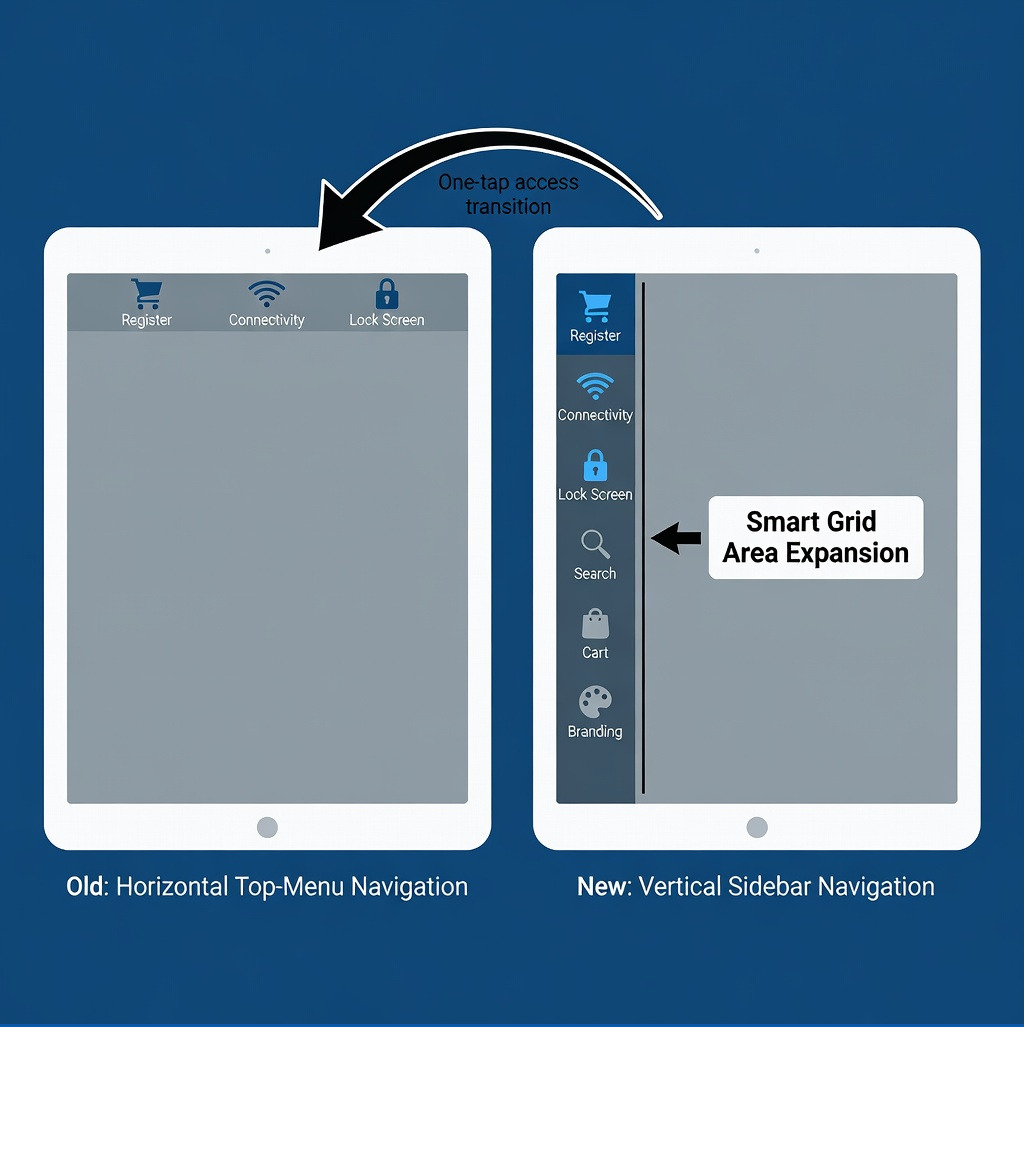
- The update introduces a redesigned vertical sidebar navigation on tablets, replacing the previous top-menu layout.
- A new context-aware search system filters results by products, orders, customers, drafts, or staff without switching screens.
- New branding tools let merchants customize lock screens, idle screens, and customer-facing checkout displays with brand colors and media.
- Built-in compliance features support KassenSichV (Germany) and RKSV (Austria), including Z-Reports and Cash Book functionality.
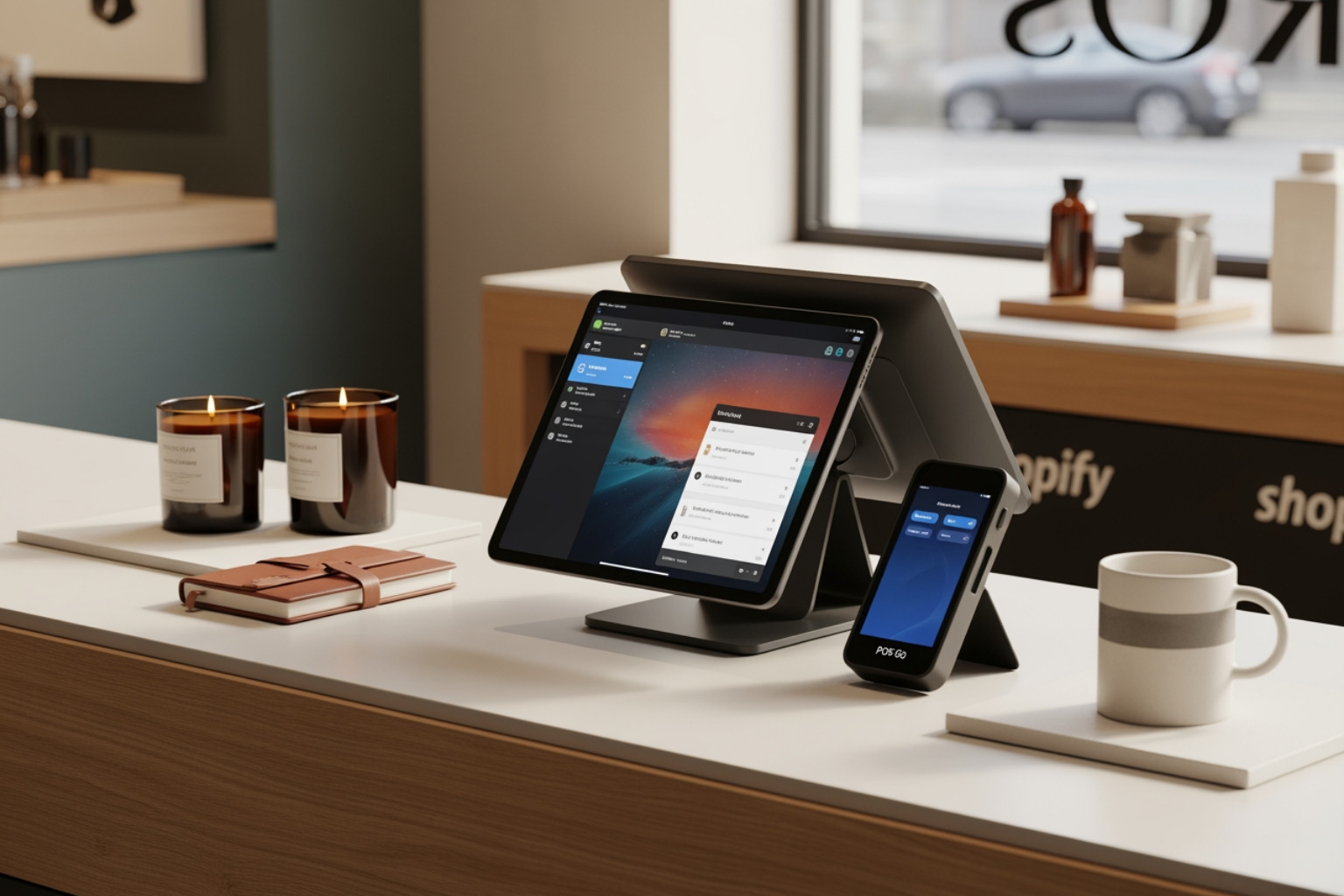
Shopify POS 10.0 is the biggest redesign of Shopify's point-of-sale system to date, and it landed in April 2025. If you run a physical store — or manage retail across multiple locations — this update directly affects how your staff works the register, finds products, and presents your brand to customers.
Here is a quick look at what changed:
| Area | What's New |
|---|---|
| Navigation | Vertical sidebar on tablets; one-tap access to Register, Lock Screen, Connectivity |
| Search | Context-aware inline search across products, orders, customers, drafts, and staff |
| Cart | Dynamic header showing order type and line item count at a glance |
| Branding | Custom lock screens, idle screens, and checkout display theming |
| Compliance | Built-in KassenSichV (Germany) and RKSV (Austria) support |
| Extensions | All existing POS UI extensions remain compatible; visual updates apply automatically |
The update rolled out globally through the App Store. If you have not seen it yet, your device likely needs a manual update — or you may have automatic updates turned off.
It is worth noting that merchants who connect their physical and digital stores through Shopify see an average revenue growth of 30% year over year. Version 10.0 is built specifically to make that connection tighter and easier to manage day to day.
I'm Steve Pogson, founder of First Pier and a certified Shopify specialist with over two decades of hands-on experience helping retail brands get more out of their Shopify stack, including Shopify POS 10.0 implementations for multi-location merchants. In this guide, I'll walk through every major change in this release so you know exactly what to expect and how to put it to work.
Similar topics to shopify POS 10.0:
Core Updates and Release Context
The Shopify POS version 10.0 Release Announcement officially marked a shift from a utilitarian payment tool to a brand-centric retail platform. Released in mid-April 2025, this version is not just a cosmetic refresh; it is a fundamental rebuild of the Shopify POS 10.0 interface.
In my work here at First Pier, I often see retailers struggle with "app fatigue"—the friction caused by clicking through multiple menus just to perform a simple task. Shopify addressed this by focusing on unified commerce. The goal of version 10.0 is to make the software fade into the background so your staff can focus on the customer standing in front of them. By bringing inventory, customer profiles, and order management into a single, faster interface, Shopify helps merchants maintain that 30% year-over-year growth seen by those who successfully bridge the gap between digital and physical storefronts.
Redesigned Navigation and User Interface
The most immediate change you will notice in Shopify Point of Sale is the new vertical sidebar on tablets. Previously, key icons like the Register, Connectivity status, and the Lock Screen were tucked away in a top menu. Now, they live in a persistent sidebar on the left side of the screen.
This layout change provides several benefits:
- One-Tap Access: Staff can jump between the register and connectivity settings with a single tap.
- Expanded Smart Grid: Moving the navigation to the side clears up vertical space, allowing the Smart Grid to show more tiles at once.
- Better Ergonomics: For staff holding a tablet, the left-hand sidebar is often easier to reach with a thumb while supporting the device.
On mobile devices, the navigation has been simplified to allow quick cart access, which is vital for "line busting" or selling away from a traditional counter. If you want to see these changes in action before updating, Shopify has provided an Interactive product tour that lets you click through the new interface.
Smarter Search and Cart Management in Shopify POS 10.0
Search has been a major pain point for high-volume retailers. In previous versions, searching for a "John" might return a mix of customers, orders, and products, forcing staff to sift through irrelevant data. Shopify POS 10.0 introduces context-aware inline search.
When you start typing in the search bar, you can now filter by:
- Products: Find specific variants or stock levels quickly.
- Orders & Drafts: Pull up a customer’s previous purchase or a pending draft order for quick completion.
- Customers: Access profiles to see loyalty points or purchase history.
- Staff: Quickly switch between users or attribute sales.
The cart experience also received a significant upgrade. New dynamic cart headers clearly show whether you are working on a new order or a draft. Additionally, the cart layout now shows more line items at once, reducing the need to scroll when a customer is buying a large number of items. This clarity is a major factor in error reduction and increasing checkout speed during busy shifts. If you are new to the platform, I recommend reading our guide on Using Shopify POS to get a handle on these basic workflows.
Branding and Customer Display Customization
One of the most frequent requests I hear from brands is the ability to make the POS look like their store, not just a generic Shopify app. Shopify POS 10.0 delivers this through the Display Editor.
You can now select primary and accent theme colors that apply to the Cart, Tips, Receipt, and Thank You screens. This ensures that the customer's visual experience at the counter matches your online store's aesthetic. For those using the POS Terminal or the Android Customer View app, you can even upload rich media—like images or videos—to serve as an idle screen. This turns your payment terminal into a marketing tool that can show off new arrivals or current promotions when it’s not in use. You can find the full steps for this in the Shopify manual for Customizing POS Terminal.
Customizing the Shopify POS 10.0 lock screen
The lock screen is no longer just a PIN pad. In version 10.0, you can upload a custom brand logo and background imagery directly through the POS Channel in your Shopify Admin. This is particularly useful for multi-location brands that want to maintain a consistent identity across all storefronts.
When your staff goes to enter their PIN, they are greeted by your brand's visuals rather than a blank screen. It is a small touch, but it adds a level of professionalism that customers notice. For help setting this up, check our resource on Shopify POS Pin Setup.
Hardware Requirements and Regional Compliance
Before you hit the update button, you need to ensure your hardware is up to the task. Shopify POS 10.0 has specific requirements to run smoothly.
| Device Type | Minimum Requirement |
|---|---|
| iPad | Gen 5 or newer (running iPadOS 15.1+) |
| iPad Air | Air 2 or newer |
| iPad mini | mini 4 or newer |
| iPhone | iPhone 7 or newer (running iOS 15.1+) |
| Android | Android 10.0+ with Google Play Services |
| Shopify Hardware | POS Go (with latest software), POS Terminal |
For our international merchants, version 10.0 includes critical compliance updates for Europe. It features built-in support for KassenSichV in Germany and RKSV in Austria. This includes the ability to generate Z-Reports and maintain a digital Cash Book, which are mandatory for financial reconciliation in those regions. Even if you are based in the US, maintaining PCI compliance is essential, and Shopify's hardware ecosystem is designed to handle this automatically. You can browse compatible gear at the Shopify Point of Sale Hardware resource page.
Frequently Asked Questions about Shopify POS 10.0
How do I update to Shopify POS 10.0?
Updating is generally straightforward. The Shopify POS app will typically prompt you when a new version is available. I always suggest running updates during non-peak hours to avoid any downtime while customers are in the store. To maintain access to the app, Shopify requires an update at least once every 180 days. For a smooth transition, I recommend turning on automatic updates in your device settings. If you are starting from scratch, follow our guide on Setting Up Shopify POS.
Will my existing extensions work with version 10.0?
Yes. Shopify has ensured that all existing POS UI extensions remain compatible. In fact, the POS UI Extensions 2025-04 Update allows visual updates to apply to your custom extensions automatically. This means your custom-built loyalty blocks or inventory tools will inherit the new, cleaner look of version 10.0 without you having to rewrite any code.
What are the device requirements for Shopify POS 10.0?
As mentioned in the hardware section, you need relatively modern devices. If you are using an older iPad (Gen 4 or below) or an iPhone 6, you will not be able to run version 10.0. For the best experience, I recommend the POS Go device or a recent iPad Pro. If you are setting up new hardware, our Shopify POS Card Reader Setup guide can help you get connected.
To Sum Up
Shopify POS 10.0 represents a significant step forward for retailers who want a professional, branded, and efficient checkout experience. From the redesigned sidebar that saves staff time to the deep customization options in the Display Editor, this update is built for the modern "experience economy."
At First Pier, we specialize in helping brands navigate these updates and ensure their systems are configured for maximum performance. Whether you need help with Shopify POS Implementation or want to sync your multi-location inventory more effectively, my team and I are here to help.
If you're ready to move your retail operations to the next level, I encourage you to Start your project today and see how these new features can work for your specific business needs. Retail moves fast, and having the right tools in place is the only way to stay ahead.





.png)
.png)
