



Summary
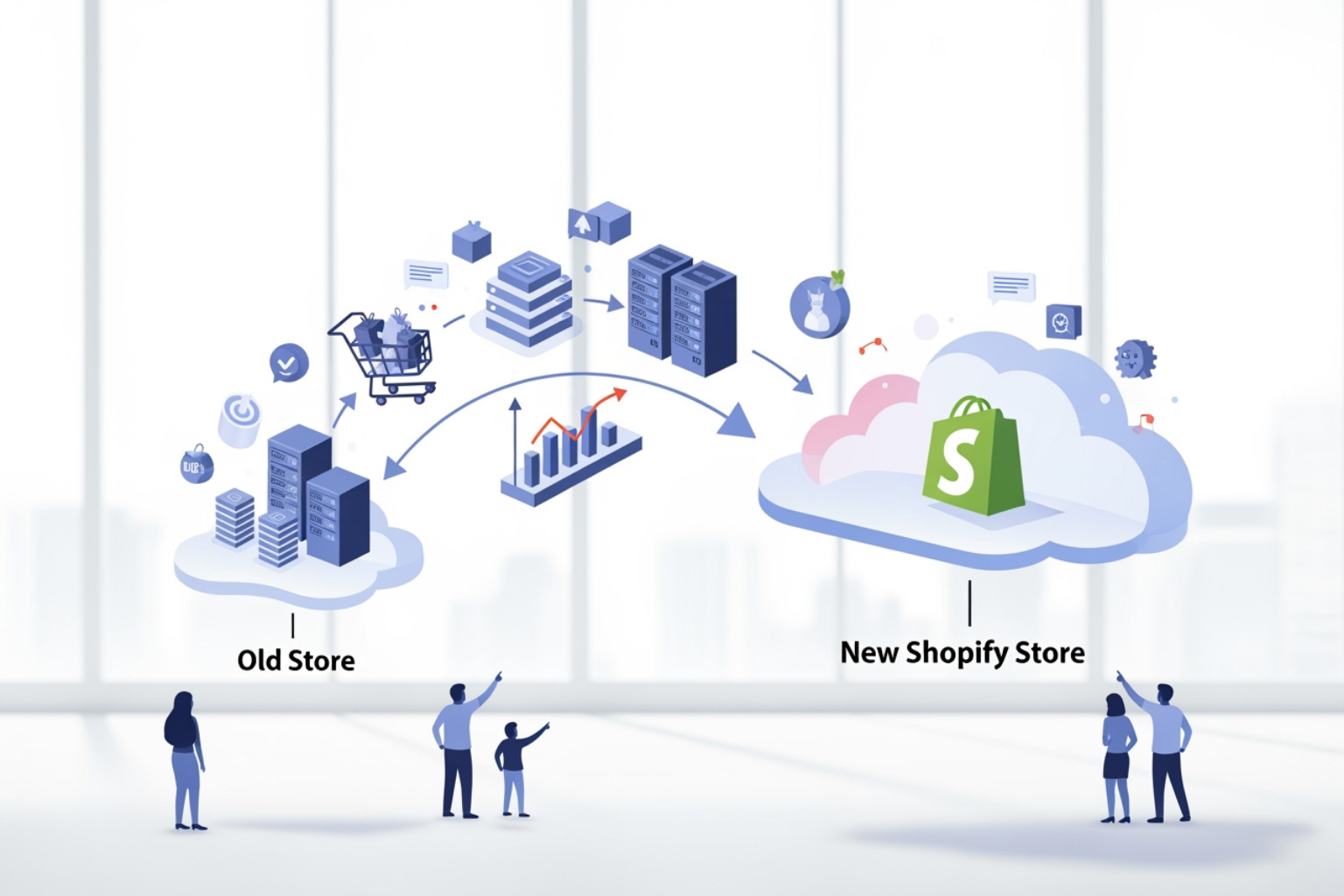
- Shopify store migration is the process of transferring an online store's data, including products, customers, and orders, to the Shopify platform.
- Migration methods include manual CSV imports, automated apps from the Shopify App Store, or hiring an expert agency.
- The process involves data backup, store configuration, data transfer, and post-migration testing.
- Preserving search engine optimization (SEO) requires implementing 301 redirects to map old URLs to new ones.
Why Shopify Store Migration Matters for Growing Businesses
Shopify store migration is the process of moving your online store's data and operations from your current ecommerce platform to Shopify. Here's what you need to know:
Key Migration Methods:
- Manual migration - Transfer products and customers using CSV files (best for small catalogs)
- Migration apps - Use third-party apps from the Shopify App Store to automate data transfer
- Agency partners - Work with Shopify experts for complex migrations with custom requirements
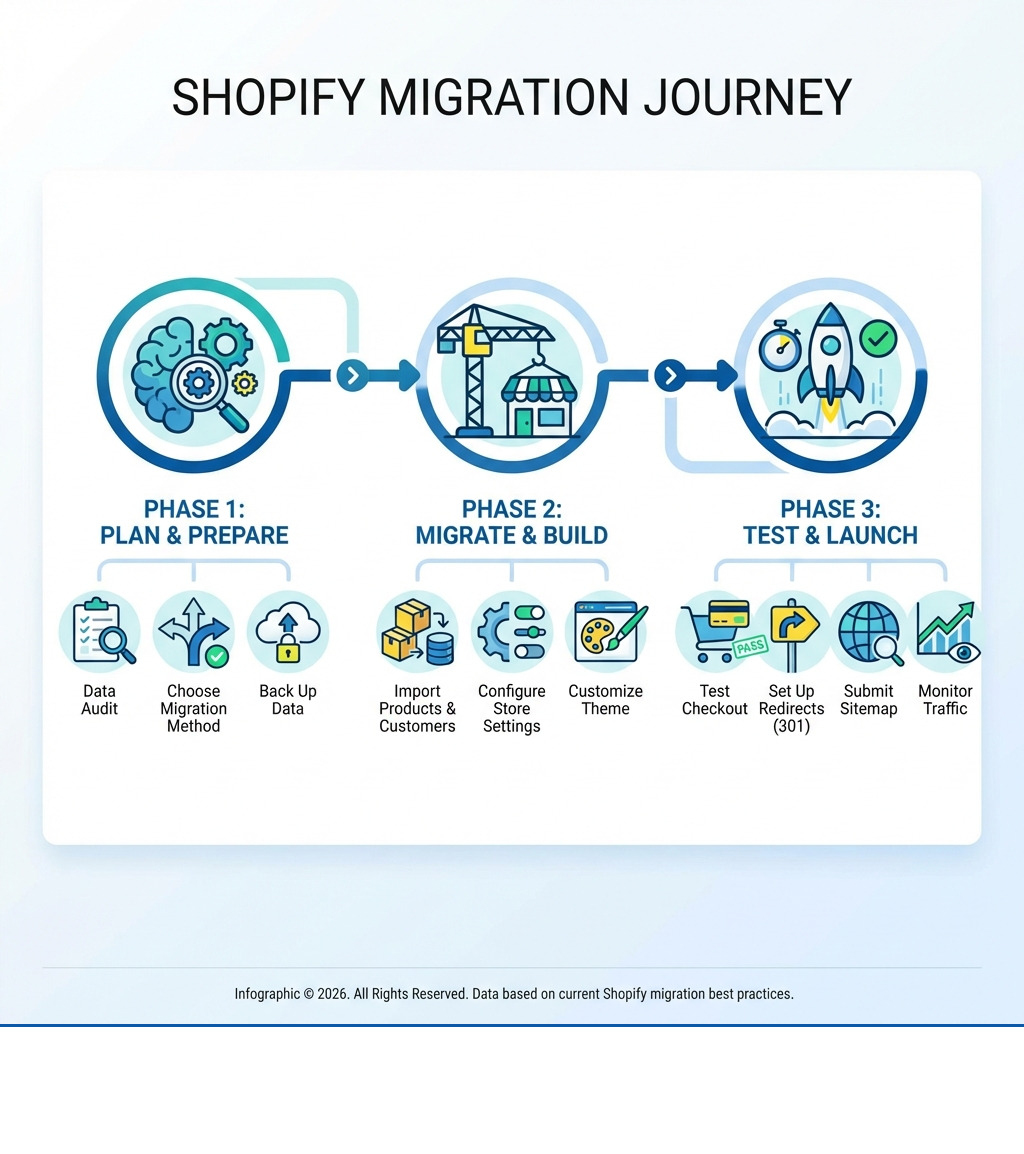
Essential Migration Steps:
- Back up all current store data
- Transfer products, customers, and order history
- Set up your Shopify store (theme, shipping, taxes, payments)
- Create 301 redirects from old URLs to new ones
- Test checkout and site functionality
- Monitor SEO performance post-launch
Global ecommerce sales are projected to reach $8 trillion by 2027, and Shopify powers over 4 million businesses worldwide. The platform offers mobile-friendly design, automatic sitemap generation, a strong site structure, and tools to rank in search results.
But migration isn't just a technical project. It's a business decision that affects your search rankings, customer experience, and revenue. Changes to your URL structure, server location, and internal links can confuse search engines if not handled correctly. That's why most businesses migrate in under 3 months using a clear plan that protects their SEO and minimizes downtime.
I'm Steve Pogson, founder of First Pier, a Shopify Expert Agency in Portland, Maine. Over the past two decades, I've led Shopify store migrations for businesses ranging from small retailers to high-volume operations with 50,000+ SKUs, ensuring data accuracy, SEO preservation, and a smooth transition to the platform. Here at First Pier, we've helped brands like Wyman's Blueberries and Hyperlite Mountain Gear move to Shopify without losing traffic or sales.
Shopify store migration helpful reading:
Planning Your Migration: Data, Methods, and Costs
When planning a Shopify store migration, the first decisions involve understanding your existing data and choosing the right method for the move.
Preparing Your Store and Data
Before migration begins, you need to prepare your current store and its data to help avoid common errors.
First, I always recommend a data audit. This means taking stock of everything you currently have on your platform. What products are still active? Which customer records are current? What order history do you need to keep? This audit is also an opportunity to remove old, low-performing content or outdated customer information that doesn't need to move to your new store. This helps make the process more efficient.
Next, you must back up all your current store data. While any tools or experts you use for migration will not delete data from your previous system, having your own backup is a good safety measure. You can revoke an app's access to your data at any time by uninstalling it.
I also suggest merchants use a migration checklist. Shopify provides checklists that guide you through every step, from organizing your store to adding sales channels. For small businesses, an online store checklist can be very helpful. This preparation helps you list all items, including products, customers, and orders, that need to be moved.
Choosing Your Shopify Store Migration Method
Once your data is prepared, the next decision is how to move it. There are several methods for migrating a store to Shopify, each with its own advantages depending on your business size, technical skill, and the complexity of your data.
| Method | Cost | Speed | Technical Skill | Data Types Supported |
|---|---|---|---|---|
| Manual (CSV) | Low | Slow | Medium | Products, Customers (limited). Orders, blogs often not supported. |
| App-based | Medium | Fast | Low | Products, Customers, Orders, Reviews, Blogs, Pages |
| Agency-led | High | Fast | Low (for you) | All data types, custom requirements, large volumes |
For smaller businesses with a limited number of products and customers, manual migration using CSV files can be a direct approach. You can export products and customer data into CSV files and then import them into your new Shopify store. However, some data, like orders and blog posts, cannot be moved this way.
For a faster setup and more complete data transfer, a migration app from the Shopify App Store is a common choice. These apps can transfer store data, including products, orders, customers, and reviews. They are designed to keep your store's SEO intact throughout the migration. You can explore various migration app options to find one that fits your needs.
For large businesses or those with complex custom requirements, hiring a Shopify Partner like First Pier is recommended. We specialize in managing and completing migrations, often handling hundreds of thousands of orders and customers, and addressing specific needs such as VAT management or multi-store setups. This option reduces your internal resource commitment and provides expert handling of your data.
Understanding Migration Costs
The costs associated with migrating to Shopify can vary widely. It’s important to understand the different components to budget effectively.
The most basic cost is your Shopify plan pricing. Shopify offers various plans to suit different business sizes and needs. Beyond the platform itself, you might have app fees for specific migration tools or ongoing subscriptions for new functions you add to your store.
If you choose to work with an agency like First Pier, agency service fees will be a part of the cost. These fees cover expert planning, execution, and support, which is important for complex migrations. There's also the internal staff time your team will spend on preparation, data review, and learning the new platform.
When considering the overall investment, it's helpful to look at the Total Cost of Ownership (TCO). According to research commissioned by Shopify, Shopify has a lower TCO when compared across other major platforms in North America, often leading to lower implementation, operating, and platform costs over time. This means that while there are upfront costs, the long-term efficiency on Shopify can be beneficial.
The Shopify Store Migration Process: Step by Step

Once you've planned your migration and chosen your method, you can begin the practical steps. This framework outlines the process from importing data to configuring your new Shopify store.
Step 1: Data Import and Verification
The goal is to move all your selected data to Shopify accurately.
You'll be importing products, customers, and historical orders. A dedicated app from the Shopify App Store can simplify this. Shopify's own Store Migration app is a good starting point for transferring these core data types.
After the import, verifying data accuracy is important. I always tell my clients to double-check everything. Common issues I see include missing product details, products imported but not published (they might be marked as hidden), or mismatched variants if the old platform had a different structure. You might need to manually add missing information or adjust product availability to make sure everything appears as expected. For instance, if product variants failed to import, you might need to add them manually or adjust the import file so all options are present.
Step 2: Store Setup and Configuration
With your data in place, it's time to build out the function and appearance of your new store.
First, you'll choose a theme from the Shopify Theme Store, which offers a wide range of both free and paid options. Customizing your storefront involves both aesthetics and creating a clear user path. Here at First Pier, our ecommerce UX design services help you build a store layout that is direct and helps convert visitors into customers.
Next, you'll set up shipping rates. This requires deciding on your shipping strategy, including zones, carriers, and pricing. Shopify has a shipping strategy guide to help you make these decisions.
Configuring taxes is another necessary step. Depending on your location and where you sell, you'll need to make sure your store calculates sales tax correctly. Shopify's tax setup process helps you meet these regulations.
Finally, you'll set up payment providers. To accept payments, you need to set up a payment gateway that lets you accept credit card payments securely. Shopify Payments is available in many countries, and a variety of third-party providers are also supported.
Step 3: Testing and Final Checks
After moving your data and configuring your store, you need to test it. Thorough testing helps confirm that the migration was successful.
I always recommend placing multiple test orders. This means going through the entire checkout process, from adding items to the cart to entering payment information. Test successful transactions, failed transactions, refunds, cancellations, and order fulfillment. This helps you check that your payment settings, shipping calculations, and inventory updates are working correctly.
You should also check customer notifications to confirm they are being sent out as expected for orders, shipping updates, and account creation. Review all store settings, including policies, contact information, and automated emails.
If you encounter any issues, Shopify Support is available 24/7 to help you at any point. You can also explore the Shopify Community to get answers from other merchants and partners.
Protecting Your SEO During Migration

A Shopify store migration is a significant change, and it can affect your search engine rankings. My experience has shown that planning to protect your SEO is just as important as moving your data.
The Importance of URL Redirects
One of the biggest SEO risks during migration is changes to your URL structure. When you move to a new platform, the way your product pages, collection pages, and blog posts are structured in URLs often changes. If not handled correctly, this can lead to broken links, lost search engine rankings, and a poor user experience.
This is where 301 redirects are necessary. A 301 redirect tells search engines that a page has permanently moved from an old URL to a new one. Implementing these redirects for every page that changes its URL is important for preserving link equity – the value and authority that search engines have assigned to your old pages. Shopify provides a URL redirect tool in your admin, making it straightforward to map old URLs to new ones. A 301 redirect guide can provide further detail on best practices.
On-Page SEO and Content Migration
Beyond redirects, your on-page SEO elements and content also need attention during migration.
When migrating blog posts and articles, make sure that embedded images use protocol-independent URLs (meaning they don't specify http: or https:) to prevent broken images. This is a common oversight that I've seen affect many migrations.
You should also review and update your meta descriptions and title tags for all pages, products, collections, and blog posts. These elements are important for how your content appears in search results. Make sure image alt text is carried over or added, as this helps with accessibility and image search.
Here at First Pier, our SEO services can help you with an SEO audit before migration, create a redirect plan, and adjust your new content and metadata to maintain your search visibility.
Post-Launch SEO Monitoring
Launching your new Shopify store isn't the end of your SEO efforts; it's the beginning of a monitoring phase.
One of the first things to do post-launch is to submit your new sitemap to Google Search Console. Shopify automatically generates sitemaps, which list all the pages on your site and help search engines understand its structure. If you've changed domains, use Google's Change of Address tool to inform Google of the move.
Continuously monitor your site for 404 errors, which indicate broken links. Tools like Ahrefs or SEMrush can help you track keyword rankings, organic traffic, and identify any technical SEO issues that might arise. A temporary dip in traffic is normal as search engines re-crawl and re-assess your site, but consistent monitoring helps you address problems quickly.
Frequently Asked Questions about Shopify Migration
I often get asked similar questions about Shopify store migration. Here are some common ones:
What types of data can be migrated to Shopify?
You can migrate a wide range of data to Shopify. This typically includes:
- Products: Product titles, descriptions, images, SKUs, variants, pricing, inventory levels.
- Customers: Customer names, email addresses, shipping addresses, order history.
- Historical orders: Past order details, including order numbers, items purchased, and customer information.
- Gift cards, certificates, and store credits: While often requiring specific apps or API use, these can generally be moved.
- Blogs and pages: Your existing blog posts, articles, and static pages (like "About Us" or "Contact Us").
- Reviews: Product reviews can often be migrated using specific apps.
Data transfer is possible via CSV files for some data types, through various migration apps available in the Shopify App Store, or for more complex scenarios, using the Shopify API.
How long does a Shopify store migration take?
The timeline for a Shopify store migration can vary. It depends on several factors:
- Store size: A small store with 50 products will migrate much faster than a large enterprise with thousands of SKUs and extensive customer data.
- Data volume: More data, especially historical orders and customer profiles, means more time for transfer and verification.
- Migration method: Manual migration can be time-consuming, while app-based or agency-led migrations are generally faster.
Most businesses manage to migrate to Shopify in under 3 months. However, for complex or large-scale operations, it can take longer. Working with an experienced agency like First Pier can often speed up the process.
Is my data safe during the migration?
Yes, your data is safe during a Shopify store migration. This is a common concern I hear from merchants.
- Original data is copied, not deleted: The migration process typically involves copying your data from your old platform to Shopify. Your original data remains on your previous system.
- Revoke app access: If you use a migration app, you can revoke its access to your data at any time by uninstalling it from your Shopify store.
- Strict security protocols: Shopify and its partners follow strict data security protocols, as outlined in their privacy policy. They are committed to protecting your personal and store data.
To Sum Up: What Comes After Migration
A Shopify store migration is the start of ongoing work. Once your store is live on Shopify, the focus shifts to growth, maintaining site performance, and improving how customers use the site. This includes ongoing SEO, marketing efforts, and adjusting your store's functions.
For businesses that prefer to have a dedicated team manage these details, working with an agency like First Pier can provide a correct and efficient move to Shopify, and continued support after launch. We're here in Portland, ME, ready to help your brand operate on the new platform.




