


Summary
- Many merchants are moving from Volusion to Shopify due to Volusion’s financial uncertainty and Shopify’s stronger infrastructure and ecosystem.
- Typical migration work includes auditing and backing up Volusion data, choosing a migration method, configuring Shopify, and running detailed tests before launch.
- Product, customer, order, blog, and page content usually can be moved, but customer passwords must be reset on the new store.
- Maintaining search traffic requires a full URL audit, 301 redirects, and careful handling of metadata and sitemaps.
- B2B brands often need custom Shopify development to rebuild credit terms, account permissions, and ERP connections.
Why Businesses Are Moving from Volusion to Shopify
Summary
- Moving from Volusion to Shopify is often prompted by concerns about Volusion’s stability and Shopify’s infrastructure, app ecosystem, and mobile support.
- The migration process includes planning, data backup, data transfer, store setup, and post-migration testing.
- Data that can be migrated includes products, customers, orders, blog posts, and content pages, but customer passwords cannot be transferred.
- Preserving SEO requires mapping old URLs to new ones and setting up 301 redirects.
- For B2B stores, replicating credit account structures on Shopify may require custom development using available Shopify features.
Volusion to Shopify migration is not just a technical switch. For most brands we work with here at First Pier, it is a decision about stability, growth, and how much risk they are willing to carry in their ecommerce stack.
Volusion’s bankruptcy filing raised real questions about long-term support and investment in the platform. At the same time, Shopify has built out a reliable hosting layer, a large app marketplace, and strong mobile support. For teams that care about uptime during promotions and holidays, that difference matters more than any single feature.
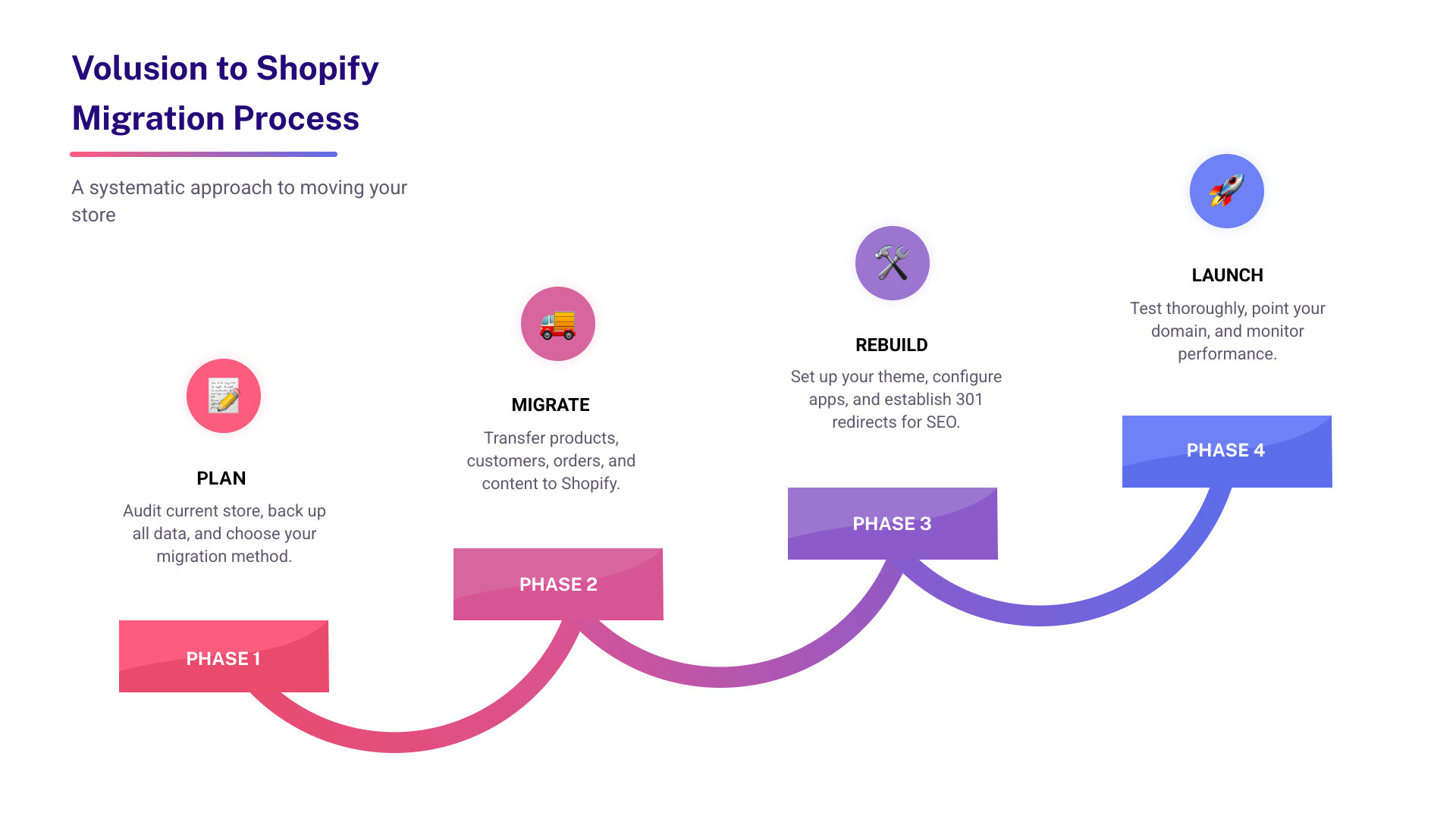
Quick migration overview:
- Plan – Audit your current store, back up all data, and choose how you will move it.
- Migrate – Transfer products, customers, orders, and content into Shopify.
- Rebuild – Set your theme, configure apps, and add 301 redirects to protect search traffic.
- Launch – Test the full flow, point your domain, and watch performance and analytics.
What usually transfers: Products, customers, order history, blog posts, pages, and most SEO metadata.
What does not transfer: Customer passwords (customers will need to set new ones), some custom Volusion features, and certain app integrations.
Rough timelines: A small retail catalog with light customization can often move in 1–2 weeks. Complex B2B stores with customer-specific pricing, credit accounts, and ERP ties often need 4–8 weeks for a careful move.
The ecommerce market has changed around Volusion. Its recent financial issues leave store owners unsure about future updates, security work, and support. Shopify, by contrast, has continued to grow its infrastructure and product, with over 8,500 apps, strong mobile support, and hosting that can handle major traffic spikes without manual tuning.
For owners managing real volume, that gap is hard to ignore. Shopify now provides a wide range of built-in features and integration points that often replace custom code and paid add-ons on Volusion. When you are planning for growth over the next 5–10 years, staying on a platform that is not clearly moving forward introduces risk into your sales channel.
Mobile commerce makes the gap even clearer. Many stores now see at least 30% of traffic from phones, and plenty see more than half. Shopify themes ship with responsive layouts and are built on a more modern stack than Volusion’s legacy theme system. That usually means faster page loads, which helps with both user experience and search performance. Given how much weight Google puts on speed and Core Web Vitals, this turns into a direct revenue issue, not just a design preference.
The migration work itself is structured but manageable. You move products, customers, and order history into Shopify, rebuild your layout on a modern theme, connect key apps, and set redirects so search engines and customers can still find what they need. The process is straightforward when broken into clear steps and run against a checklist.
For B2B operations, the move takes more planning. Shopify Plus gives tools for wholesale pricing, account controls, and net terms, but you have to rebuild your specific credit rules and workflows. Here at First Pier, we usually do this with metafields, customer tags, and checkout changes. The result is often more flexible than the original Volusion setup, but it does require design and development time.
That includes small catalogs and large industrial suppliers with layered pricing and credit rules. Run well, a Volusion to Shopify migration protects existing relationships and opens up room to improve the buying experience, instead of just copying the old site.
Why Move from Volusion to Shopify?
Many businesses now ask whether they should move from Volusion to Shopify. For the clients we work with here at First Pier, the answer usually comes down to risk, support, and the ability to keep improving the store without fighting the platform.
Volusion’s recent bankruptcy filing has created real uncertainty. Owners worry about how long core features will be maintained and how quickly security issues will be fixed. Shopify, by contrast, continues to ship updates, add integrations, and invest in its hosting. That steady investment matters once your store is responsible for a meaningful share of revenue.
Volusion can still work for smaller catalogs with simple needs, especially when the owner is hands-on and mainly focused on basic product management. The built-in analytics and inventory tools are straightforward. The tradeoff is that you run into limits quickly when you want deeper integrations, more advanced merchandising, or modern customer experience work.
Key Differences for Store Owners
Once you compare the two platforms in day-to-day use, the differences become clearer. Shopify’s admin is more modern and easier to move around in. Tasks like editing products in bulk, adjusting collections, or checking key reports take fewer clicks. Volusion’s admin and design tools feel dated, which shows up when you try to roll out changes quickly.
Here is a high-level comparison:
| Feature | Volusion | Shopify |
|---|---|---|
| App Options | Currently lists only 21 applications (excluding payment processors). Limited ecosystem. | Shopify has one of the most extensive app ecosystems with over 8,500 apps. Shopify's app review process helps with compatibility and security. |
| Theme Variety | Approximately 30 themes, often perceived as less flexible and modern. | Over 200 themes available, including free and paid options, with mobile-responsive designs and broad customization. |
| B2B Features | Basic net terms configuration and manual AR management. | No native, out-of-the-box B2B credit engine, but provides tools (metafields, tags, Shopify Functions on Plus) to build custom credit logic. Dedicated B2B functionality with Shopify Plus. |
| SEO Tools | Volusion URLs are often SEO unfriendly (e.g., www.domain.com/article?316), which can make indexing harder. Limited built-in SEO tools. | Shopify usually does better on SEO with clean URL structures, automatic sitemap generation, and mobile responsiveness. Tools for meta descriptions, alt tags, and structured data are available. |
| Mobile Support | Legacy theme architecture often leads to poor mobile performance, with PageSpeed Insights scores below 35. | Themes are mobile-responsive by default, with faster load times (Shopify's Dawn theme often scores 85+ on PageSpeed Insights). This matters as at least 30% of traffic is mobile. |
| Support | Phone support often limited to higher-priced plans. | Offers 24/7 support via live chat, email, and phone on most plans. |
The wide app marketplace on Shopify is a key difference for most of our clients. Instead of custom coding every new integration, you can often connect an existing app for reviews, subscriptions, ERP connectors, or loyalty. On Volusion, those gaps often mean one-off custom work or manual processes.
Considerations for B2B and High-Growth Stores
For B2B brands and stores that are growing steadily, moving from Volusion to Shopify Plus is usually not about chasing features. It is about getting onto a platform that can handle more complexity without becoming brittle.
Shopify Plus gives access to tools like Shopify Functions, more robust APIs, and dedicated B2B features. But it does not ship with a ready-made credit account module that behaves like Volusion’s. If your business depends on credit limits, net terms, and AR workflows, you will need to rebuild those rules.
Here at First Pier, we usually handle that work in four pieces:
- Rebuilding credit workflows: We use Shopify metafields to store credit limits, current balances, and net terms. Customer tags control which buyers can use credit at checkout.
- Custom checkout flows: With Shopify Functions (on Plus), we add a "Pay With Net Terms" path for approved accounts and enforce credit limits on the fly.
- ERP and accounting integration: We connect Shopify to your ERP or accounting system so that credit balances, payments, and orders stay in sync. That keeps a single source of truth for finance.
- Customer-facing account tools: We build account pages where buyers can see open balances, invoices, and payment history, and where they can request changes to their credit.
Handled well, this move is not just a technical port. It is a careful handoff of the trust built into your B2B credit program. Our job here at First Pier is to keep that trust intact while giving your team a store that is easier to maintain and grow.
Planning Your Volusion to Shopify Migration
A successful Volusion to Shopify migration starts before any files move. The planning work is what keeps data clean, protects search traffic, and prevents surprises during launch.
Step 1: Audit and Back Up Your Volusion Data
Before you change anything in Volusion, export and review your data. This gives you a safety net and a clear picture of what you are moving.
Volusion has export tools that let you pull more than 30 data types into CSV and other formats.
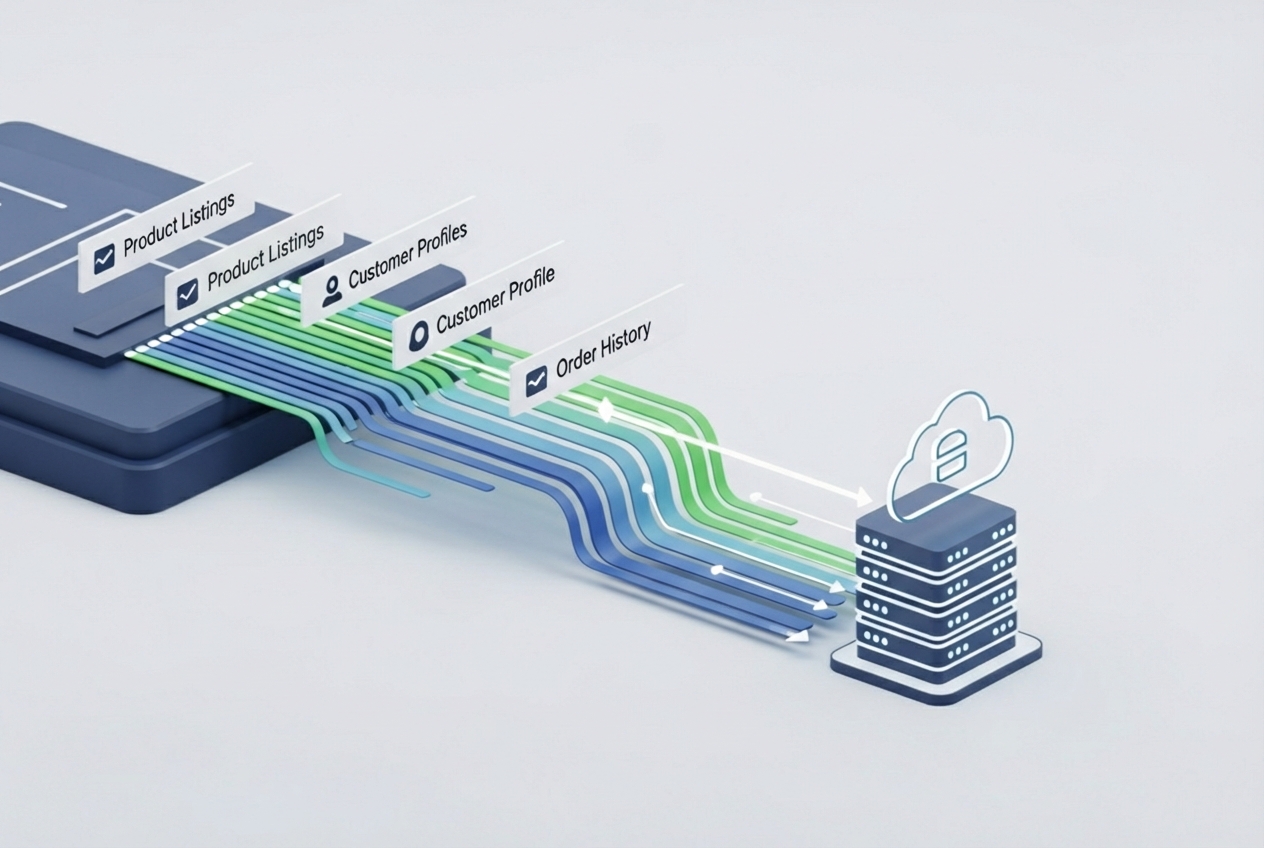
Back up and review at least the following:
- Product data: SKUs, names, descriptions, images, variants, pricing, inventory, meta tags, and reviews. Pay close attention to options and custom fields; they usually need careful mapping into Shopify variants, options, and metafields.
- Customer data: Names, email addresses, billing and shipping addresses, customer groups, and purchase history. Customer passwords cannot be migrated because of encryption differences, so you will need a clear plan to ask customers to reset passwords.
- Order history: Full order records with line items, payments, and shipping details. These are important for reporting, customer service, and tax or audit work.
- Content pages: Static pages like "About", "Contact", and FAQs. This is a good time to drop or update outdated pages.
- Blog posts: Articles, images, and comments (if you plan to keep them).
- SEO metadata: Current URLs, meta titles, meta descriptions, and image alt tags. This is what you will use to map redirects and protect search rankings.
While you are auditing, note any custom logic or unique flows on your Volusion store: shipping rules, discounts, content blocks, scripts, or third-party integrations. For each one, decide whether you can use a native Shopify feature, an app, or if it needs custom development.
Step 2: Choose Your Migration Method
Once your data is backed up and you know what you are moving, choose how you will move it. For our clients, we usually pick one of three paths, or a mix:
- Manual migration (CSV files): For small catalogs (for example, 10–50 products), exporting CSVs from Volusion and importing them into Shopify can work well. Shopify provides a sample product import CSV so you can line up field names and formats. Manual imports give you a chance to clean up product data, but they do not scale well for large or complex catalogs.
- Automated migration tools: Apps in the Shopify App Store can move standard entities like products, customers, orders, blogs, and pages. They are useful for straightforward stores, but rarely handle every edge case. You still need to prepare your data, check mappings, and run a full review afterward.
- Working with a migration expert: For complex catalogs, B2B setups, or stores that cannot tolerate much downtime, bringing in a Shopify-focused team is often the safest choice. Here at First Pier, we handle the full cycle: data audit, cleanup, migration scripts, custom development, redirects, and post-launch tuning.
Actual timelines vary with catalog size and data quality. The migration work itself can run from about a week to a month. It is wise to open a Shopify account early, so you can learn the admin and make core decisions before the data shows up.
Step 3: Set Up Your New Shopify Store
Before you import any data, you need a stable Shopify base.
- Shopify account setup: Create a Shopify account and start a trial if you want time to test.
- Choose a plan: Shopify offers several plans (Starter, Basic, Shopify, Advanced). Match your pick to your current volume, team needs, and near-term growth plans.
- Configure basic settings:
- Store name and general info: Add your business details and legal information.
- Shipping zones and rates: Define where you ship and how you charge. Shopify has flexible shipping options.
- Tax setup: Configure sales tax by region based on where you sell. See Shopify’s guide on charging sales tax.
- Payment gateways: Choose a payment provider so you can take card payments. Where available, Shopify Payments keeps fees and settings in one place, and you can add third-party providers as needed.
Here at First Pier, we often set up this base configuration for clients, so by the time we start importing data, the store is already in a good place for performance, compliance, and day-to-day use.
The Volusion to Shopify Migration Process
Once planning is done and your Shopify store is configured, you can move into the actual migration. This stage is about moving data accurately, rebuilding the front end, and getting the site ready for real traffic.
Step 4: Migrating Your Store Data
The core of any Volusion to Shopify migration is clean, repeatable data transfer. Poor data work here will surface as customer service issues, reporting gaps, or SEO problems later.

You have a few main options for moving data:
- Automated migration tools: Shopify App Store tools can move common entities such as:
- Products: Variants, images, and metadata.
- Customers: Contacts and addresses.
- Historical orders: Order details and payment records.
- Gift cards, certificates, and store credits: Often by apps or via the GiftCard API.
- Blogs and blog posts: Using apps or the Blog API and Blog Article API.
- Pages (shipping policy, contact, other webpages): Via apps or the Page API.
- Manual CSV import: For products and customers, you can export CSVs from Volusion and import them into Shopify. This takes careful mapping to Shopify’s CSV format but gives you precise control.
- Shopify API for custom solutions: For complex data structures, non-standard fields, or when you need to keep IDs in sync with external systems, direct use of the Shopify API (for example, Customer API, Order API) is often best. This usually involves custom scripts run by developers.
Customer passwords cannot move from Volusion to Shopify. Plan a clear communication path and email flow to ask customers to set new passwords on the Shopify store.
Step 5: Preserving SEO During Migration
Protecting search performance is one of the most important pieces of this project. A loose redirect plan can cause a drop in organic traffic that takes months to recover.
Here is how we usually handle SEO protection:
- URL redirects (301s): Build a complete map of old Volusion URLs to new Shopify URLs. Tools like Screaming Frog help you export all live URLs from the current site. For bulk uploads, an app such as Easy Redirects by ESC can save time. Aim to map every old URL to the best matching page on the new site.
- Meta titles and descriptions: Make sure migrated pages and products keep or improve their meta tags. Some tools will move these for you, but we still recommend a manual review for high-value pages.
- Sitemaps: After launch, Shopify will create a fresh
sitemap.xml. Submit it through Google Search Console so Google can crawl and index the new URLs. - Canonical URLs: Check canonical tags on key templates to avoid duplicate content issues, especially if you use filters or alternate paths into collections.
- Image alt tags: Preserve alt tags from the old store or add them during migration to support image search and accessibility.
Here at First Pier, our migration projects usually include a full SEO audit and redirect plan, along with post-launch monitoring of search console data.
Step 6: Rebuilding Store Design and Features
Volusion and Shopify use different theme systems, so a one-to-one copy of your old theme is neither realistic nor usually a good idea. Treat this as a chance to clean up the interface and make the site easier to shop.
- Theme selection: Pick a Shopify theme from the Shopify Theme Store that fits your catalog structure and brand. Test it with your real content before you commit.
- Theme customization: Adjust colors, fonts, layouts, and content blocks so the store feels familiar to existing customers but removes friction points from the old site. Here at First Pier, our ecommerce UX design work focuses on clear navigation, fast paths to key products, and straightforward checkout.
- Navigation and collection setup: Build a collection tree that matches how customers think about your products, not how Volusion happened to store them. Set menus and filters so that buyers can quickly narrow down choices.
- App installation: Replace Volusion-specific modules with Shopify apps for reviews, search, merchandising, inventory, and marketing. With thousands of apps, there are usually several ways to solve each need; your tech stack should match your operations and team.
- Replicating custom features: For features that do not exist as apps, we use Liquid, metafields, and (on Plus) Shopify Functions to rebuild the behavior. This covers things like complex product detail layouts, conditional content, or custom pricing rules.
Post-Migration: Launch and Growth on Shopify
The migration work is not done when the data arrives in Shopify. You still need to test, launch, and then watch how real customers use the new site.
Step 7: Testing Before Launch
Before you point your domain at Shopify, run through a structured test pass. This is where you catch issues that did not show up in migration logs.
Here is a practical test checklist:
- Test orders: Place several test orders with different payment methods (Shopify Payments, PayPal, etc.). Test failed payments, refunds, and cancellations.
- Customer accounts: Create accounts, log in and out, reset passwords, and check order history views.
- Mobile behavior: Check the site on several phones and tablets, across browsers like Chrome, Safari, and Edge.
- Links: Use a broken link checker to find any dead internal or external links.
- Forms: Test contact forms, newsletter signup forms, and any custom forms.
- Email notifications: Confirm that order confirmations, shipping notices, and other automated emails fire correctly. Update templates from the Notifications page as needed.
- Product pages: Spot-check product data, variant logic, pricing, and Add to Cart behavior.
- Shipping and taxes: Run orders through the checkout to confirm shipping rates and taxes match expectations.
Step 8: Point Your Domain and Go Live
Once testing looks good, you can move traffic to Shopify.
- DNS settings: Update DNS records at your domain registrar so your domain points to Shopify. Follow Shopify’s DNS instructions step by step.
- Domain transfer (optional): If you want Shopify to manage the domain, follow the domain transfer process with your registrar and Shopify.
- Launch window: Choose a launch time during off-peak hours so you have room to fix any issues without affecting as many customers.
- Monitoring: Right after launch, watch Google Search Console for crawl errors, and use Shopify Analytics to track traffic, conversion, and error patterns. Have a short list of checks ready for your team to run during the first 24–48 hours.
Step 9: Post-Launch Activities and Ongoing Improvement
After launch, focus shifts from migration to steady improvement.
- Customer communication: Tell your customers about the new store, explain any changes that affect them (such as new passwords), and point out any new features that will matter to them.
- Collect feedback: Ask key customers and internal teams for feedback on navigation, search, and checkout. This often reveals issues that analytics alone will not show.
- Performance monitoring: Track key metrics in Shopify Analytics and your other ecommerce analytics tools. Watch conversion rate, average order value, and site speed.
- Conversion review: Make small, measured changes to templates, product detail pages, and cart flows, and watch the results. A/B testing on high-traffic pages can be valuable once you have a stable baseline.
- Marketing integration: Rebuild automations and flows in tools like Klaviyo and your SMS platform. Here at First Pier, we support clients with email & SMS marketing to make sure the new store is backed by a healthy retention program.
Conclusion
A Volusion to Shopify migration is not only a platform move; it is a decision about how you want your ecommerce channel to work over the next several years. Given Volusion’s uncertain outlook and Shopify’s stronger, mobile-ready platform, many brands decide the short-term project is worth the long-term stability.
You gain a more modern admin, access to a deep app marketplace, better theme options, and strong support. If the migration is planned well, you also come out with cleaner data, a better navigation structure, and a site that is easier for your team to maintain.
Here at First Pier, we have seen stores grow after moving because the platform no longer holds them back. Our team handles everything from the audit and redirect map to custom B2B credit logic and post-launch tuning, so you can focus on running the business instead of chasing technical issues.
If you are considering this move and want help with the planning and execution, our team specializes in complex migrations.





.png)
.png)

