



Why Klaviyo is the Best Email Marketing Platform for eCommerce
How to use Klaviyo for email marketing starts with understanding that it was built just for eCommerce. Unlike generic tools, Klaviyo connects to your online store, tracks customer behavior, and turns that data into personalized marketing that brings in sales.
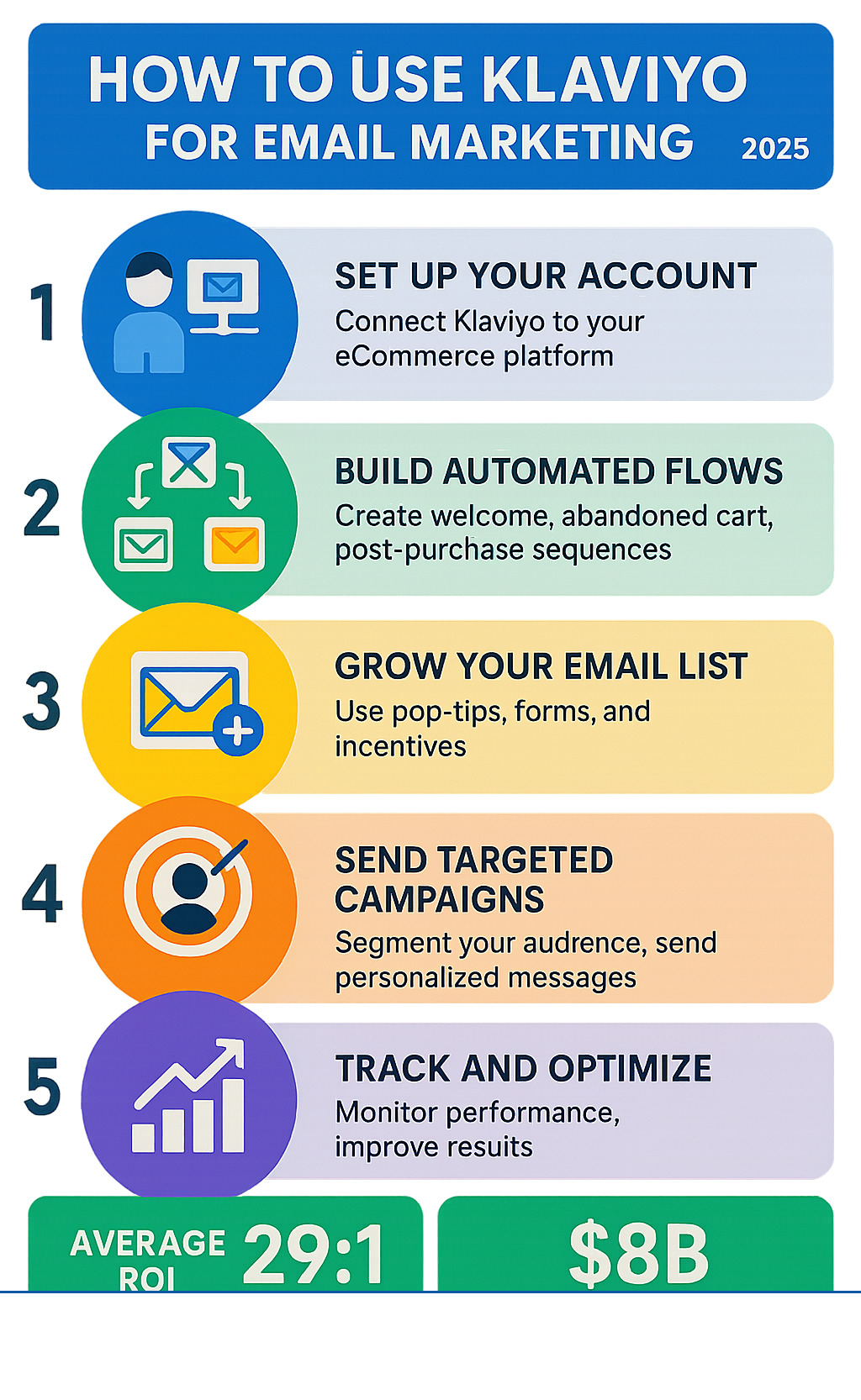
Here's how to use Klaviyo for email marketing in 5 key steps:
- Set up your account and connect it to your eCommerce platform.
- Build automated flows like welcome series and abandoned cart emails.
- Grow your email list with pop-ups and forms.
- Send targeted campaigns using customer data and customer groups.
- Track and optimize your performance to improve results.
In 2023, Klaviyo generated over $8.5 million for its clients through email, with an average ROI of 28:1. Over 100,000 businesses trust Klaviyo, and more than 20,000 brands have switched from Mailchimp to use its advanced eCommerce features.
Klaviyo is a customer data platform that tracks everything a customer does, from visiting your site to making a purchase. It uses this data for targeted, automated campaigns, like emails to recover abandoned carts (which happens about 70% of the time) or to welcome new customers, doing the heavy lifting for you.
I'm Steve Pogson, founder of First Pier. We're a Shopify Expert Agency that has helped brands like Wyman's Blueberries and Hyperlite Mountain Gear with their Klaviyo email marketing. With over two decades in eCommerce, I've seen how the right email plan can change a business from struggling to thriving.
Important how to use klaviyo for email marketing terms:
Getting Started: Setting Up Your Klaviyo Account for Success
Getting your Klaviyo account set up right is key for long-term success. These first steps bring all your customer data into one place and get your emails ready to land in inboxes. It's a crucial, though not glamorous, part of email marketing.
Step 1: Creating Your Account and Integrating with Shopify
First, create an account on Klaviyo's website. The process is quick. The key is connecting Klaviyo to your eCommerce store. It integrates smoothly with Shopify, BigCommerce, WooCommerce, and over 200 other platforms. For specific Shopify help, see our complete guide on Klaviyo and Shopify Integration.
Once connected, Klaviyo automatically syncs customer data like browsing behavior and purchase history. Turn on website tracking in Klaviyo to record every visit and action, building a rich base of data for personalizing your emails. If you're moving from another email provider, bring in your existing contacts now, but be sure to clean your list first to focus on subscribers who are actually opening your emails.
Step 2: Setting Up for Great Email Deliverability
Poor deliverability means your emails land in spam. To avoid this, you need to protect your sender reputation right from the start. Choose a personal sender name and email, like 'hello@yourdomain.com', to build trust.
Then, set up your branded sending domain by adding SPF and DKIM records to your DNS. This tells email providers that Klaviyo has permission to send for you, which really helps your emails get delivered. Also, set up DMARC authentication with help from our Klaviyo DMARC guide.
New accounts can use Klaviyo's guided warming feature, which protects your reputation as you start sending more emails. For more, check out live trainings on email deliverability.
Step 3: How to use Klaviyo for email marketing list growth
Your email list is a valuable tool that you own and control. Growing it is a key part of how to use Klaviyo for email marketing. Use Klaviyo's forms to get subscribers on your site:
- Pop-ups can appear on exit-intent to catch visitors before they leave.
- Fly-outs are less intrusive, sliding in from the side.
- Embedded forms in your footer are a standard way to let visitors sign up.
To encourage sign-ups, offer something good like a discount or free shipping. Klaviyo helps manage these with tools like Klaviyo Coupon Codes for creating unique offers. Always ask for permission to email people at every step, like at checkout, to grow your list faster.
The Core of Klaviyo: Creating Automated Flows That Bring In Sales
With your account set up and list growing, it's time to build automated flows. These email sequences are triggered by customer actions, like signing up or abandoning a cart. They act as an automated sales team, sending the right message at the right time.
Automated flows can bring in up to 30x more money than regular campaigns, changing good eCommerce businesses into great ones. Klaviyo offers pre-built templates for essential flows, so you don't have to start from scratch. See what's possible in my guide on Best Klaviyo Flows.
The Must-Have Welcome Series for New Subscribers
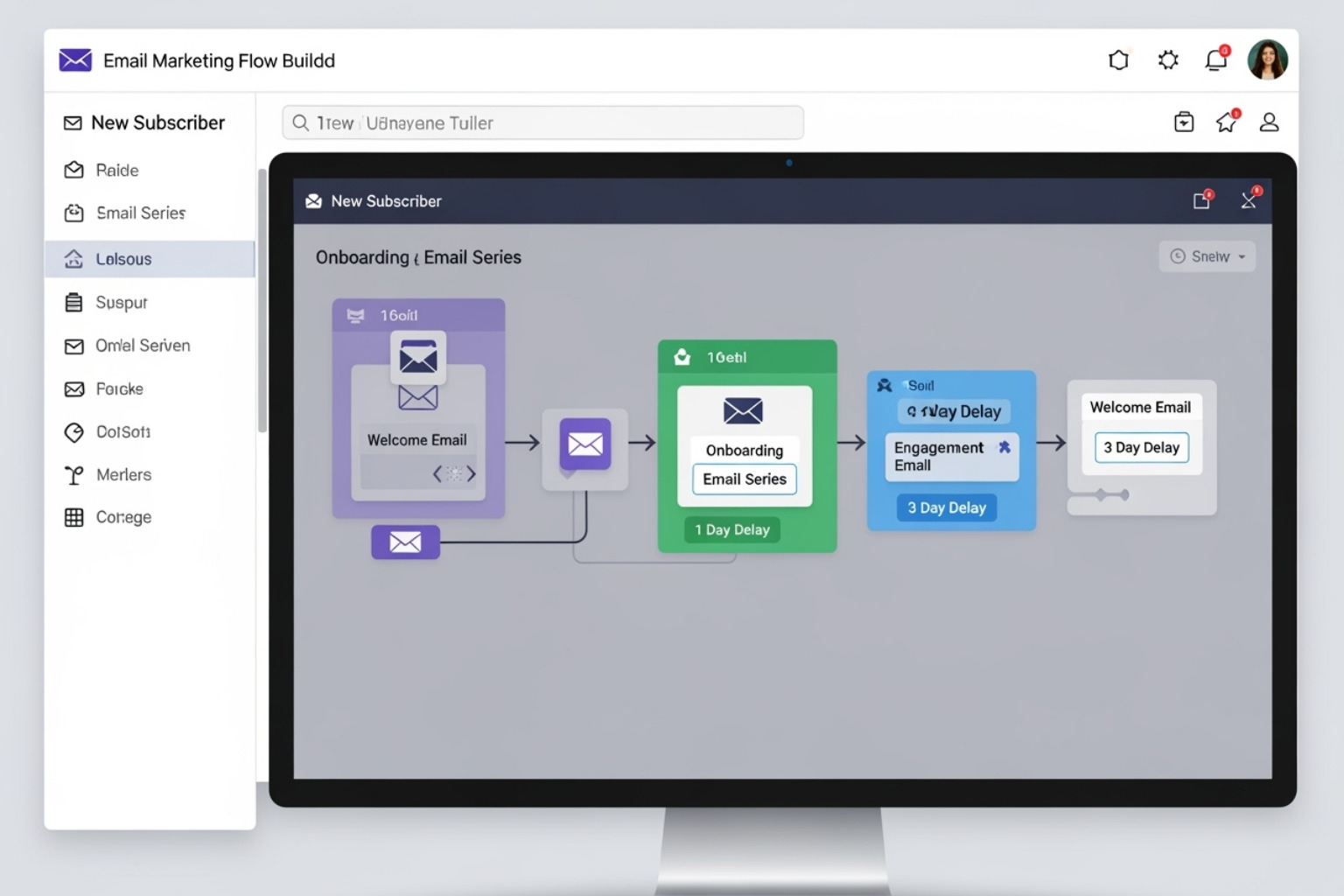
Your welcome series is a new subscriber's first impression. It has a high conversion rate (1.97% average placed order rate) and is key for building trust and guiding subscribers to their first purchase.
A series of 3-5 emails over a week is ideal. The first email should arrive immediately with any promised discount and introduce your brand. Later emails can feature best-sellers or customer reviews. The flow triggers on subscription, and you can use Dynamic Coupon Code Klaviyo for discounts. For detailed help, see my guide on the Klaviyo Welcome Series Flow.
The High-Converting Abandoned Cart Flow
Nearly 70% of online carts are abandoned. The abandoned cart flow is your best tool to recover these sales, averaging $3.07 in sales for every person who gets one.
Timing is key. Send a friendly reminder 1-4 hours after abandonment. A second email at 12-24 hours can show the exact products left behind. A final email at 24-48 hours could offer a small incentive like free shipping. Klaviyo automatically pulls in the abandoned products, and you can add an SMS reminder for a bigger impact. This is a core part of a plan for Klaviyo Flows for Ecommerce that can really change how much money you make.
Other Powerful Flows for Customer Retention
Other automated flows help turn one-time buyers into loyal customers:
- Post-purchase flows: Thank customers and request reviews.
- Browse abandonment flows: Target visitors who viewed products but didn't add to cart.
- Win-back series: Re-engage inactive customers with special offers.
- Back-in-stock alerts: Automatically notify customers when a sold-out item is available.
- Birthday flows: Send special offers to celebrate a customer's birthday.
These flows create a complete customer experience, improving how many customers stick around and how much they spend over time. They are part of the complete suite of Klaviyo Email Marketing Flows that can boost your revenue.
How to Use Klaviyo for Email Campaigns and Customer Groups
Automated flows are behavior-triggered, while campaigns are one-time sends like newsletters or promotions. Campaigns let you connect with your whole list or specific groups of customers.
Designing and Sending Your First Email Campaign
Campaigns are manual, one-time sends to a defined list, while flows are automated. Both are really important. Klaviyo's drag-and-drop editor simplifies email creation. Brand your templates with your logo and colors to save time. Use "universal content" to update parts that repeat, like headers, across all emails with one click. For more tips, see my guide on Klaviyo Design.
Always send a test email to check formatting on different devices, as shown in my guide on How to Send a Test Email in Klaviyo. Double-check all details before scheduling your send for an optimal time. While average campaigns convert at 0.08%, top performers reach 0.44% by sending to smart customer groups. Find more planning tips in my resource on Klaviyo Email Marketing.
The Power of Smart Customer Groups for Personalization
Smartly grouping customers is the key to good email marketing. Sending relevant messages to the right people is key. Klaviyo uses customer data to create very specific groups. Here are some examples:
- Engagement levels: Target subscribers based on how recently they've opened an email or clicked a link (e.g., in the last 30, 60, or 90+ days).
- Purchase history: Group by first-time buyers, repeat customers, or customers who spend a lot.
- Behavioral data: Target users who viewed a product but didn't buy.
- Location & demographics: Group by region or customer preferences.
Klaviyo's predictive tools can even group customers by how much they might spend in the future or if they're likely to stop buying. My complete guide on Klaviyo Personalization covers these advanced strategies.
How to use Klaviyo for email and SMS together
Don't rely only on email. SMS marketing has high open rates and gets immediate attention, making it a great partner to email. Combining them creates a connected customer experience.
Klaviyo lets you add SMS into your flows, like sending an SMS reminder after an abandoned cart email. This two-pronged approach can boost how many sales you recover. Use SMS-only campaigns for urgent news or flash sales, but remember it's a personal channel, so provide clear value.
Always get clear permission to send texts, which is required by law; Klaviyo provides tools for this. To learn more, see my guides on Klaviyo SMS Marketing and Klaviyo Text Messaging. Combining email and SMS can change your customer communication.
Measuring Success: Using Analytics to Improve Your Marketing
Sending emails is only the first step. The key to how to use Klaviyo for email marketing is looking at the data. Analytics act as a compass, showing you what's working and what isn't. Klaviyo's reports are a roadmap to making more money, and you don't need to be a data expert to understand them.

Understanding Your Klaviyo Reports
Here are the key metrics that matter:
- Open rates: How many people opened your email. Be aware of Apple's Mail Privacy Protection, which can make this number look higher than it is; Klaviyo helps you see the real open numbers.
- Click rates: How many people clicked a link. Low clicks with high opens suggest your email content or offer isn't hitting the mark.
- Conversion rates: How many people made a purchase after your email. This is a direct measure of the money you're making.
- Revenue per recipient (RPR): The average amount of money made from each person who got the email.
- Unsubscribe rates: A high rate may mean you're sending too often or your content isn't what they want.
You can adjust the sales tracking window in Klaviyo (default is 5 days). Compare how you're doing with similar businesses using Klaviyo's benchmarks report. For more, see my guides on Klaviyo Reporting and Klaviyo Custom Reports.
Using A/B Testing to Get Better Results
A/B testing lets you test what works instead of guessing. The most important rule is to change only one thing at a time. Here's what you can test:
- Subject lines: Try questions vs. statements or urgency vs. curiosity.
- Email copy: Test short vs. long content or formal vs. casual tone.
- Calls-to-action (CTAs): Test different text ("Shop Now" vs. "See What's New") or button colors.
- Send times: Find out when your customers are most active by testing different days and times.
- Sign-up forms: Test different offers (e.g., 15% off vs. free shipping) or form types.
Klaviyo makes A/B testing easy, letting you send the winning version automatically. Learn more from Klaviyo's guide on how to A/B test campaign emails and my insights on Klaviyo AB Testing. Continuous testing is the key to improving your results.
Frequently Asked Questions about Using Klaviyo
eCommerce owners new to Klaviyo often ask the same questions. Here are the most common ones I hear.
How many emails should I send to my list?
There's no single right answer. How often you send depends on your audience and what you're sending them. A good starting point is one campaign per week. Watch your metrics closely. If more people start unsubscribing, you might be sending too often. If lots of people are opening and clicking, you could try sending more.
Use customer groups to send more often to your most interested subscribers and less to those who haven't opened an email in a while. Try to balance sales-focused emails with helpful or interesting content, like a 1:3 or 1:4 ratio. A content calendar can help you plan your schedule.
Can I use Klaviyo if I'm not on Shopify?
Yes. While Klaviyo is known for its great Shopify integration, it works with many other platforms, including BigCommerce, WooCommerce, Magento, and Salesforce Commerce Cloud. You can also use its API for custom websites.
No matter your platform, you get access to all of Klaviyo's powerful features like automation, customer groups, and analytics. Check Klaviyo's website for a full list of integrations.
Where can I learn more about advanced Klaviyo plans?
Learning Klaviyo is an ongoing process. Here are some great resources:
- Klaviyo Academy: Offers free courses and certifications on everything from the basics to advanced plans.
- Klaviyo Community: A valuable forum for getting help from other users and answers to tricky questions.
- Live Trainings: Klaviyo hosts regular webinars and "Office Hours" with experts for advice that's specific to you.
- YouTube Channel: Packed with tutorials, case studies, and planning tips.
Getting good at email marketing is a journey, not a one-time thing. There's always more to learn.
To Sum Up: Making Klaviyo Work for Your Business
We've covered the key steps for using Klaviyo: setting it up, creating automations, and sending targeted campaigns. The secret is to use data to guide your decisions. Use your analytics to see what customers want. The most successful brands are always testing and improving their emails based on what they learn from the data.
It's not about sending more emails, but better ones. Using customer groups to send the right message at the right time builds relationships with customers and leads to more sales.
At First Pier, we've helped many brands change their email marketing into their biggest money-maker. Once set up, these systems make money for you automatically through welcome emails, abandoned cart reminders, and more.
If you feel overwhelmed or want expert guidance, we can help. Ready to build stronger customer relationships and increase sales? Get expert help with your Email & SMS Marketing and let us help you turn Klaviyo into your best sales tool.





.png)
.png)
