




Why the Klaviyo Shopify Integration Matters for Your Business
Summary
- The Klaviyo Shopify integration connects Shopify store data to a marketing platform for automating email and SMS campaigns based on customer behavior.
- Shopify brands using Klaviyo see an average of 62% growth in GMV, and over 117,000 merchants currently use the platform.
- The integration syncs customer profiles, order data, and website activity in real-time for segmentation and personalized marketing.
- Setup is done through the Klaviyo app in the Shopify App Store, with two-way data sync and onsite tracking available after configuration.
The Klaviyo Shopify integration connects your store with a marketing platform that tracks customer interactions, predicts behavior, and automates personalized email and SMS messages.
Quick Setup Overview:
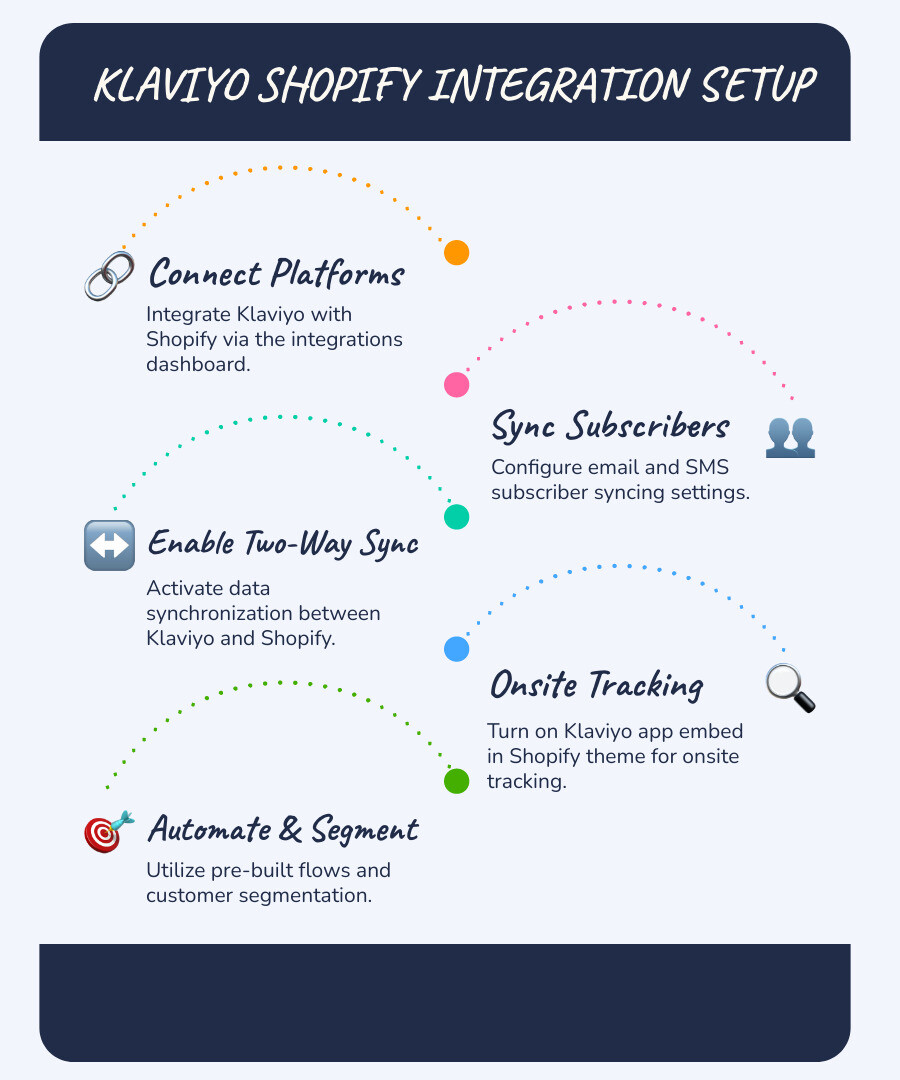
- Connect Klaviyo to Shopify through the integrations dashboard
- Configure email and SMS subscriber syncing
- Enable two-way data sync between platforms
- Turn on the Klaviyo app embed for onsite tracking
- Start using pre-built flows and segmentation
The integration uses data you already have—like product views, cart additions, and purchases—to trigger automated campaigns. These can recover abandoned carts, welcome new customers, and re-engage past buyers.
As a Shopify Premier Partner and the preferred email provider for Shopify Plus, Klaviyo is used by over 117,000 Shopify merchants. On average, these brands see a 62% growth in gross merchandise value after integrating.
Beyond email, the platform includes SMS marketing, AI-driven analytics for predicting customer lifetime value, and a Customer Hub for branded account pages. All data connects directly to Shopify, eliminating manual syncs.
I'm Steve Pogson, founder of First Pier, a Shopify Expert Agency in Portland, Maine. Over two decades of working with ecommerce brands, I've seen the Klaviyo Shopify integration become the standard for merchants serious about retention and growth. Here's what you need to know to set it up right and use it effectively.
Why Pair Klaviyo with Your Shopify Store?
Pairing Shopify with Klaviyo combines its ecommerce platform with a marketing tool built specifically for B2C brands. Klaviyo is a customer relationship management (CRM) tool designed to help you build relationships with customers and increase revenue.
Klaviyo's status as a Shopify Premier Partner and the preferred email provider for Shopify Plus merchants shows its deep integration with the ecommerce ecosystem. It is an AI-driven platform that coordinates customer communication across email, Klaviyo SMS Marketing, and other touchpoints.
Klaviyo helps you understand your customers, predict their behavior, and communicate with them in a personal and timely way. For more information on the platform itself, you can read What is Klaviyo.
Core Features for Shopify Merchants
Klaviyo's features are designed to help Shopify merchants use their data for marketing. It creates detailed customer profiles that allow for real-time audience segmentation. You can group customers based on purchase history, site activity, and campaign engagement.

Here's how these features help your Shopify store:
- Advanced Segmentation: Klaviyo offers unlimited segment dimensions, letting you create specific groups like "customers who bought product X but not Y" or "subscribers who opened the last three emails but haven't purchased." This helps send more relevant messages.
- Pre-built Automation Flows: Klaviyo provides pre-built automation flows for common scenarios like welcome series, abandoned cart reminders, and post-purchase follow-ups. These templates are customizable and can be deployed quickly to automate your marketing. Learn more in Best Klaviyo Flows.
- Klaviyo Personalization: Using your Shopify data, you can personalize emails and SMS with dynamic product recommendations based on browsing history, personalized greetings, and content custom to customer preferences. This increases engagement and conversions.
- AI-powered Analytics: Klaviyo's analytics track revenue attribution and campaign performance. Its AI features include predictive analytics to forecast customer behavior, identify churn risk, and predict customer lifetime value (CLV). This data helps you refine your marketing.
- A/B Testing: Klaviyo includes A/B testing for subject lines, email content, calls-to-action, and send times. This helps you find what works best with your audience and improve campaign performance over time.
- Customer Profiles: All customer data from Shopify, including orders, browsing behavior, and email engagement, is combined into a single profile in Klaviyo. This gives you a full view of each customer, making it easier to create relevant communications. Read more about the features in Klaviyo Features.
Success Stories from Shopify Brands
The results of the Klaviyo Shopify integration are clear from the success of brands that use it.
- Dapper BOI, a gender-inclusive apparel retailer, generates more than half of its sales from Klaviyo campaigns by segmenting customers based on purchase history to send targeted messages.
- McConnell's Fine Ice Cream analyzes purchase history in Klaviyo to create personalized email campaigns that encourage repeat purchases.
- Harney & Sons, a tea retailer, ran a re-engagement campaign that resulted in a 21% increase in average order value (AOV).
- Jones Road Beauty saw a 167% year-over-year increase in Klaviyo-attributed revenue during Black Friday Cyber Monday (BFCM).
These examples show that with the right tools, you can improve customer engagement and grow your business.
A Step-by-Step Guide to the Klaviyo Shopify Integration
Integrating Klaviyo with Shopify follows a clear process. This guide walks you through the setup.
Before You Begin
Before you begin, disconnect any other email service provider (ESP) from Shopify. This prevents conflicts or duplicate opt-in emails and ensures customer data flows cleanly into Klaviyo. Klaviyo's help center offers detailed instructions on Getting started with Shopify.
Initial Connection and Configuration
Here's how to connect Klaviyo to your Shopify store:
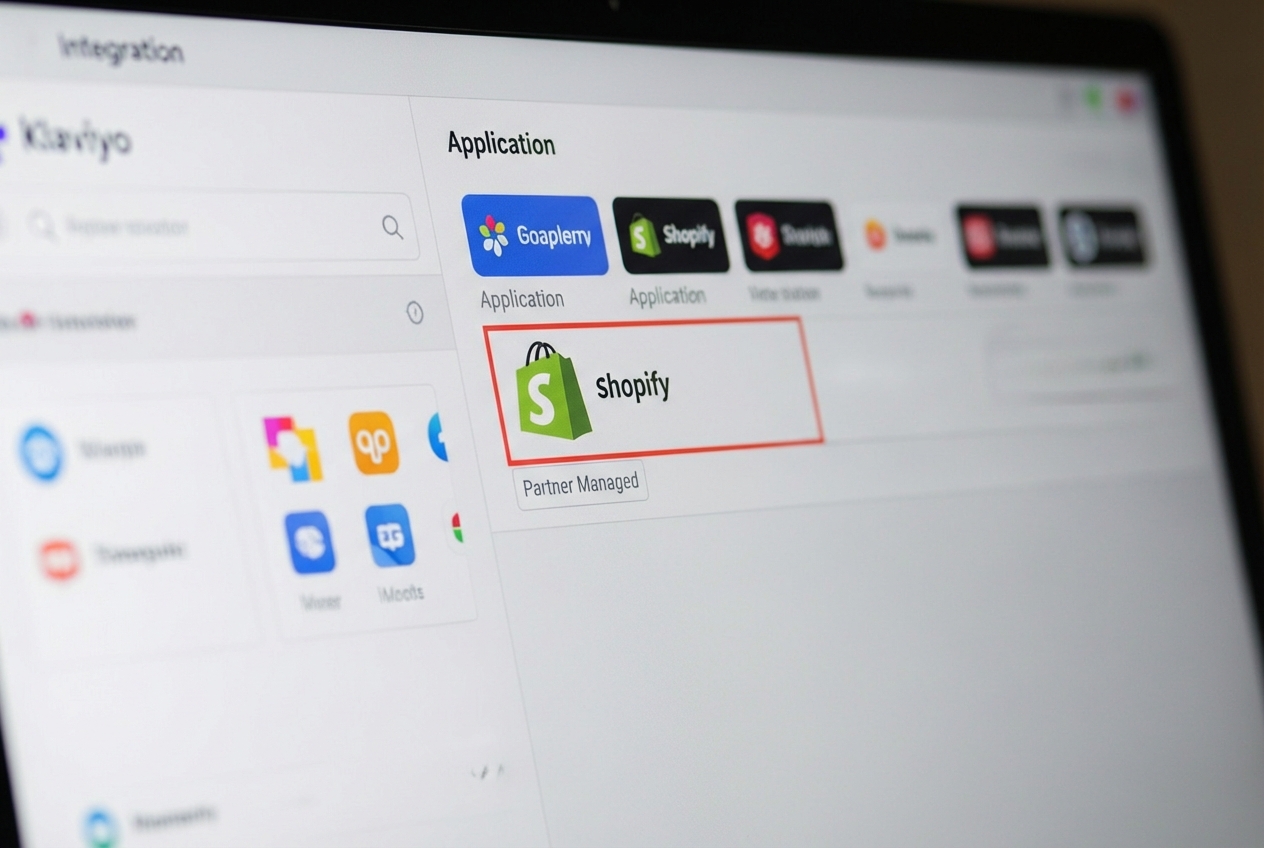
- Log in to Klaviyo and Go to Integrations: In your Klaviyo account, go to the 'Integrations' tab and click 'Explore apps'.
- Search for Shopify and Click "Install": Type "Shopify" in the search bar, select the app, and click 'Install'.
- Enter your
mystore.myshopify.comURL: You'll be prompted to enter your Shopify store's URL in themystore.myshopify.comformat. - Click "Connect to Shopify": This will redirect you to your Shopify admin.
- Review Permissions and Click "Install app": In Shopify, review the permissions Klaviyo needs and click 'Install app' to authorize the connection. If the app is already installed, you may need to click "Update App."
- Configure Subscriber Sync Settings: In Klaviyo, you will see options to sync your Shopify email and SMS subscribers. Check the boxes to sync both and select the Klaviyo lists where you want these subscribers added. This brings in customers who opt-in during checkout or via Shopify forms.
- Configure Two-Way Data Sync Settings: Enable the option to "Sync profiles, profile data, and custom properties from Klaviyo to Shopify." I recommend syncing updates for all profiles and data types (like name, email, and subscription status) to keep records consistent across both platforms.
- Click "Complete setup": Once you've configured your sync preferences, click 'Complete setup' to finalize the integration.
Enabling Onsite Tracking
Onsite tracking captures customer behavior on your store, which is needed for automations like abandoned cart and browse abandonment flows.
- In Klaviyo, find your Shopify integration settings. Look for the 'Onsite tracking' section and check the box to "Track behavioral events."
- Turn on the Klaviyo app embed in Shopify:
- Go to 'Online Store' > 'Themes' in your Shopify admin.
- Find your current theme and click 'Customize'.
- In the theme editor, find 'App embeds' or 'Theme settings'.
- Find the Klaviyo app embed and toggle it ON.
- Click 'Save'.
- Test Tracking: To test the tracking, visit your store while logged in with an email that exists in your Klaviyo account. Browse products and add one to your cart. Then, check your profile in Klaviyo. You should see "Viewed Product" and "Added to Cart" events in your activity feed. This confirms that events like "Viewed Product" tracking, "Added to Cart" event, and "Active on Site" event are working.
Understanding Two-Way Data Sync
The Klaviyo Shopify integration features a two-way data sync that keeps both platforms updated in real-time. This gives you a single, consistent view of each customer. Klaviyo functions as a Klaviyo CDP (Customer Data Platform), combining behavioral data (site activity) and transactional data (purchases).
A combined customer profile in Klaviyo means every interaction contributes to a better understanding of your customer. This data is then available for segmentation, personalization, and automation. The goal is to have one consistent, up-to-date record for each customer. For more details on what data syncs, see the Shopify data reference.
Data Synced from Shopify to Klaviyo
When you integrate, a large amount of data flows from Shopify to Klaviyo. The initial integration performs a 90-day historical sync, followed by a complete historical data sync. After that, new data syncs in real-time.
Key metrics and customer data synced from Shopify to Klaviyo include:
- Order Events:
Placed Order: Records a completed purchase with all product details, used for post-purchase flows.Ordered Product: Tracked for each item in an order, allowing for product-specific segmentation.Checkout Started: Triggered when a customer enters their email at checkout, used for abandoned cart flows.Fulfilled Order,Fulfilled Partial Order,Cancelled Order,Refunded Order: Events that track order status.- Shipment events (
Confirmed Shipment,Delivered Shipment): Sync if the shipping carrier makes them available in Shopify.
- Onsite Tracking Events:
Active on Site: Records general website activity.Viewed Product: Captures when a customer views a product page.Viewed Collection: Tracks when a customer browses a collection.Submitted Search: Logs customer search queries.Added to Cart: Records when an item is added to the cart.
- Customer Data:
- Profile Information: Name, email, city, state, zip code, country, and phone number.
- Locale Information:
Locale,Locale: Language, andLocale: Country. - Marketing Consent: Email and SMS marketing consent statuses.
- Shopify Tags: Any tags applied to customers in Shopify.
- Historical Data: The last 90 days of data syncs first, followed by a full historical sync.
Klaviyo calculates revenue as (sub-total + shipping) - discounts and does not subtract refunds or cancellations. For accurate segmentation based on customer value, use the Revenue metric in Klaviyo, not the $value from an event. You can view this data in Klaviyo's 'Analytics' > 'Metrics' section or use Klaviyo Custom Reports for more analysis.
Data Synced from Klaviyo to Shopify
Klaviyo also sends customer information back to Shopify, which helps maintain consistency across both systems.
Here's what can sync from Klaviyo to Shopify:
- Profile Information: First name, last name, email address, and phone number can be synced to keep your Shopify customer database current.
- Custom Properties as Metafields: You can sync custom profile properties from Klaviyo to Shopify as metafields. This lets you add data like a customer's preferred brand or predicted lifetime value to their Shopify profile for internal use or dynamic content. Shopify limits you to 250 metafield definitions per object.
- Email and SMS Subscription Status: Klaviyo can sync subscription statuses back to Shopify, ensuring marketing consent is accurate in both platforms.
- Engagement Events: Klaviyo email and SMS engagement events (like opens and clicks) are not shown on the Shopify customer timeline. However, they are included in Shopify's Marketing attribution reports in Shopify, so their impact is counted in your overall marketing analysis.
You can choose which data to sync in your Klaviyo Shopify integration settings. For detailed instructions, refer to How to sync data from Klaviyo to Shopify.
Advanced Klaviyo Features for Shopify Growth
Klaviyo's advanced features help you move from reactive to proactive marketing by predicting customer behavior.
- AI Capabilities: Klaviyo uses AI to automate tasks, generate content, and analyze customer data to find patterns and preferences that would be difficult to spot manually.
- Predictive Analytics: Klaviyo uses AI to analyze historical data and predict future customer actions, such as their likelihood to purchase again, their churn risk, and their future spending.
- Customer Lifetime Value (CLV): Klaviyo calculates and predicts customer lifetime value (CLV). This helps you identify your most valuable customers so you can focus on retaining them and nurturing high-potential leads.
- Churn Prediction: By identifying customers who show signs of disengagement, Klaviyo helps you send targeted re-engagement campaigns before they stop purchasing.
- Klaviyo A/B Testing: Advanced A/B testing can involve testing entire flow branches or segmentation approaches to continuously refine your marketing based on real customer responses.
- Data Platform: Klaviyo's data platform has over 350 prebuilt integrations to help ecommerce brands combine data from multiple sources into a central hub.
- Klaviyo Analytics add-on: For businesses seeking deeper analysis, the Klaviyo Analytics add-on provides improved reporting and data visualization to help identify trends and growth opportunities.
These features work together to help you personalize marketing and make strategic decisions that can affect your bottom line.
The Customer Hub and Reviews Add-on
Klaviyo also offers features for customer service and social proof, including the Customer Hub and the Reviews add-on.
The Customer Hub is Klaviyo’s newest feature, offering customer support tools for a more personalized, self-service experience. Key functions include:
- Self-service Order Tracking: Customers can track orders without an order number, reducing support inquiries.
- AI Chatbot: An AI-powered chatbot can handle common customer questions, providing instant support.
- Branded Customer Accounts: The Customer Hub helps you create branded customer accounts in your Shopify store with personalized shopping and service experiences based on purchase history.
Ministry of Supply, an apparel retailer, used the Customer Hub to create branded accounts, resulting in higher revenue per session and 2,000 new accounts in four months. You can read more about their success on their website: Ministry of Supply.
In addition, the Klaviyo Reviews add-on helps you automatically collect and display customer reviews. This add-on helps you:
- Automate Review Requests: Send automated messages asking customers for a review after a purchase.
- Combine Feedback: Gather all customer feedback in one place for easier management.
- Build Social Proof: Display positive reviews on your product pages to build trust and encourage purchases.
Both features help improve the entire customer journey, from purchase to post-purchase support.
Klaviyo Pricing and Platform Comparisons
Klaviyo's pricing scales with your business, based mainly on the number of active customer profiles and your monthly email and SMS send volumes. This differs from platforms that charge per send or have fixed contact tiers. You can use the Klaviyo price calculator on their website to estimate costs.
A Breakdown of Klaviyo's Pricing
Klaviyo offers several plans and add-ons to fit different business needs.
- Free Plan: This plan is for new or small businesses. It includes up to 250 profiles, 500 monthly email sends, and some SMS credits, letting you test the integration's core features.
- Email Plan: This plan is for growing businesses and includes more monthly email sends (e.g., 5,000) and unlimited profiles, allowing for larger campaigns.
- Email + SMS Plan: This plan combines email and SMS, offering a set number of monthly email sends and SMS credits (e.g., 5,000 emails and 150 SMS credits) for multi-channel communication.
Klaviyo also offers several add-ons for specific functions:
- Klaviyo Analytics add-on: Provides more advanced analytics for businesses with up to 2,500 customer profiles.
- Klaviyo Data Platform add-on: Expands data capabilities for businesses with up to 100,000 customer profiles.
- Klaviyo Reviews add-on: Helps businesses collect and manage reviews for up to 250 monthly orders.
This structure allows Shopify merchants to choose a plan that fits their current size and add features as they grow.
How Klaviyo Compares to Other Marketing Tools
When choosing a marketing automation platform, you might compare Klaviyo to other tools.
- Shopify Messaging: This is Shopify’s native email service. It is a basic option for simple campaigns and lacks a full CRM. Klaviyo is a B2C CRM with more detailed data management, segmentation, and automation.
- Mailchimp: Mailchimp and Klaviyo share many core email tools. However, Klaviyo is built for ecommerce with better product syncing and no data limits. Unlike Mailchimp's five-condition limit, Klaviyo's segmentation is unlimited. Klaviyo also has a native SMS channel, which Mailchimp lacks.
- Active Campaign: ActiveCampaign has strong automation but no free plan. Klaviyo offers more ecommerce-specific features, like predictive analytics and deeper Shopify data integration.
While other platforms offer email marketing, Klaviyo's deep integration with Shopify, its data platform, detailed segmentation, and AI-powered analytics make it a strong choice for ecommerce businesses.
Frequently Asked Questions about the Klaviyo Shopify Integration
Here are answers to some of the most common questions about the Klaviyo Shopify integration.
What specific data is synced from Shopify to Klaviyo?
Klaviyo syncs customer data (name, email, location, Shopify Tags), order details (Placed Order, Ordered Product, Checkout Started), and onsite activity (Viewed Product, Added to Cart). The initial sync includes the last 90 days of data, followed by a full historical sync. This data is used to build customer profiles for targeted marketing.
How does Klaviyo's onsite tracking work with Shopify?
After you enable the Klaviyo app embed in your Shopify theme, a script (Klaviyo.js) is added to your site. It tracks events for known users, such as Viewed Product, Added to Cart, and Active on Site. This real-time behavioral data allows you to create specific segments and trigger automations like browse abandonment emails.
What are the most common troubleshooting steps for the integration?
If data isn't syncing or onsite tracking isn't working, try these steps:
- Check Integration Settings in Klaviyo: Go to 'Integrations' in Klaviyo and select your Shopify integration. Make sure the connection is active and all sync settings are checked.
- Check the Shopify App Embed: In your Shopify theme settings ('Online Store' > 'Themes' > 'Customize'), confirm the Klaviyo app embed is turned ON and saved.
- Review Permissions: In your Shopify admin, check the permissions for the Klaviyo app. If needed, click "Update App" in Klaviyo to re-authorize.
- Disconnect and Reconnect: For persistent issues, try disconnecting and reconnecting the Shopify integration in Klaviyo.
- Consult Help Resources: For specific errors, the official Shopify | Klaviyo Help Center has detailed guides.
Putting the Klaviyo Shopify Integration to Work
To sum up, the Klaviyo Shopify integration does more than connect two platforms; it creates a new system for your business. From my work with brands here at First Pier in Portland, Maine, I've seen how it changes the way businesses interact with their customers. It combines all behavioral and transactional data into a single customer profile.
This combined data helps you move from generic to personalized marketing. With automated welcome series, abandoned cart flows, and targeted campaigns based on customer history, you can increase revenue and customer loyalty. It helps you predict customer needs and re-engage inactive buyers.
Using Best Klaviyo Flows and other features helps Shopify merchants increase their gross merchandise value, as shown by the 62% average growth for integrated brands. This growth comes from using marketing automation built on good data.
If you're looking to build a high-performance online business and make the most of your Klaviyo Shopify integration, expert assistance can help. Here at First Pier, we specialize in helping brands and boutiques build high-performance online businesses, with a focus on Shopify development and optimization. We can help you configure, optimize, and grow your marketing efforts.
Don't let your customer data go unused. Use a fully integrated marketing plan. If you need assistance with your Shopify store or want to explore Klaviyo's capabilities, I encourage you to Get help with your Shopify store from my team.





.png)
.png)

