


Why Email Marketing Matters for Your Shopify Store
Shopify Email Marketing is sending targeted, automated messages to customers to increase sales and repeat purchases. Here's what you need to know:
- What it is: A direct communication channel to reach customers who have opted into your email list, using either Shopify's native email tool or third-party platforms like Klaviyo or Omnisend.
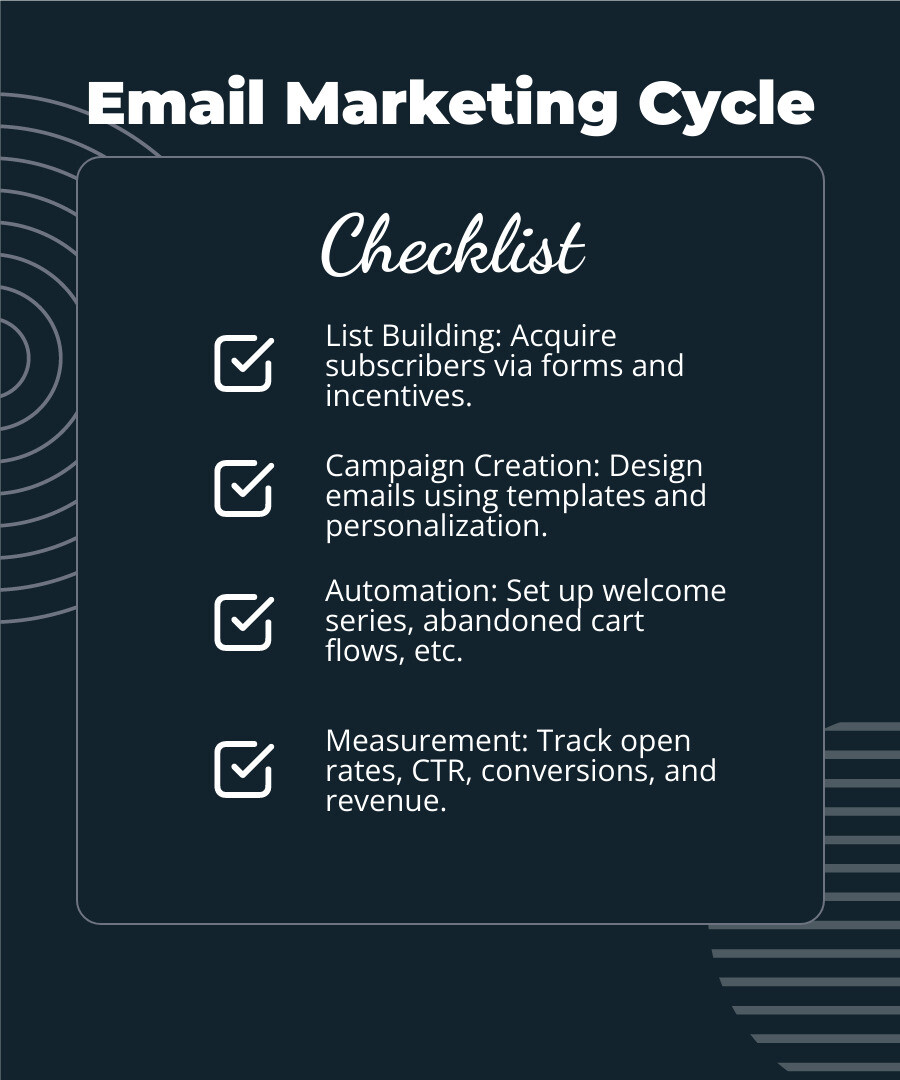
- How it works: You build a subscriber list, create campaigns using templates or custom designs, set up automated flows triggered by customer actions, and measure performance through key metrics.
- Why it works: Email delivers an average ROI of $36 for every dollar spent, costs significantly less than acquiring new customers, and gives you direct access to your audience without relying on social media algorithms.
- Key campaigns: Welcome series for new subscribers, abandoned cart recovery to reclaim lost sales, and post-purchase flows to encourage repeat orders.
Email marketing is not about sending random promotions to everyone on your list. It's about owning your audience and sending the right message to the right person at the right time. While social media platforms can change their algorithms overnight, your email list belongs to you. This makes it one of the most reliable revenue channels for growing Shopify stores.
The numbers back this up. Acquiring a new customer costs up to five times more than selling to an existing one, and increasing customer retention by just 5% can boost profits by 25% to 95%. Email marketing helps you get more from every customer you've already earned by keeping them engaged and ready to buy again.
As Steve Pogson, founder of First Pier, I've spent over two decades helping Shopify stores grow with Shopify Email Marketing that uses automation, segmentation, and clear results. Here at First Pier, we've seen well-built email campaigns generate 6% to 9% of monthly revenue through automation alone.
Learn more about Shopify Email Marketing:
Setting the Foundation: Tools and List Building
Getting started with Shopify Email Marketing means making a few key decisions. First, you need to pick the right tool for your store's needs. Then, you need to build a quality email list—because an email marketing tool is only as good as the audience it reaches. This foundation is critical for good results.
Using Shopify's Built-in Email Tool
Shopify offers its own email tool, aptly named Shopify Email. It’s built right into your Shopify admin, making it convenient to manage your email marketing where you already run your business.
Key Features of Shopify Email:
- Drag-and-Drop Editor: This makes creating emails simple. You can easily add text, images, products, and discounts without needing any code. It even pulls in your store’s brand colors and logos, so your emails look like your website.
- Pre-made Templates: Shopify Email comes with a variety of templates for common campaigns like product announcements, sales, and newsletters. This saves you time and helps you create professional-looking emails quickly.
- Basic Segmentation: You can send emails to specific groups of customers, like those who have bought certain products or haven't purchased in a while. This helps you send more relevant messages.
- Pricing Structure: Every month, you can send up to 10,000 emails for free. If you need to send more, it costs $1 USD per 1,000 additional emails. That’s $0.001 USD per email, which is quite affordable for growing businesses.
Limitations to Consider:
While Shopify Email is a great starting point, it does have some limitations. If you have very large subscriber lists (over 1,000 subscribers), Shopify uses a "batching" method for sending emails. This can cause staggered delivery, which might not be ideal for time-sensitive promotions like flash sales. Also, Shopify no longer offers the ability to collect or publish customer reviews directly, so you'd need a separate app for that if you stick with Shopify Email.
For many small businesses, Shopify Email is a perfect fit. It’s simple, integrated, and cost-effective. As one merchant put it, they switched to Shopify Email when Mailchimp reduced its free plan, finding Shopify's offering sufficient for their needs. Another appreciated how it saved brand elements, making content creation easy. You can learn more about Using Shopify Email for email marketing .
When to Use a Dedicated Email Platform
As your Shopify store grows and your marketing needs become more complex, you might find yourself needing more than what Shopify Email offers. This is where dedicated email platforms come into play. These tools, like Klaviyo, Omnisend, or ActiveCampaign, offer advanced features for your Shopify Email Marketing.
Why consider a dedicated platform?
- Advanced Automation: Dedicated platforms allow for more complex automation workflows. You can create multi-step sequences triggered by a wider range of customer behaviors, not just basic actions.
- Deeper Segmentation: These tools offer better ways to segment your audience. You can divide your audience into highly specific groups based on detailed purchase history, website activity, engagement levels, and more. This means truly personalized messaging.
- Multi-channel Marketing: Many dedicated platforms integrate SMS marketing, push notifications, and even social media advertising, letting you communicate with customers across different channels.
- Detailed Analytics: They provide more detailed reports, so you can examine campaign performance and make data-driven decisions.
- Specialized Features: Some platforms offer unique features like AI-powered product recommendations, dynamic content blocks, and A/B testing tools that go beyond basic subject line tests.
Here at First Pier, we're Klaviyo Master Partners. We are experts in setting up and optimizing Klaviyo for Shopify stores, helping our clients in Portland, ME, and beyond use its advanced features to increase revenue. While Shopify Email is good for basic campaigns, for advanced automation and segmentation, apps like Klaviyo are a necessary upgrade. You can find More info about email & sms marketing services that can help your business.
How to Build Your Subscriber List
No matter which tool you choose, building a strong email list is essential for Shopify Email Marketing. Think of it as inviting people into your exclusive club – you want them to be genuinely interested!
Effective ways to build your list:
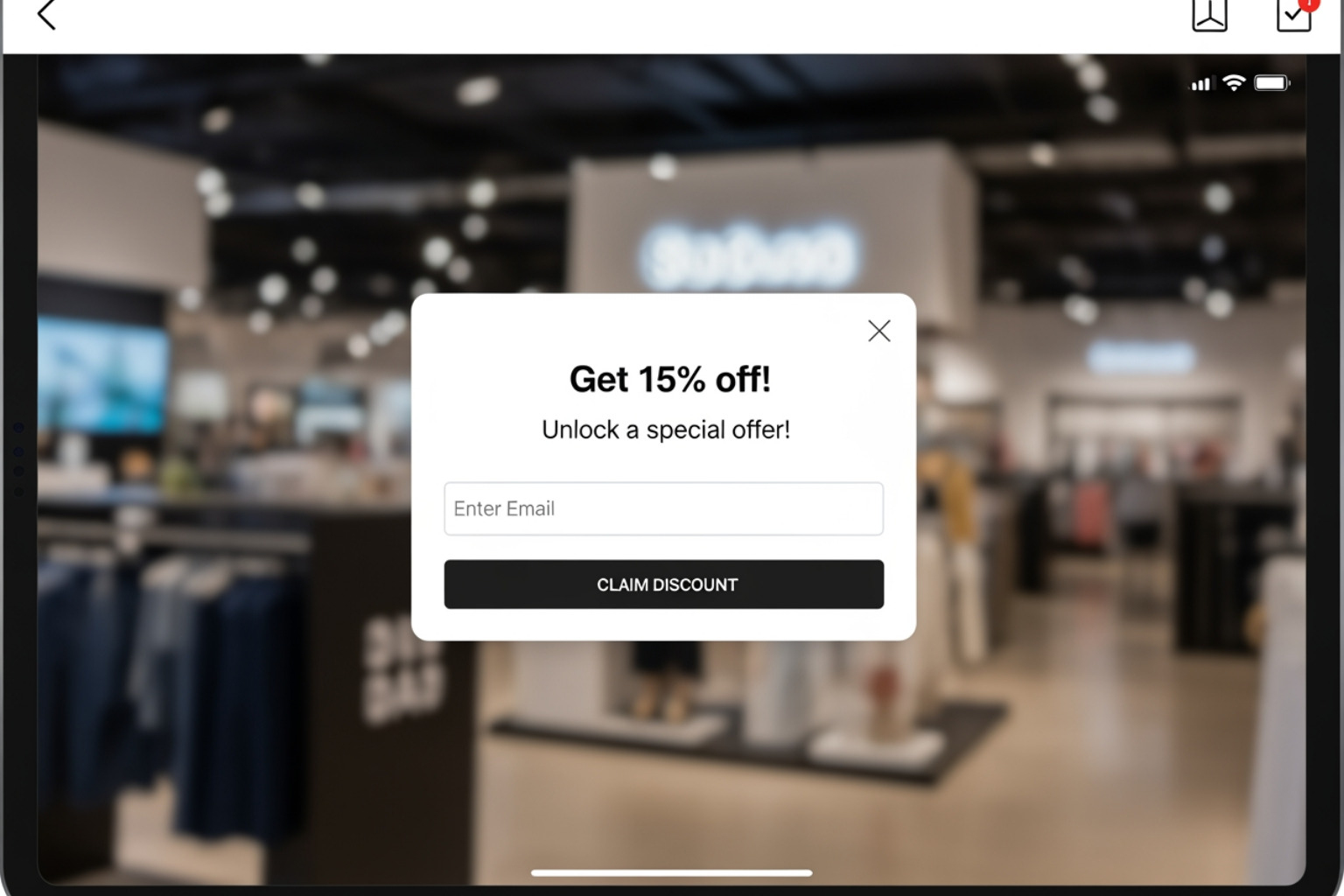
- Pop-up Forms: These are a classic for a reason. A well-designed pop-up can capture attention. Offer an incentive, like a discount on their first purchase, exclusive content, or early access to sales. Shopify Forms is a free app that helps you create lead capture forms that work.
- Footer Sign-ups: Include a clear sign-up box in the footer of your website. This is a subtle way for interested visitors to subscribe without interrupting their browsing.
- Checkout Opt-in: Provide an option for customers to opt-in to your marketing emails during the checkout process. This is a high-intent moment, as they’re already buying from you.
- Incentives: People love a good deal or something exclusive.
- Discounts: A 10% off code for signing up is a common and effective tactic. Magnolia Bakery, for example, uses a pop-up for a 10% discount.
- Exclusive Content: Offer a free guide, checklist, or early access to new product drops that regularly sell out.
- Loyalty Programs: Integrate email sign-up with your loyalty program to offer points or rewards.
The key is to clearly explain the benefit of joining your email list. Don’t just ask for an email; explain what they’ll get in return. As Shopify advises, Grab their email. by offering different ways for customers to share their contact info.
Crafting Essential Automated Email Campaigns
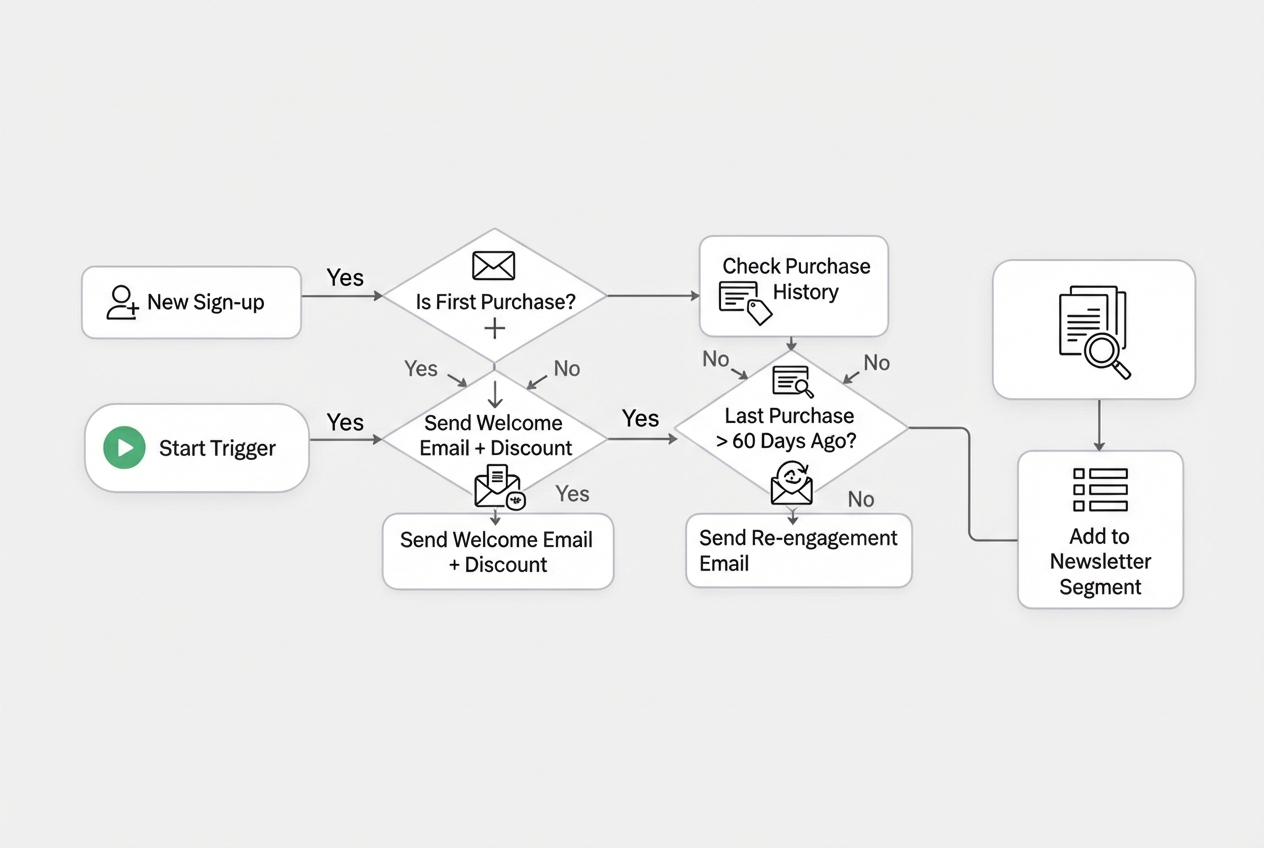
Once you have your tool and your list, it's time to put your Shopify Email Marketing into action with automated campaigns. These are the workhorses of email marketing, generating revenue and engagement while you focus on other aspects of your business. They work on a "set-and-forget" principle, triggered by specific customer actions.
The Welcome Series
Imagine a new customer walks into your physical store. You wouldn't ignore them, would you? The welcome series is your digital handshake. It's arguably the most important automation you can set up because new subscribers are most receptive to your brand in the moments after they sign up.
What a strong welcome series does:
- Introduce Your Brand: Introduce your brand, its story, and what makes you unique. Make a personal connection.
- Sets Expectations: Let subscribers know what kind of emails they can expect and how often.
- Delivers Incentives: If you promised a discount for signing up, deliver it immediately.
- Guide the Customer: Gently nudge them towards a first purchase, show them popular products, or encourage them to connect on social media.
Example Flow:
- Email 1 (Immediately after signup): Deliver the promised incentive (e.g., "Welcome to [Brand Name] + 10% Off Code").
- Email 2 (1-2 days later): Share your brand story or mission. "You have great taste," as Everlane might say, making a connection.
- Email 3 (3-5 days later): Highlight popular products or bestsellers.
- Email 4 (7 days later): Encourage social media follows or provide valuable content.
This series turns a new subscriber into a potential customer, building trust and familiarity before asking for a sale.
The Abandoned Cart & Checkout Flow
This is where a lot of revenue can be recovered. Nearly 70% of shoppers abandon their carts online. Think of it: a customer adds items to their cart, gets distracted, and poof – they're gone. An abandoned cart flow gently reminds them to complete their purchase.
Shopify's built-in abandoned checkout email is helpful, but it's quite basic, allowing only one email and limited time delays. For more effective recovery, a multi-step approach is best.
An effective abandoned cart flow:
- Email 1 (1 hour after abandonment): A friendly reminder. "Did you forget something?" Avoid discounts here; you don't want to train customers to always expect one.
- Email 2 (1 day later): Remind them about the products or your brand's unique selling points. "Your cart is waiting! Here's why you'll love these items."
- Email 3 (3-6 days later): If they still haven't converted, this is the time to introduce a small incentive, like a discount code or free shipping. "Still thinking about it? Here's 10% off to sweeten the deal."
Brands like Crap Eyewear use clear abandoned cart emails with a direct link back to the cart, making it easy for customers to complete their purchase. This can save sales and solve problems live. Example from Crap Eyewear
Post-Purchase & Customer Win-Back
The relationship with the customer doesn't end after a purchase; it's just beginning! Post-purchase emails are crucial for building loyalty and encouraging repeat business.
Post-purchase sequence essentials:
- Order Confirmations & Shipping Updates: These are transactional emails, but they're also opportunities to remind them of your brand. Make them clear, branded, and helpful.
- Review Requests: After the customer has received and had a chance to use their product, ask for a review. Social proof is powerful.
- Cross-sells & Upsells: Based on their purchase, recommend complementary products. For instance, if they bought a coffee maker, suggest coffee beans.
- Usage Tips & Guides: Help customers get the most out of their purchase, helping them and reducing buyer's remorse.
- Customer Win-Back: For customers who haven't purchased in a while, a win-back campaign can re-engage them with special offers or new product announcements. ILIA, for example, sends automated emails reminding customers to repurchase products they might be running low on. Example from ILIA
This sequence helps turn one-time buyers into repeat customers.
Advanced Strategies for Your Shopify Email Marketing
Once you have the basic automations in place, you can move to more advanced methods. This is where you really start to fine-tune your Shopify Email Marketing for better results, making data-driven decisions that push your store forward.
Deep Audience Segmentation
Sending the same email to everyone on your list is like shouting into a crowd – some might hear you, but most won't care. Deep audience segmentation means dividing your subscribers into smaller, more specific groups based on shared characteristics or behaviors. This allows you to send highly relevant messages, which increases opens, clicks, and conversions.
How to segment your audience:
- Purchase History: Group customers by what they've bought (e.g., "first-time buyers," "repeat customers," "customers who bought X product").
- Engagement Levels: Segment based on how often they open your emails or click your links (e.g., "highly engaged," "lapsed openers").
- VIP Customers: Identify your most valuable customers (highest spenders, most frequent purchasers) and offer them exclusive perks.
- Demographics/Location: If relevant to your products, segment by age, gender, or geographic location.
- Browsing Behavior: Target customers who viewed specific products but didn't add them to their cart.
As Shopify points out, you can Target different audiences. to receive personalized messages. Merchants like Magnolia Bakery segment customers who bought pies for Thanksgiving to send them pie-related promotions the following year. This kind of targeted messaging feels less "spammy" and much more useful to the recipient.
Personalization and the Role of AI
Personalization goes hand-in-hand with segmentation. It's about tailoring the content of your emails to the individual recipient. Beyond just using their first name, true personalization means showing them products they're likely to be interested in, reminding them of past purchases, or celebrating their birthday.
Artificial Intelligence (AI) is making this easier and more effective than ever. AI can:
- Generate Dynamic Content: Automatically insert product recommendations based on a customer's browsing or purchase history.
- Predict Send Times: Find the best time to send an email to each person to increase open rates.
- Automate Segmentation: AI can identify subtle patterns in customer behavior to create even more precise segments.
The data shows this focus is growing: 52% of email marketers plan to focus on personalized email campaigns, while 48% are focusing on automation to grow. Real-world examples show this works: Premium Co. drove 35.8% of purchases through personalized email for their Shopify store, and Crocs achieved 312.5% revenue growth by automating email marketing and loyalty workflows. These reports show that AI helps create smarter, data-driven campaigns that increase clicks and conversions.
A/B Testing for Continuous Improvement
Even with the best strategies, there's always room to improve. A/B testing (or split testing) means sending two different versions of an email to a small portion of your audience to see which performs better, then sending the winner to the rest of your list. This is how you learn what your customers respond to.
What to A/B test:
- Subject Lines: This is crucial for open rates. Test different wording, emojis, urgency, or personalization. Keep them under 50 characters for better mobile visibility.
- Call-to-Action (CTA): Experiment with different button text ("Shop Now," "Learn More," "Get Your Discount"), colors, or placement. Strong CTAs are simple and visible.
- Send Time: Does your audience open emails more in the morning, afternoon, or evening?
- Content Variations: Test different images, product layouts, or even the length of your email copy.
A/B testing is a continuous cycle of "set up, test, learn, adjust, repeat." It helps you improve your methods and ensure your Shopify Email Marketing is always getting better.
Measuring Performance and Avoiding Costly Mistakes
You wouldn't drive a car without a dashboard, and you shouldn't run Shopify Email Marketing campaigns without tracking their performance. Measuring your efforts helps you understand what's working, what's not, and where to put your energy next. It also helps you steer clear of common pitfalls that can hurt your brand and your bottom line.
Key Metrics for Your Shopify Email Marketing
Your email marketing platform will provide a lot of data. Here are the most important metrics I always look at:
- Open Rate: The percentage of recipients who opened your email. A good open rate generally ranges from 20% to 40%. This tells you if your subject line gets attention.
- Click-Through Rate (CTR): The percentage of recipients who clicked a link within your email. A good CTR is around 2% to 5%. This shows if your email content and CTAs work.
- Conversion Rate: The percentage of recipients who completed a desired action after clicking, like making a purchase. A good conversion rate is also around 2% to 5%. This is the key measure of success for sales-driven emails.
- Unsubscribe Rate: The percentage of recipients who opted out of your list. A high unsubscribe rate can signal that you're sending too many emails, irrelevant content, or that your list hygiene needs work.
- Revenue per Recipient: This metric directly links your email campaigns to sales, showing you the average revenue generated by each person you sent the email to.
Shopify's own analytics tools can help you track these numbers. You can Explore Shopify’s analytics to help your business with user-friendly reports and dashboards.
Common Mistakes to Avoid
Even seasoned marketers can stumble. Here are some common Shopify Email Marketing mistakes to watch out for:
- Sending Generic Emails Without Segmentation: As I mentioned earlier, blasting the same message to everyone is a quick way to get ignored. It can also hurt your email deliverability, as email providers might flag your messages as irrelevant.
- Over-Emailing and Causing Unsubscribes: There's a fine line between staying in touch and being annoying. An October 2017 survey found that 1 in 4 people cited receiving too many emails as a reason for unsubscribing. Respect your subscribers' inboxes.
- Ignoring Mobile Optimization: More than half of all emails are opened on mobile devices. If your emails don't look good and function well on a phone, you're losing a huge chunk of your audience. Always design and test for mobile first.
- Not Testing Subject Lines or Send Times: Don't guess! A/B test different elements to find what works best for your audience. Small tweaks can lead to big improvements.
- Poor List Hygiene: Regularly clean your email list by removing inactive subscribers or invalid addresses. Sending to a "clean" list improves your deliverability and ensures your metrics are accurate.
- Ignoring Legal Compliance: Email marketing laws like Canada's CAN-SPAM Act and the EU's General Data Protection Regulation (GDPR) are serious business. Failure to respect privacy and protect data can lead to significant fines. Always make sure you have clear consent (preferably double opt-in) and an easy unsubscribe option. Review your local data privacy and email marketing compliance guidelines.
Frequently Asked Questions about Shopify Email Marketing
I often get asked specific questions about Shopify Email Marketing. Here are some of the most common ones:
What are the best email marketing apps for Shopify?
The "best" app really depends on your specific needs, budget, and how complex you want your marketing to be.
- For simple or basic needs: Shopify Email is an excellent choice. It's built into your store, easy to use, and offers a generous free tier.
- For advanced automation and segmentation: Many growing Shopify stores turn to dedicated platforms like Klaviyo, Omnisend, or ActiveCampaign. These offer better features for personalization, multi-channel marketing (like SMS), and in-depth analytics. Here at First Pier, we are Klaviyo Master Partners because we see how effective it is for our clients.
- For specific features: Some apps specialize in areas like pop-ups (Trustoo Pop up Email Marketing), product reviews (Yotpo, though their email platform is changing), or specific automations.
Consider what features are most important to you: direct Shopify integration, advanced segmentation, multi-channel options, ease of use, or detailed reporting.
How much does Shopify email marketing cost?
The cost varies depending on whether you use Shopify's native tool or a third-party app.
- Shopify Email: You get 10,000 emails per month for free. After that, it's $1 USD for every 1,000 additional emails you send. This makes it very cost-effective for many businesses.
- Third-party apps: Most dedicated email marketing apps offer free plans, but these typically have limits on the number of subscribers or emails you can send per month (e.g., Klaviyo offers a free plan for up to 250 subscribers and 500 emails/month). Paid plans usually increase in price based on the number of contacts in your list, and some offer unlimited sending. It's important to compare what you get for the price as your list grows.
Can I automate emails in Shopify?
Yes, absolutely! Email automation is one of the most effective parts of Shopify Email Marketing.
- With Shopify Email: You can set up basic automations directly within your Shopify admin. This includes popular workflows like welcome emails for new subscribers, abandoned cart reminders, and post-purchase follow-ups. These are built using pre-written templates that you can customize.
- With third-party apps: If you need more complex, multi-step, and behavior-triggered flows, dedicated email platforms offer greater flexibility. They allow you to create complex automation sequences based on a wider range of customer actions, integrating with other tools to give customers a more personal experience. For example, you can create a series of emails that react to a customer viewing a specific product multiple times, adding it to their cart, abandoning it, and then finally purchasing it.
Putting It All Together
Shopify Email Marketing is a core part of any e-commerce business. It's not a passing fad; it's a direct, owned channel that consistently delivers strong returns. The beauty of it is that you can start simple and grow your plan as your business grows.
My advice? Start with the basics: choose a tool that fits your current needs, focus on building a quality email list, and set up those essential automated flows like welcome series and abandoned cart recovery. Then, measure everything. Pay attention to your open rates, click-through rates, and conversions. Use that data to segment your audience more deeply, personalize your messages, and continually A/B test your way to better results.
This long-term approach to Shopify Email Marketing builds customer loyalty, increases repeat purchases, and helps your store grow. Here at First Pier, based in Portland, ME, we specialize in helping businesses with e-commerce, including building email plans that deliver real results.
If you're looking to build or improve your email marketing plan, we're here to help. Explore More info about our Shopify email marketing services and see how we can work together.





.png)
.png)
