


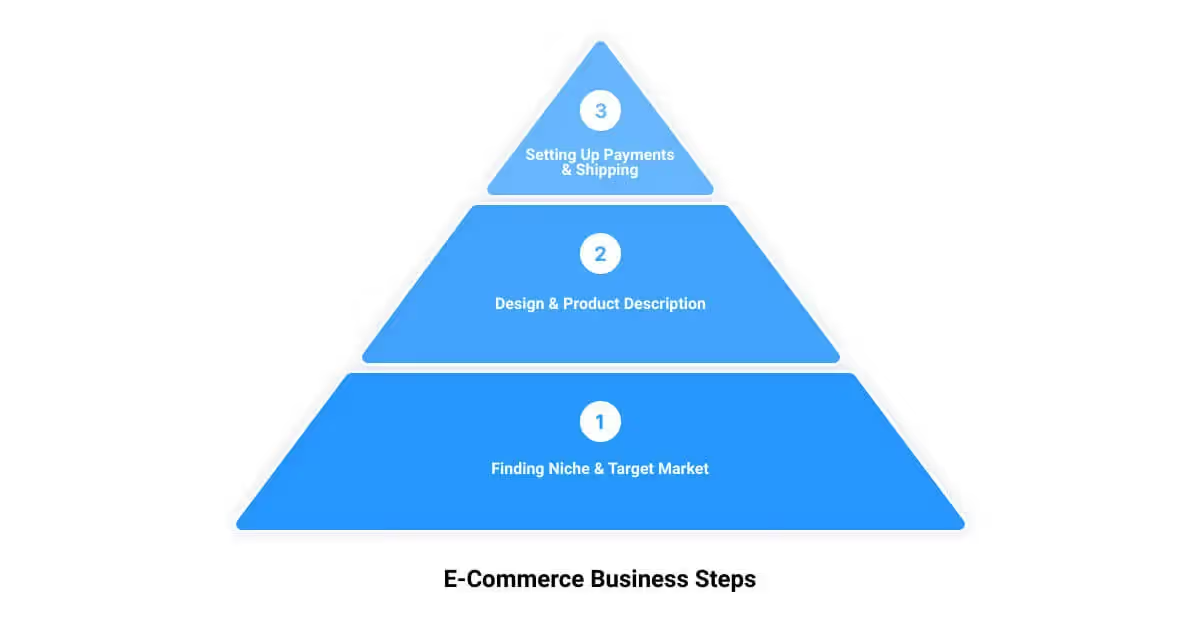

Setting up an ecommerce store involves more moving parts than most people expect. A checklist is the most reliable way to make sure nothing critical gets skipped — whether you're launching from scratch or auditing a store that's already live.
Here's what every Shopify store should have in place.
Platform and Store Setup
Choose your plan deliberately. Most new stores start on Shopify Basic. You can always upgrade — there's no reason to pay for Advanced reporting or lower transaction fees before your volume justifies it. Review the current Shopify plan pricing and pick based on your actual needs now, not aspirational ones.
Set up a custom domain. Your myshopify.com URL is fine for development, but a custom domain is table stakes for any real store. Buy one through Shopify or connect an existing domain — either works.
Configure taxes correctly. Shopify Tax handles US sales tax collection automatically for most merchants. If you're selling internationally, get proper guidance — tax compliance is not an area to wing.
Set your shipping rates. Decide on flat-rate, weight-based, or real-time carrier rates. Set a free shipping threshold if your margins support it. Test that rates calculate correctly before you launch.
Connect Shopify Payments or your preferred gateway. Shopify Payments is the simplest option and eliminates transaction fees. If you use a third-party gateway, factor in the additional Shopify transaction fee in your pricing.
Products and Catalog
Write product descriptions that inform, not just sell. Describe what the product actually is, what it's made of, dimensions, compatibility — whatever a customer would need to make a confident purchase decision.
Use quality images. Multiple angles, lifestyle shots if applicable, and accurate color representation. Image quality has a direct effect on conversion rates.
Set up collections logically. Customers should be able to find products intuitively. Build collections around how customers think (by product type, use case, or occasion), not around how your backend is organized.
Check all variants. If your products have variants (size, color, material), confirm that each one has the correct price, inventory count, and SKU.
Checkout and Payments
Test checkout end to end. Place a real test order — or use Shopify's test payment gateway — and walk through the full flow. Confirm that order confirmation emails fire correctly and that order details are captured in the admin.
Enable accelerated checkouts. Shop Pay, Apple Pay, and Google Pay reduce checkout friction significantly, especially on mobile. Enable whichever ones your customer base uses.
Review your cart abandonment setup. Shopify includes abandoned checkout emails by default. Review the timing and copy — the defaults are functional but generic.
Store Policies and Legal Pages
Write a real returns policy. Shopify provides a template, but customize it to reflect what you'll actually do. An overly restrictive policy hurts conversion; an overly generous one can hurt margins. Find your balance and state it clearly.
Add a privacy policy and terms of service. Shopify can generate these automatically — use them as a starting point and have a legal review if your situation warrants it.
Create a shipping policy page. List your carriers, processing times, estimated delivery windows, and international shipping information if applicable. Put a link to it in your footer and at checkout.
SEO and Analytics Basics
Fill in meta titles and descriptions for key pages. Your homepage, collection pages, and top product pages should all have unique, descriptive meta titles and descriptions.
Submit your sitemap to Google Search Console. Your Shopify sitemap is at yourstore.com/sitemap.xml. Submitting it helps Google index your pages faster.
Install Google Analytics 4. Set up GA4 before you launch so you have data from day one. Connect it to Google Search Console as well.
Pre-Launch Testing
Check your store on mobile. The majority of ecommerce traffic is on mobile. Review every key page — homepage, collection pages, product pages, cart, checkout — on a real phone, not just a desktop browser simulator.
Test all links and navigation. Broken links and dead nav items are easy to miss and create a poor first impression. Walk through the store as a customer would.
Check page load speed. Run your store through PageSpeed Insights before launch. Address anything obvious — oversized images are the most common issue.





.png)
.png)

