


Is It Time to migrate to Shopify? Here's What You Need to Know First
Summary
- Migrating to Shopify involves moving your product data, customer records, orders, and site content from your current platform to Shopify.
- The three main migration methods are manual CSV import, third-party migration apps, and hiring a Shopify Partner or agency.
- Most migrations take between 3 and 4 months depending on store size and complexity.
- 43% of companies experience data loss or disruption during migration without proper planning.
- SEO rankings can be protected through 301 redirects, URL mapping, and submitting an updated sitemap to Google Search Console.
Migrating to Shopify is one of the biggest technical decisions an e-commerce business can make. Done right, it can improve site performance, reduce maintenance costs, and set your store up for long-term growth. Done wrong, it can cost you organic traffic, customer data, and revenue.
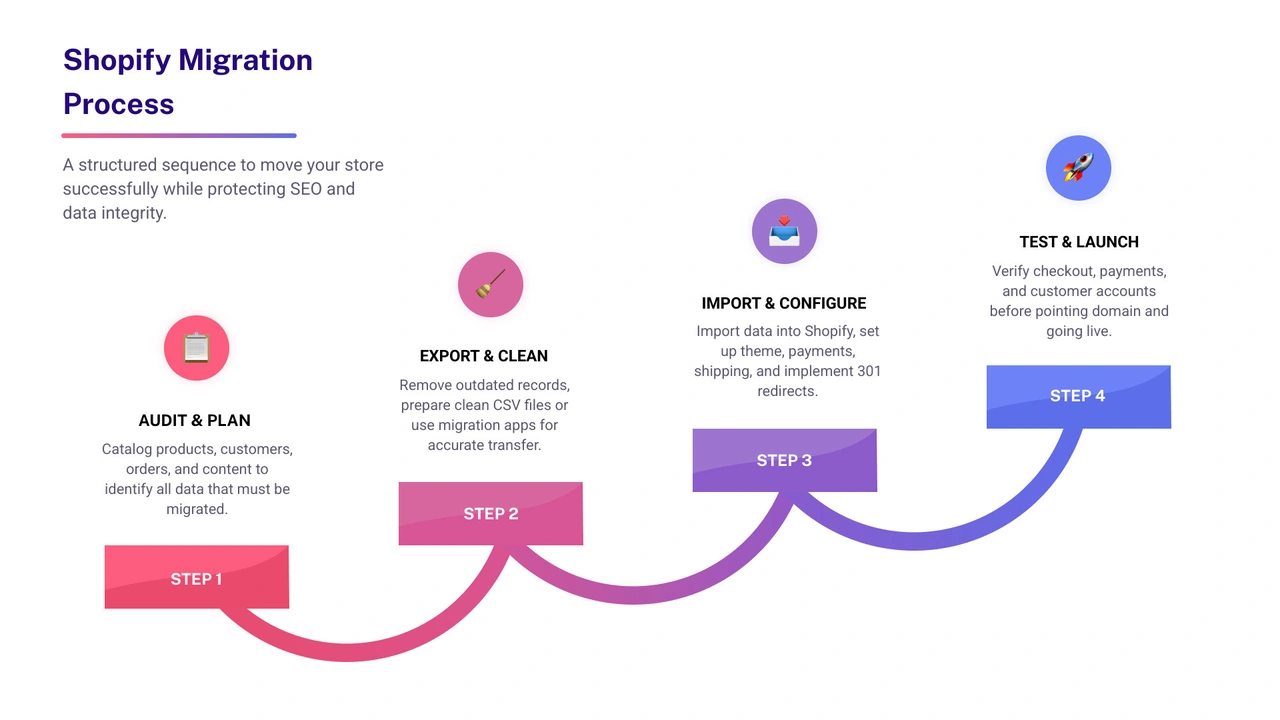
Here is a quick overview of how the migration process works:
- Audit your current store — catalog all products, customers, orders, and content.
- Choose a migration method — CSV import, migration app, or a Shopify Partner/agency.
- Export and clean your data — remove outdated records before you move anything.
- Import data into Shopify — products first, then customers, then orders.
- Set up your theme, payments, and shipping — configure your store before going live.
- Map and implement 301 redirects — protect your SEO rankings from day one.
- Test everything — checkout, payments, product pages, and customer accounts.
- Point your domain and launch — keep your old store live for at least 30 days after.
The stakes are real. A poorly managed migration can result in traffic drops of 20–50%, and 43% of companies experience disruptions or data loss without a solid plan in place. But with the right process, most businesses not only recover their pre-migration performance — they exceed it.
I'm Steve Pogson, founder of First Pier and a certified Shopify Expert with over two decades of experience helping brands migrate to Shopify and grow their online revenue. I've led migrations for businesses of all sizes, and this checklist reflects what actually works in practice, not just in theory.
Discover more about migrate to Shopify:
Why Businesses Choose to Replatform in 2026
As of May 2026, the e-commerce world is moving faster than ever. I often see brands here at First Pier that are held back by what we call "legacy weight." About 67% of retailers say that issues with outdated platforms are the main reason they invest in new solutions. If your current site feels like it's held together by duct tape and prayers, you aren't alone.
One of the biggest drivers right now is mobile performance. Data shows that 53% of mobile visits are abandoned if a page takes more than three seconds to load. Older, self-hosted platforms often struggle to hit these speeds without expensive server upgrades. Shopify, on the other hand, handles the hosting and speed for you.
We also see a massive shift toward artificial intelligence. Currently, 43% of private companies say increasing AI use is a top priority. Whether it’s using AI to write product descriptions or personalizing the shopping experience, Shopify has integrated these tools directly into the admin. This is likely why Shopify now holds a 30% market share of e-commerce platforms in the United States.
Many of our clients also look to Migrate to Shopify Plus B2B to handle wholesale and retail from a single back office. In 2026, efficiency isn't just a goal; it's a requirement for survival.
Choosing Your Method to migrate to Shopify

When you decide to migrate to Shopify, you have to pick a path. There is no one-size-fits-all approach. The method you choose depends on how much data you have, your technical skills, and your budget.
1. Manual CSV Import
This is the "do-it-yourself" route. You export your data from your old platform into a spreadsheet, format it to match Shopify’s requirements, and upload it. It’s free, but it’s very time-consuming. I usually only suggest this for very small stores with a few hundred products. That CSVs won't transfer things like your blog posts or order history.
2. Migration Apps
The Shopify App Store is full of tools designed to move data. These apps connect to your old store’s API and pull the information over automatically. They are great for mid-sized stores and can often handle more complex data like historical orders and customer reviews.
3. Shopify Partners and Agencies
For large businesses or those with complex needs, Hiring Platform Migration Service experts is often the safest bet. Here at First Pier, we handle the technical heavy lifting, ensuring that every product variant and customer record lands exactly where it should.
4. Custom API Solutions
For enterprise-level brands moving to Shopify Plus, we sometimes build custom scripts using Shopify’s API. This allows for total control over the data transfer and is the best way to handle massive catalogs with tens of thousands of items.
How long does it take to migrate to Shopify?
A typical migration takes between 3 and 4 months. While a very small DIY project might take 2 to 6 weeks, a full-scale agency-led migration involves planning, design, data cleaning, and extensive testing. I’ve seen brands try to rush this in a month, but that is usually when mistakes happen. Quality takes time, especially when you are protecting years of customer data.
What are the costs to migrate to Shopify?
The cost is more than just your monthly subscription. You need to account for:
- App Fees: Many migration tools charge based on the volume of data.
- Theme Costs: While there are free themes, most brands choose a premium theme for better features.
- Partner Costs: If you hire an agency, you’re paying for their expertise and time.
- Total Cost of Ownership: One thing to remember is that Shopify often reduces your long-term costs. You’ll no longer pay for separate hosting, security patches, or expensive developer time just to keep the site running. According to Shopify’s 2026 guide, brands often save significantly on implementation costs compared to legacy platforms.
The Step-by-Step Migration Process
I like to break the process down into manageable phases. If you follow this order, you’ll avoid the most common headaches.
Phase 1: The Audit and Cleanup
Before you move, look at what you have. Do you really need those product photos from 2018? A migration is the perfect time for "house cleaning." I recommend auditing your products, customers, and content to see what should stay and what should be purged.
Phase 2: Data Backup
Never start a migration without a full backup of your current store. If something goes wrong during the export, you need a safe copy of your database to fall back on.
Phase 3: Setting Up the Foundation
Create your Shopify account and start configuring the basics. This includes your business address, currency, and tax settings. You’ll also want to pick a theme. You can use Magento to Shopify Migration Checklist as a reference for the technical settings that need to be mirrored.
Phase 4: Data Import
Now comes the "heavy lifting." We always import data in this specific order:
- Products: Ensure all variants, images, and descriptions are correct.
- Customers: Move your subscriber lists and buyer history.
- Orders: Bring over historical data so you don't lose your records.
Phase 5: Design and Functionality
Once the data is in, you can make the site look like your brand. This involves customizing your theme and installing necessary apps for things like loyalty programs or advanced search.
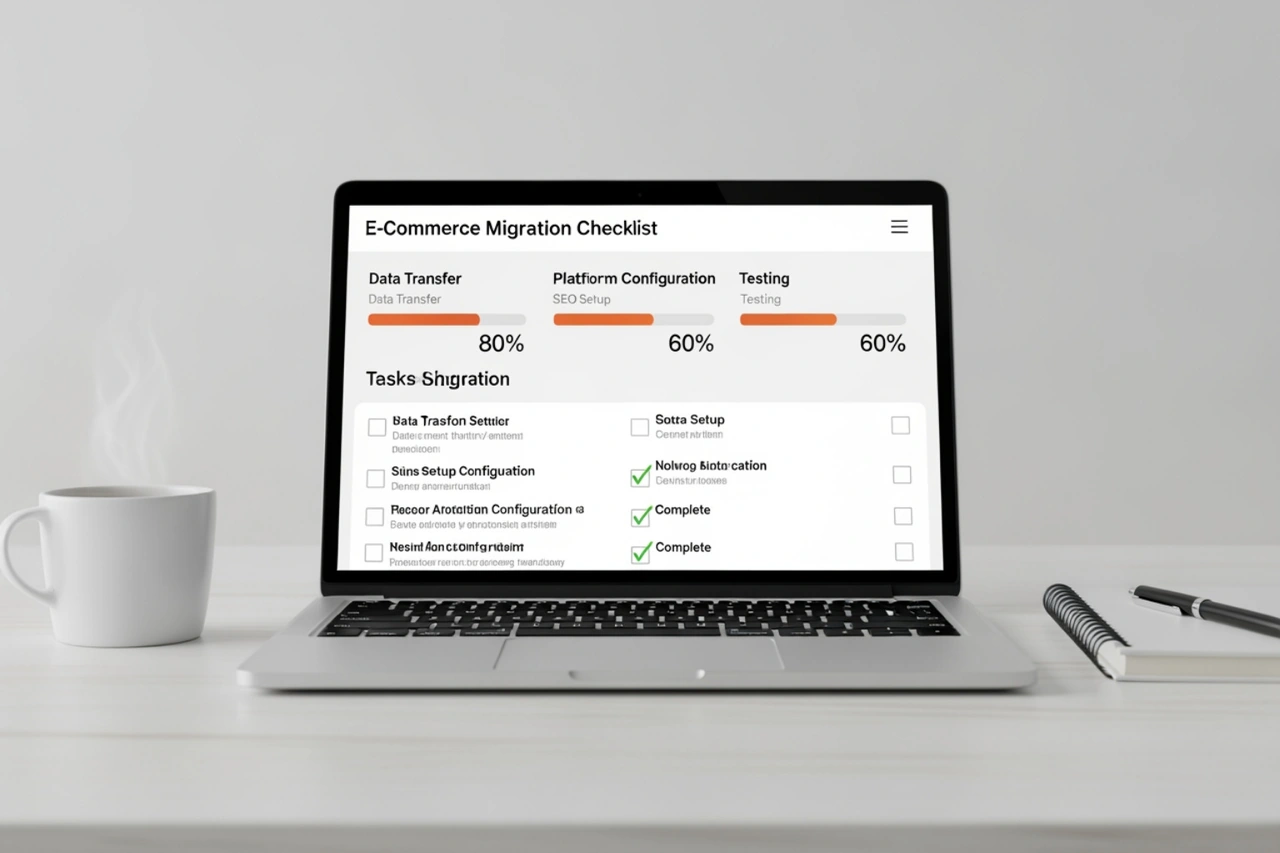
For a more detailed list of tasks, I suggest checking the Shopify Help Center checklist.
Protecting Your SEO Rankings During a Migration
This is the part that keeps store owners up at night. If you change your platform, your URLs will likely change too. If you don't tell Google where the old pages went, you will lose your rankings.
Here is how I protect SEO for our clients:
- Create a URL Map: List every single URL on your old site. Then, match it to the corresponding page on the new Shopify site.
- Implement 301 Redirects: This is a permanent "forwarding address" for the internet. When a customer (or a search engine) clicks an old link, they are automatically sent to the new one. This preserves about 90-99% of your SEO value.
- Metadata Preservation: Don't let Shopify auto-generate your titles and descriptions. Manually bring over your existing meta tags to keep your search appearance consistent.
- Submit a New Sitemap: Once you launch, go to Google Search Console and submit your new
sitemap.xml. This tells Google to come and crawl your new site immediately.
If you skip these steps, you risk a massive drop in traffic. You can read more about my specific strategies for this on our Migrate Shopify Site update page.
Common Challenges and Data Limitations
I want to be honest: not everything moves perfectly. There are some hard limits to what can be transferred.
- Passwords: For security reasons, passwords cannot be migrated. Your customers will need to reactivate their accounts and set new passwords once you launch.
- Gift Cards: Most platforms don't allow gift card codes to be exported with their full balances. You may need to recreate these manually or use a specific app.
- Customer Reviews: These often require a third-party app to move from one platform to another.
- Data Loss Risks: As I mentioned earlier, 43% of companies experience some form of disruption. This usually happens because they didn't verify the data after the import.
I always tell my clients to look for "ghost products"—items that imported but aren't published to any sales channels. You should also check for missing variants or broken image links. Using a Store Migration Shopify specialist can help you catch these errors before your customers do.
Frequently Asked Questions about Shopify Migration
What data can and cannot be moved?
Most core data moves easily: products, collections, customers, and order history. However, you cannot move passwords, certain discount code types, or custom blog layouts without manual work. Gift cards usually require a manual "workaround" to ensure the balances remain accurate for the customer.
Will my site be down during the move?
If you plan it correctly, there should be zero downtime. You build your Shopify store in the "background" while your old store stays live. The only transition period is when you point your domain to Shopify (DNS propagation), which usually takes anywhere from a few minutes to a few hours. During this time, some people will see the old site and some will see the new one.
How do I handle customer accounts?
Since you can't move passwords, I recommend sending a "We've Moved!" email campaign on launch day. This email should include a link that allows customers to reactivate their accounts. It’s a great way to welcome them to the new site and maybe offer a small discount for their first order on the new platform.
To sum up
Migrating your store is a big job, but it’s the best way to ensure your business can keep growing in 2026. Whether you are struggling with a slow site, a lack of AI tools, or high maintenance costs, Shopify provides a stable and scalable home for your brand.
Here at First Pier in Portland, Maine, we live and breathe these migrations. We know that behind every product record and customer email is a business that you’ve worked hard to build. Our goal is to make sure that work is protected and that your new store performs better than the old one ever could.
If you are ready to make the move but want an expert in your corner, take a look at our Shopify Migration Services. We’re here to help you navigate the technical details so you can focus on what you do best: running your business.





.png)
.png)

