




Why Klaviyo SMS Marketing Setup Pays Off Fast
Summary
- Klaviyo SMS setup requires an eligible account role, a verified sending number, and updated legal compliance documents.
- Integrating email and SMS inside Klaviyo coordinates multi-channel messaging and prevents over-sending to active customers.
- Compliance requires explicit user consent, clearly visible disclosure terms, and automated quiet hours to prevent off-hours text sends.
- Custom sign-up forms and checkout consent are the primary tools to build a compliant SMS subscriber list.
Klaviyo SMS marketing setup is a straightforward process — but getting it right from the start determines whether your SMS channel becomes a serious revenue driver or a compliance liability.
Here's a quick overview of how to set up Klaviyo SMS:
- Check eligibility — confirm your industry and plan support SMS in Klaviyo
- Enable SMS — go to Account Settings > SMS > Set Up SMS and select your target countries
- Choose a sending number — toll-free, short code, or branded sender ID depending on your region
- Set up compliance — create a mobile terms of service, update your privacy policy, and configure opt-out language
- Grow your list — add SMS opt-in to sign-up forms and checkout
That's the core of it. The sections below walk through each step in detail.
The business case is clear. Brands that use Klaviyo for both email and SMS see a 19% increase in GMV growth rate compared to those using email alone. Brands sending at least 8 SMS campaigns per month see measurably stronger revenue growth over time. And SMS messages have a ~98% open rate within 90 seconds — compared to roughly 20% for email.
SMS is not a replacement for email. It's a higher-urgency, lower-volume channel that works best when the two are coordinated inside the same platform — which is exactly what Klaviyo is built for.
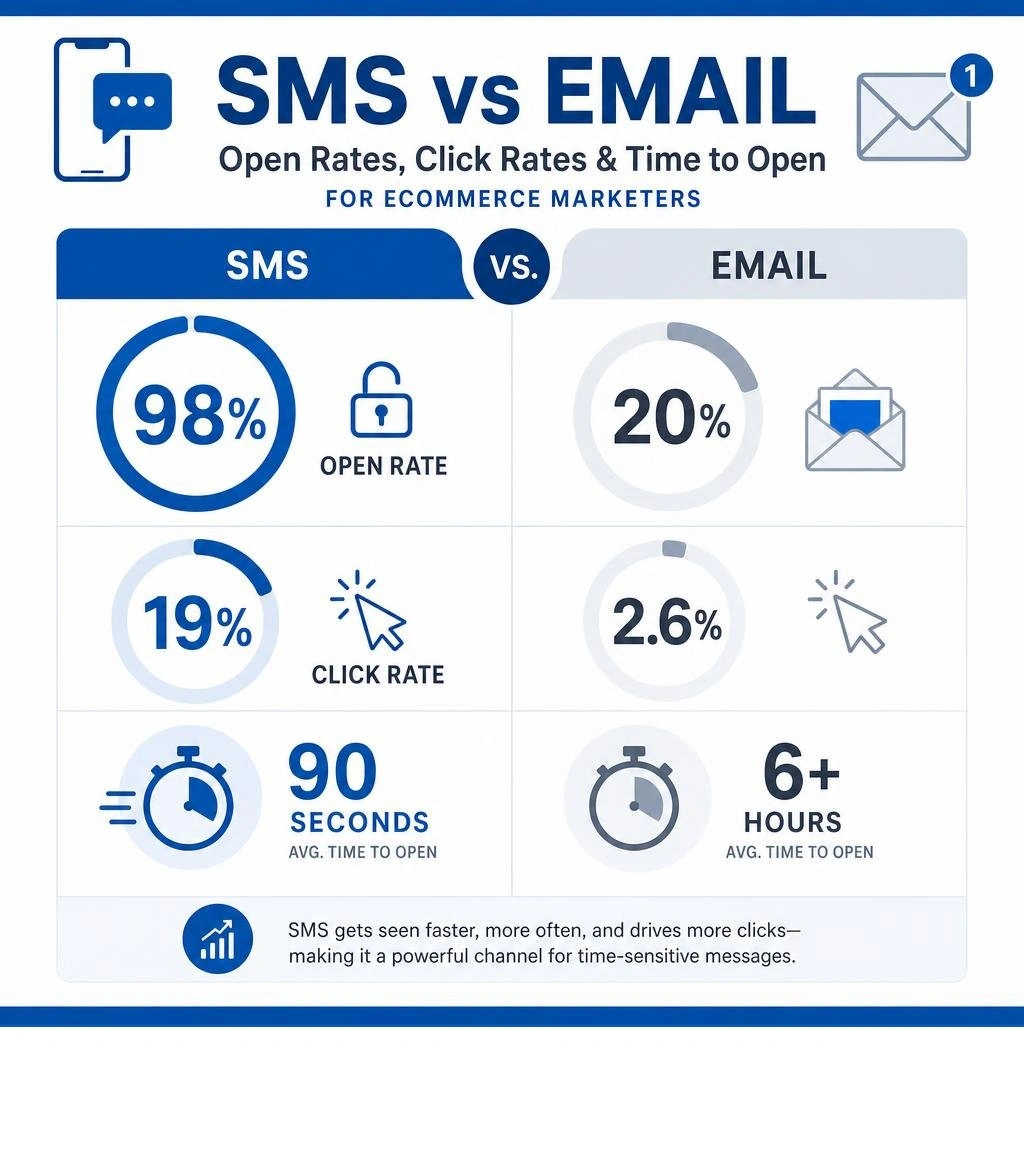
Basic klaviyo sms marketing setup glossary:
Prerequisites for Klaviyo SMS Marketing Setup
Before turning on text messaging in Klaviyo, certain account prerequisites and structural elements must be in place.
First, verify account permissions. Only users with the role of Owner, Admin, or Manager can configure SMS settings. If a user profile is set to Analyst, Campaign Coordinator, or Content Creator, the SMS setup options will not be accessible in the settings menu.
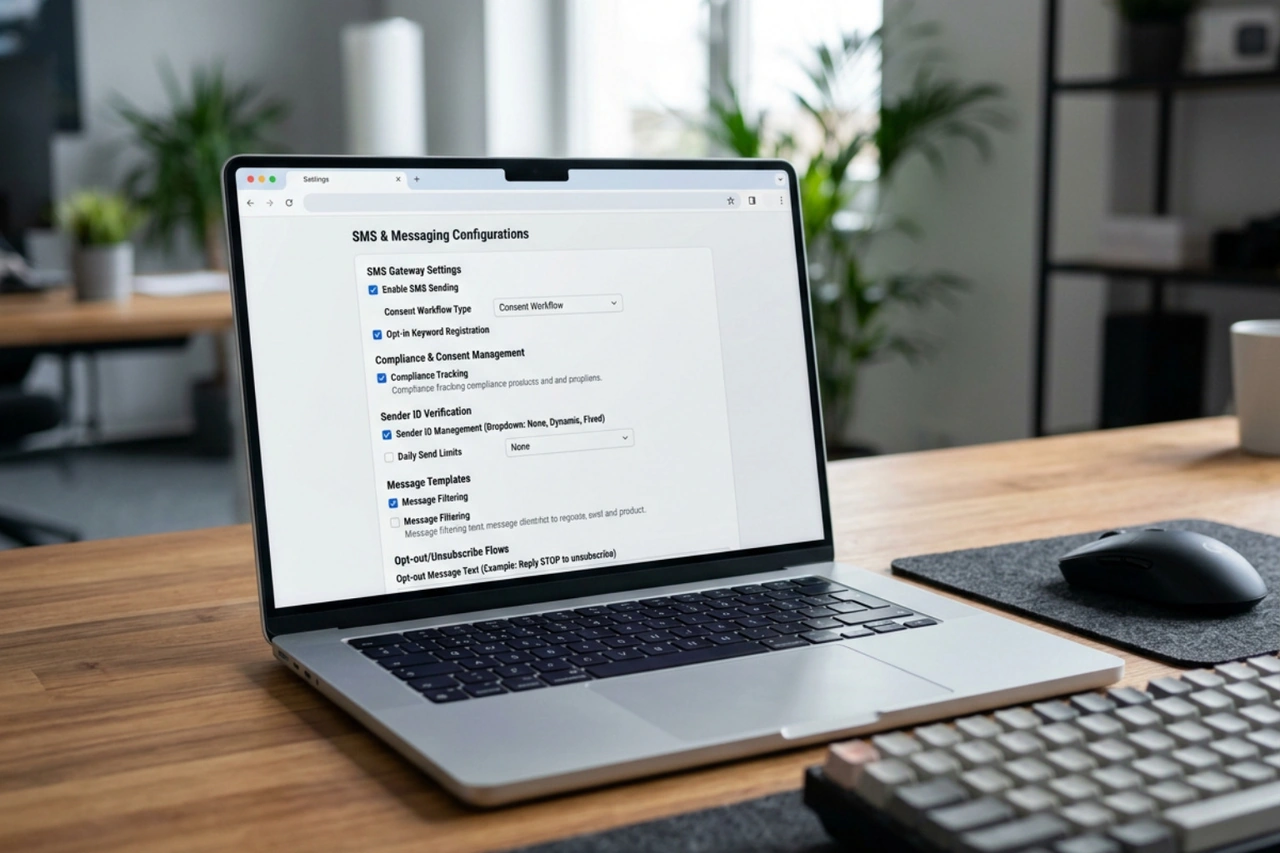
Second, check geographical availability and credit requirements. Klaviyo SMS is available in over 20 countries, including the United States, Canada, the United Kingdom, Australia, Ireland, and New Zealand. Each country has distinct carrier rules and sending fees. Sending messages requires SMS credits, which are added to a billing plan. While accounts with under 250 contacts receive 150 free credits, growing stores must choose a paid tier. For a clear breakdown of sending fees and credit usage across different regions, review the details on Klaviyo SMS Pricing.
Third, review industry eligibility. Due to strict carrier regulations, certain industries are prohibited from using SMS marketing. These restricted categories often include:
- Cannabis, CBD, and hemp products
- Sexually explicit content
- Tobacco, vape, and e-cigarettes
- High-risk financial services, debt collection, and loans
- Gambling and betting services
If your business falls outside these restricted categories, you can safely proceed with the configuration. For a technical walkthrough of the initial system requirements, refer to the official guide on How to set up SMS in Klaviyo.
Step-by-Step Guide to Enabling SMS in Klaviyo
Activating SMS inside your dashboard takes only a few minutes. However, the data synced during this process establishes how your brand identifies itself to mobile carriers.
If your store runs on Shopify, ensure your integration is fully configured beforehand. This allows customer profiles, purchase histories, and checkout phone numbers to sync dynamically. For details on establishing a clean connection between platforms, refer to Klaviyo and Shopify.
To turn on SMS, follow these steps:
- Click your account name in the bottom-left corner of the Klaviyo dashboard and select Settings.
- Navigate to the SMS tab.
- Click the button labeled Set up SMS for free (or upgrade to a paid SMS plan if your list size requires it).
- Select the specific countries where your customers are located. Only collect consent and send messages to countries you actively target, as sending international texts without proper regional numbers can trigger high fees or carrier blocks.
- Fill out your official company information. This must match your registered business name, physical address, and website URL. Carriers use this information to verify your identity and approve your sending numbers.
Choosing Your Sending Number for Klaviyo SMS Marketing Setup
Carriers do not allow brands to send bulk marketing messages from personal mobile numbers. Klaviyo provisions a compliant sending number for your account. The type of number you need depends on your target audience, sending volume, and budget.
| Number Type | Supported Countries | Best For | Verification Requirements | Key Tradeoffs |
|---|---|---|---|---|
| Toll-Free Number (1-8XX) | US, Canada | Small to mid-sized brands | Requires registration and verification with carriers | Cost-effective; supports both SMS and MMS; requires verification before sending. |
| Short Code (5-6 Digits) | US, Canada, UK | High-volume enterprise brands | Extensive carrier registration (takes several weeks) | High monthly cost; excellent deliverability; supports high-volume campaigns. |
| Branded Sender ID | UK, Australia, Ireland | International brands | Requires registration in countries like Australia | Displays brand name instead of a number; does not support replies or tap-to-text. |
For US and Canadian merchants, a verified toll-free number is the standard starting point. It offers a balance of affordability and sending speed. If you are sending to international audiences, Branded Sender IDs allow you to display your actual business name (e.g., "YOURBRAND") as the sender, which builds immediate trust. However, because Branded Sender IDs do not support incoming replies, they cannot be used for two-way conversational customer service or tap-to-text forms.
To review how different number types impact message deliverability and carrier routing, consult Klaviyo Text Messaging.
Compliance Requirements for Klaviyo SMS Marketing Setup
SMS is a highly regulated channel. In the United States, the Telephone Consumer Protection Act (TCPA) and Cellular Telecommunications and Internet Association (CTIA) set strict rules for mobile marketing. Violations can result in steep fines per message.
To remain compliant, you must configure three key elements in your settings:
- Mobile Terms of Service (TOS) & Privacy Policy: You must host a dedicated Mobile Terms of Service agreement on your website. This document must outline message frequency, carrier rates, and how users can opt out. Your privacy policy must also clearly state that phone numbers collected for SMS consent will not be shared with third parties for marketing purposes.
- Opt-Out Language: Every marketing text must include a clear opt-out instruction, such as "Reply STOP to cancel." Klaviyo automatically appends this language to your campaigns and flows. Do not disable or bypass this feature.
- Smart Sending & Quiet Hours: Texting customers in the middle of the night damages brand reputation and violates regional laws. In the US, sending messages before 8 a.m. or after 9 p.m. local time is restricted. Klaviyo features built-in quiet hours that hold messages until the next morning based on the recipient's area code. Additionally, Smart Sending prevents customers from receiving multiple text messages within a short window (the default is 24 hours).
To configure these safety nets, go to your dashboard, click your account name, select Settings, and open the SMS tab to review your sender preferences. For a complete breakdown of these compliance configurations, see Understanding your SMS settings | Klaviyo Help Center.
Growing Your SMS Subscriber List
You cannot send marketing texts to phone numbers unless those individuals have given explicit, verifiable consent to receive SMS marketing. Having a customer's phone number from a shipping label or a customer service inquiry does not constitute marketing consent.
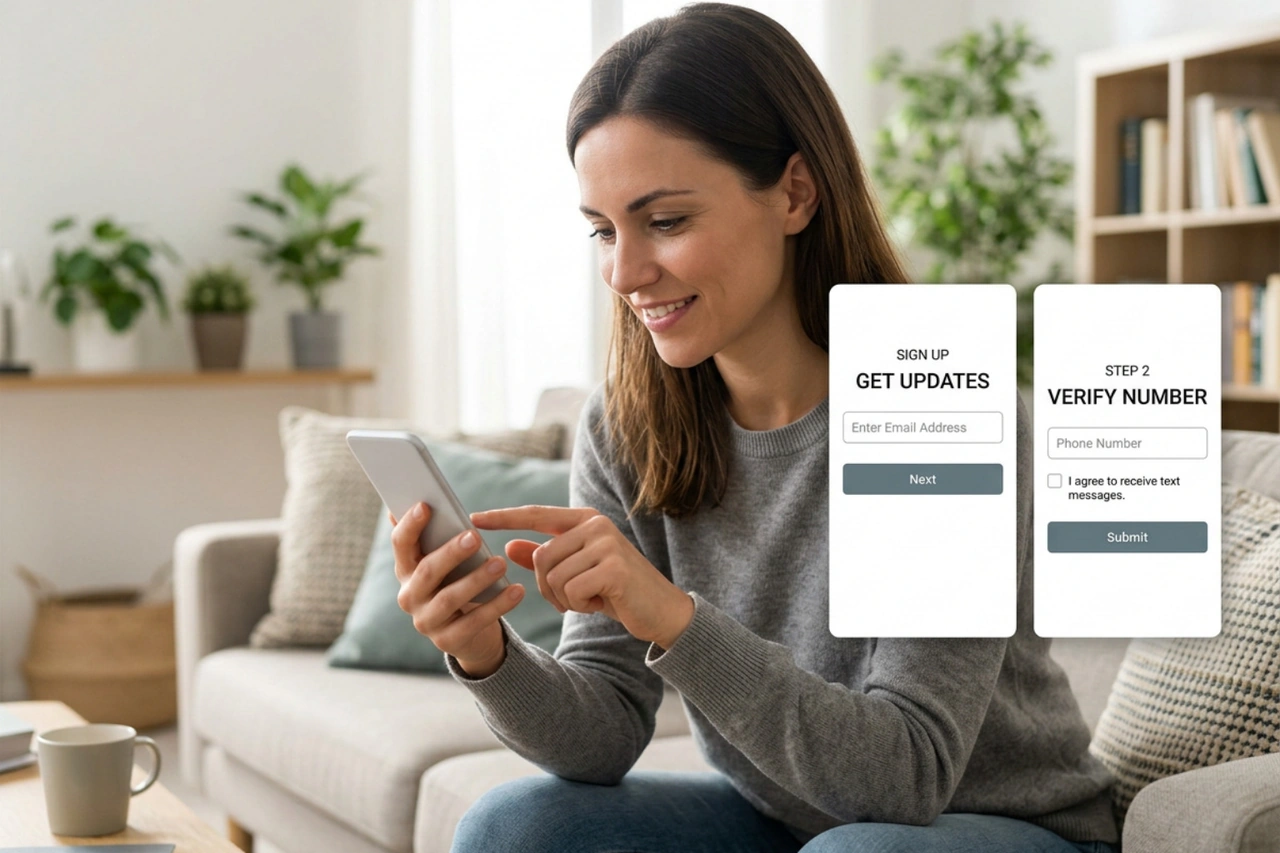
To build a high-quality, compliant subscriber list, use these three primary methods:
- Multi-Step Sign-Up Forms: Rather than asking for an email address and a phone number on a single form, use a multi-step popup. Step one asks for an email address. Once submitted, step two asks for a phone number with explicit SMS disclosure language displayed directly above the submit button. This keeps form conversion rates high while capturing phone numbers from highly interested shoppers.
- Checkout Consent: Integrate consent collection directly into your Shopify checkout flow. Add an unchecked checkbox that reads, "Sign up for exclusive texts." This checkbox must be optional; you cannot force subscribers to opt into SMS marketing to complete a purchase.
- Tap-to-Text Mobile Forms: For mobile site visitors, tap-to-text forms offer a frictionless subscription method. When a mobile visitor clicks the sign-up button, it automatically opens their native messaging app with a pre-populated keyword (like "JOIN"). The user only has to hit send to confirm their subscription. This method uses single opt-in keywords but provides clear verification.
To learn how to configure these tap-to-text buttons on your mobile site, read How to collect SMS consent with a tap-to-text form | Klaviyo Help Center.
Once subscribers join, organize them into precise groups. Sending bulk texts to your entire list can lead to high unsubscribe rates and wasted credits. Instead, use a smart Klaviyo Segmentation Strategy to group subscribers by engagement, purchase history, and location.
Frequently Asked Questions about Klaviyo SMS
How do I get started with Klaviyo mobile messaging?
To get started, turn on SMS in your account settings, provision a compliant sending number (such as a toll-free number for the US and Canada), and update your mobile terms of service. Once your compliance settings are configured, you can build multi-step popups to collect consent and sync checkout opt-ins from Shopify.
What are the differences between SMS and MMS?
The primary differences lie in character limits, media capabilities, and credit costs:
- SMS (Short Message Service): Limited to 160 plain text characters (or 70 characters if you include emojis or special characters). Each SMS costs 1 billing credit.
- MMS (Multimedia Messaging Service): Supports up to 1,600 characters and allows you to attach images, GIFs, or virtual contact cards. Each MMS costs more billing credits (typically 3 credits in the US) and is only supported in select countries like the US and Canada.
While MMS allows for richer visuals, A/B testing shows that plain SMS often yields higher click-through rates and a stronger return on investment because the messages are concise and load instantly.
How do I build an SMS welcome flow?
Create an automated flow triggered when a customer joins your SMS subscriber list. Keep the first message short, friendly, and direct. If you offered an incentive to join, include the coupon code clearly.
To prevent sending automated texts at inappropriate times, keep your quiet hours turned on. However, for the very first welcome text, you can choose to bypass quiet hours so the subscriber receives their discount code immediately after signing up. For step-by-step instructions on setting up this automation, refer to How to create an SMS welcome flow | Klaviyo Help Center.
Conclusion
Setting up SMS in Klaviyo connects your mobile messaging and email campaigns under a single, unified database. This coordination prevents your brand from over-sending messages, ensures accurate revenue attribution, and provides a clear view of customer behavior. By following the correct setup steps—verifying your sending numbers, establishing strict compliance guidelines, and building segmented, multi-step opt-in forms—you can turn SMS into a highly profitable, reliable retention channel.
If you need professional assistance setting up your SMS and email marketing strategy, get in touch with First Pier.





.png)
.png)

