




Why Meta Ads Creative Testing Is Your Biggest Performance Lever
Summary
- Meta's native creative testing feature allows advertisers to compare 2 to 5 creative variants without resetting the learning phase of active ads.
- Creative quality accounts for approximately 47% of ad performance variation on the platform.
- Testing one variable at a time for 7 to 14 days provides the most reliable performance data.
- With automated targeting handling bidding and placement, creative assets are the primary variable advertisers control.
Meta ads creative testing is the process of systematically comparing different ad creatives within your Meta campaigns to find which versions drive the best results — and then using those findings to improve your returns over time.
Here's a quick overview of what it involves:
- What it is — Running controlled comparisons of 2–5 creative variants (images, videos, copy, hooks) within a single Meta campaign structure
- How it works — Meta's native Creative Testing feature delivers budget to new test ads while keeping your existing campaign's learnings intact
- Why it matters — Creative quality accounts for roughly 47% of ad performance variability, and the top creative in a test typically outperforms the worst by 5–8x on ROAS
- Key principle — Test one variable at a time, run tests for at least 7–14 days, and document every result
- What changes in 2026 — With Meta's AI handling targeting and bidding automatically through Advantage+, creative is now the primary variable you actually control
Most experienced advertisers already know creative matters. What's less obvious is how much systematic testing changes the outcome. Marketer intuition about which creative will perform best is only correct about 40% of the time. Running structured tests instead of relying on gut calls is one of the most impactful changes a paid social program can make.
This guide walks through Meta's native creative testing feature, how to set it up correctly, and how to build a testing process that compounds over time.
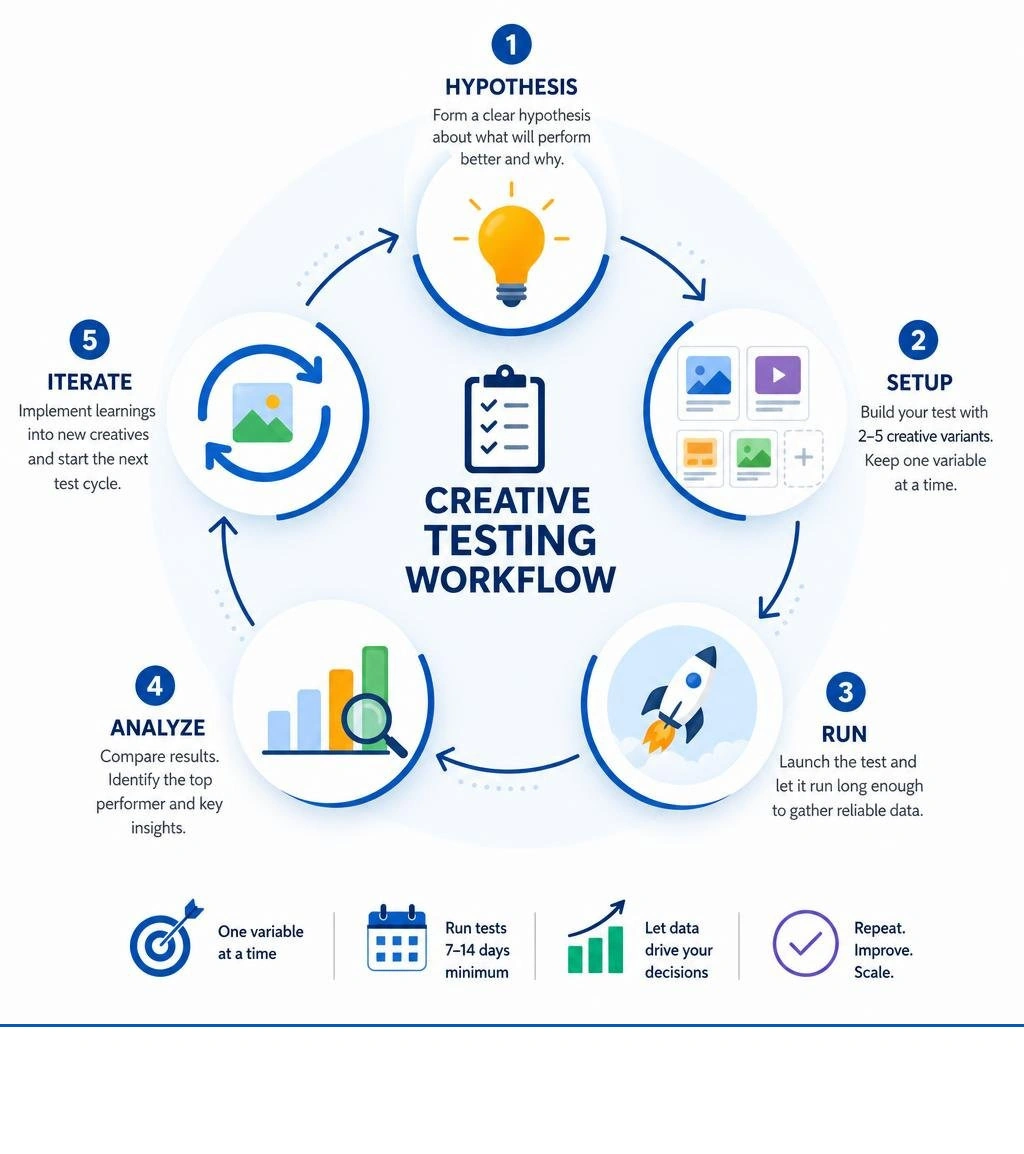
Handy meta ads creative testing terms:
The Mechanics of Meta Ads Creative Testing
Here at First Pier, we find that understanding how Meta distributes your budget and delivers your ads is essential before launching a test. Historically, adding a new creative to an active ad set was a highly unreliable way to test. The delivery system naturally favors older ads with established performance histories, meaning new creatives rarely get enough impressions to prove their value.
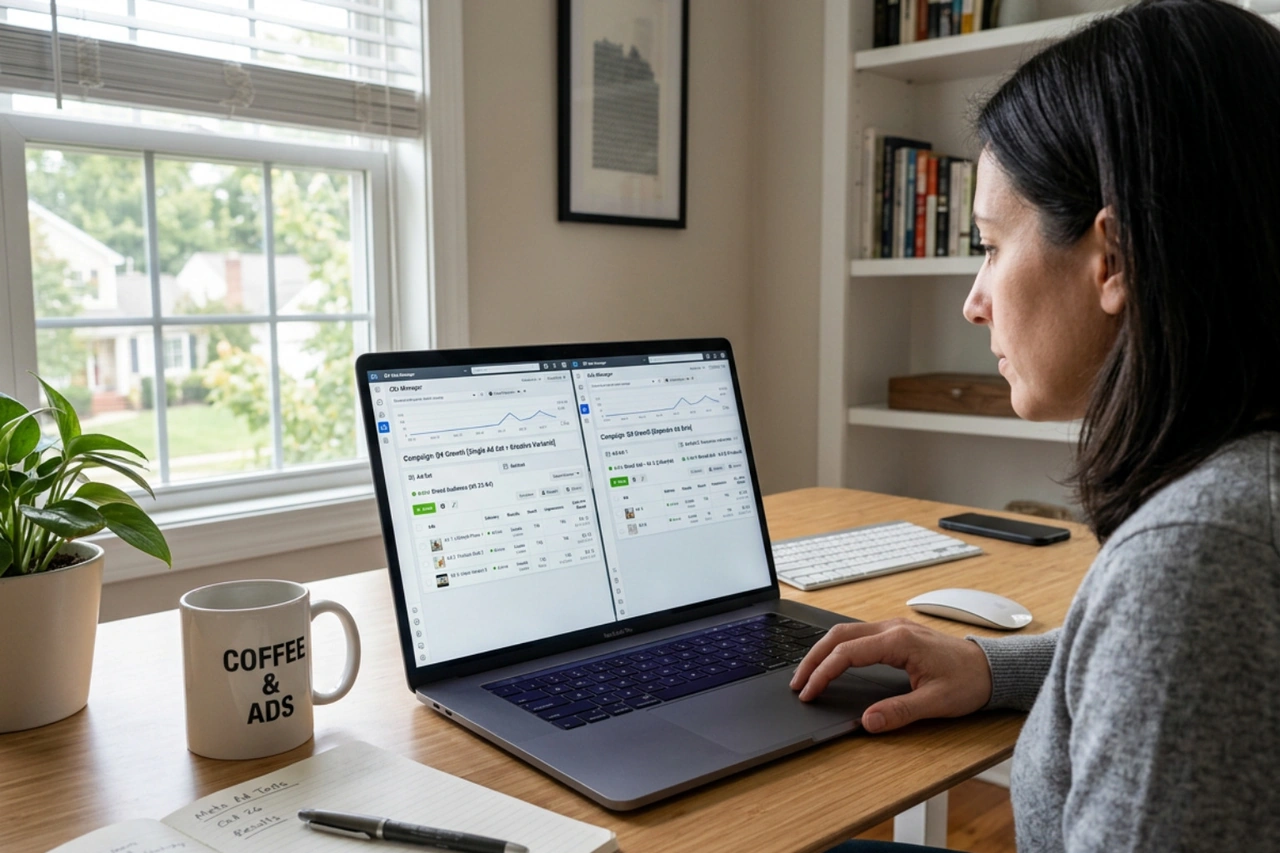
Meta's native creative testing feature solves this delivery bias. According to the About Creative Testing | Meta Business Help Center - Facebook, this tool allows you to compare up to five creative variants by forcing delivery to new test ads. Crucially, this setup preserves your existing campaign learnings and does not reset the learning phase for your active, high-performing ads.
Using this structured feature prevents the common issue of auction competition against your own ads, ensuring a clean comparison. For a deeper look at how creative assets influence your overall ad set performance, read our guide on Facebook Ads Creative Testing.
Traditional A/B Testing vs. Native Creative Testing
Advertisers have multiple ways to isolate and test their creative assets. Choosing the right method depends on your budget, campaign structure, and how strictly you need to prevent audience overlap.
| Testing Method | Audience Split | Delivery Fairness | Impact on Campaign Learnings | Best For |
|---|---|---|---|---|
| Native Creative Testing | Shared within the same ad set | Guaranteed initial delivery to new variants | No impact; preserves active learnings | Testing 2–5 minor variations or copy adjustments |
| Meta Experiments Tool (A/B Test) | Strict, non-overlapping split | Equal budget distribution across test groups | Creates new test structures | High-budget, statistically isolated concept tests |
| Separate Ad Sets (Manual) | High risk of audience overlap | Driven by algorithm's early performance bias | Resets learning or splits budget unevenly | Wholesale landing page or offer testing |
Traditional A/B testing via the Experiments tool splits your audience evenly, which is highly reliable but requires a larger budget to reach statistical significance across separate ad sets. Manual testing using separate ad sets often leads to audience overlap and internal auction competition, driving up your costs.
For landing page testing specifically, structural splits are best executed at the ad set level rather than the ad level to keep destination signals clean. To understand these distinctions, check out Split Testing Landing Pages for Meta Ads: The Right Way in 2026 and A/B Testing Meta Ads: Complete Guide for 2026.
How the Algorithm Handles Delivery and Budget
When you use Meta’s native creative testing feature, you designate a specific portion of your existing campaign budget (typically up to 20%) to fund the test ads.
During the initial phase of the test, Meta's delivery system forces a balanced distribution of impressions across all your test variants. This ensures that newer, unproven ads receive a fair trial. As the test progresses, the algorithm begins to favor the variants showing stronger early engagement and conversion signals. This hybrid approach balances the need for clean data with Meta's core goal of improving performance.
Because the test runs inside your existing campaign, your top-performing ads continue to deliver to your broader audience using the remaining 80% of your budget. This keeps your overall account stable and prevents the performance dips often associated with restarting the learning phase.
Step-by-Step Setup in Ads Manager
Here at First Pier, we find that setting up a native creative test is straightforward and can be completed directly within the ad level of your active campaigns. As detailed by Creative Testing Feature for Meta Ads - Jon Loomer Digital, this feature automates the creation of ad variants, saving you the manual effort of duplicating and editing individual ads.
Setting Up Your First Meta Ads Creative Testing Campaign
To launch your first native creative test, follow these steps in Meta Ads Manager:
- Select Your Campaign: Open Ads Manager, navigate to an active campaign, and select the specific ad set where you want to run the test.
- Locate the Creative Test Section: Go to the ad level. Scroll down to find the Creative test section and click Set up test.
- Choose Your Variants: Select the number of ad copies you want to test (between 2 and 5). Meta will automatically generate copies of your original ad.
- Edit Your Assets: Modify the generated copies so that they differ by only one variable (for example, edit the video hook, the primary text, or the call-to-action button).
- Allocate Budget: Decide what percentage of your campaign's daily budget to dedicate to the test. Keeping this at or below 20% is recommended to protect your main campaign performance.
- Set Duration and Metrics: Choose how many days the test should run (a minimum of 7 days is standard) and select your primary comparison metric, such as Cost per Purchase or Click-Through Rate (CTR).
- Publish: Review your changes and click publish to start the test.
Limitations and Constraints to Keep in Mind
While the native creative testing tool is highly efficient, it has several limitations:
- Bid Strategy Restrictions: Creative testing is not supported in campaigns that use a bid cap or cost cap strategy. You must use highest volume or attribution-based bidding.
- Variant Limits: You can test a maximum of 5 creative variants at one time. Attempting to test more will split your budget too thin and delay your results.
- Reporting Metrics: The native tool delivers results directly to your inbox and displays a beaker icon next to the ads in Ads Manager, but it does not calculate a formal statistical confidence level within the standard ad-level reporting table. To view deeper statistical breakdowns, you must check the Experiments section of your account.
Building a High-Performance Testing Strategy
To get the most out of your budget, you need a structured testing plan. Testing random assets without a clear plan leads to wasted spend and confusing data. Instead, base every test on a clear hypothesis and establish strict decision rules before your ads go live. To see how these principles apply to broader e-commerce plans, read about A/B Testing Shopify stores and explore our case study on Facebook Ad Creative Testing.
The Creative Testing Hierarchy: What to Prioritize
To test efficiently, focus your budget on the elements that have the greatest impact on your returns. Rearranging minor details like button colors or background shades rarely moves the needle. Instead, follow a structured testing hierarchy from highest impact to lowest impact:
- Concept and Angle Testing: This is the foundation of your creative plan. Compare entirely different messaging angles, such as a pain-point-focused video versus a social-proof-focused video. These structural changes can drive a 5–8x difference in ROAS.
- Hook Testing: Once you identify a winning concept, test different ways to capture attention in the first three seconds of your video. Keep the rest of the video identical and swap only the opening frame or headline.
- Format Testing: Test how your winning message performs across different formats. Compare a static image, a carousel, and a vertical video. Mixed-format campaigns frequently outperform static-only campaigns by up to 82%.
- Element Testing: This involves minor adjustments, such as testing different background colors, text overlays, or call-to-action copy within a winning creative format.
For a detailed breakdown of these testing phases, consult the frameworks outlined in Meta Ads Creative Testing: A/B Testing Framework for Maximum ROAS and Meta Creative Testing Framework 2026 [Ultimate Guide].
Best Practices for Meta Ads Creative Testing in 2026
To maintain a clean and reliable testing pipeline, implement these operational best practices:
- Isolate Your Variables: Only test one change at a time. If you change both the video hook and the primary text in the same variant, you will not know which change caused the performance difference.
- Define Your Key Performance Indicators (KPIs): Choose one primary metric to determine your winner before the test begins. For top-of-funnel concept tests, this might be CTR or Hook Rate (the percentage of 3-second views divided by impressions). For conversion-focused tests, rely on Cost per Purchase.
- Maintain a Creative Pipeline: Creative fatigue sets in every 2–4 weeks for high-spend accounts. Establish a consistent production pipeline to ensure you always have fresh assets ready to test.
- Scale Winners Gradually: When you identify a winning creative, do not make sudden, large budget increases to the test ad set. Instead, duplicate the winning creative into your main performance campaigns and increase budgets by 20–30% every few days to protect your delivery stability.
Frequently Asked Questions about Meta Ads Creative Testing
How long should a Meta creative test run?
A Meta creative test should run for a minimum of 7 days, and ideally 10–14 days for conversion-focused campaigns. Running a test for at least a full week ensures you account for fluctuations in user behavior across weekdays and weekends. It also gives Meta's algorithm enough time to complete its learning phase and gather stable conversion data.
What is the minimum budget required for a valid creative test?
Your testing budget should be calculated based on your average Cost per Action (CPA). A reliable rule of thumb is to allocate a daily budget that is at least 2–3 times your average CPA, multiplied by the number of variants you are testing. For example, if your average CPA is $50 and you are testing 3 variants, you should allocate at least $300 per day to the test to ensure you gather enough conversion signals to make an accurate decision.
What happens to the test ads after the test ends?
Once a native creative test ends, the test ads will continue to run within your active campaign under normal delivery rules. Meta does not automatically pause the losing variants. You must review the results in your email notifications or the Experiments section, and manually pause the underperforming ads to ensure your budget shifts entirely to the winning creative.
To Sum Up
Systematic creative testing is no longer optional for brands looking to grow their paid social efforts. Because Meta's automated targeting systems handle placement and bidding, your creative assets are the primary tool you have to lower acquisition costs and improve performance. By transitioning from ad-hoc uploads to a structured testing framework, you can make data-driven decisions that consistently improve your returns.
If you would like professional assistance building a structured testing pipeline and scaling your paid social campaigns, get in touch with the team at First Pier by visiting our Shopify Paid Social Advertising service page.





.png)
.png)

