



Why General Ecommerce UI/UX & Design Determines Whether Your Store Grows or Stalls
Summary
- General Ecommerce UI/UX & Design covers the visual interface (UI) and the overall shopping experience (UX) of an online store.
- UI refers to buttons, fonts, colors, and layout. UX refers to how easy and logical the shopping journey feels.
- Poor design directly causes lost revenue: 88% of users will not return after a bad experience.
- Good UX can increase conversions by up to 400%; good UI by up to 200%.
- Key areas include navigation, product pages, checkout flow, mobile design, and site speed.
General Ecommerce UI/UX & Design is the set of principles and practices that shape how shoppers see, navigate, and buy from your online store. It covers two distinct but connected disciplines:
| Term | What It Covers | Physical Store Analogy |
|---|---|---|
| UI (User Interface) | Visual elements — buttons, fonts, colors, layout, icons | The store's decor, signage, and shelf displays |
| UX (User Experience) | The full journey — how easy it is to find, evaluate, and buy a product | The floor plan, product placement, and checkout line |
A beautiful store with a confusing floor plan loses customers. A logical floor plan with poor signage does the same. Both matter, and neither works well without the other.
The numbers are hard to ignore. Visitors form a first impression of your site in as little as 50 milliseconds. If that impression is poor, 88% of shoppers will not come back. On the other hand, a well-designed UI can lift conversions by up to 200%, and excellent UX can push that number to 400%.
This is not about aesthetics. It is about removing the friction that stands between a visitor and a completed purchase.
I'm Steve Pogson, founder of First Pier and a certified Shopify Expert with over two decades of experience in General Ecommerce UI/UX & Design for brands ranging from specialty food companies to outdoor gear retailers. In that time, I've seen how targeted design decisions — not wholesale redesigns — move conversion metrics in ways that compound over time.
The Business Impact of Design Quality
When I talk to brand owners here in Portland, ME, I often explain that design is your silent salesperson. It is working 24/7 to build or break trust. Research shows that 94% of first impressions are design-related. Within just 2.6 seconds, a new visitor has already formed an opinion about your business.
If your site feels outdated, cluttered, or slow, you are paying for traffic that will never convert. About 32% of customers are willing to walk away from a brand they love after just one bad website experience. This makes Ecommerce UX: A Step-By-Step Framework and Plan for 2026 essential for anyone looking to stay competitive.
The Cost of Friction
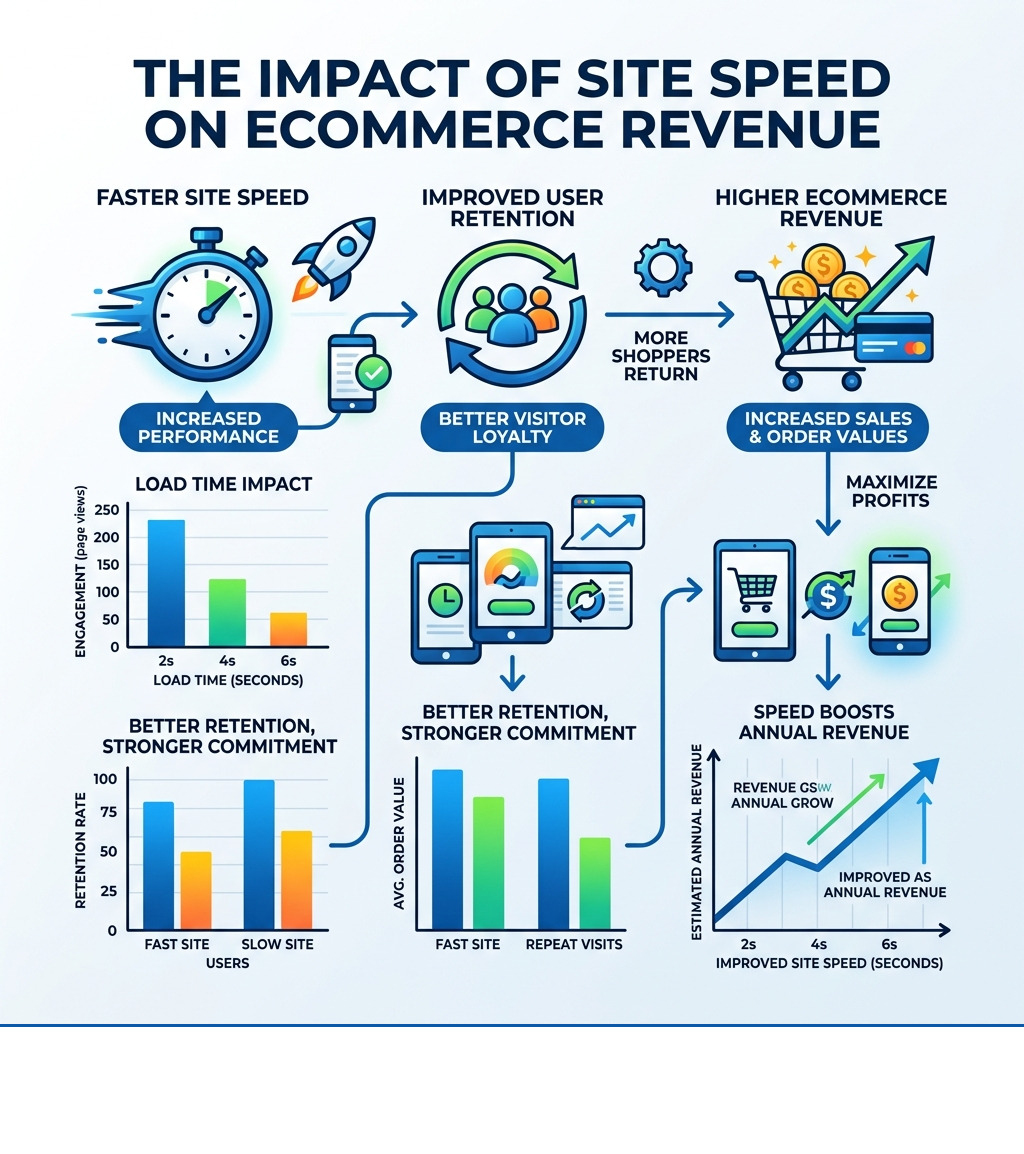
Friction is anything that makes a user stop and think. It could be a confusing menu, a hidden search bar, or a slow-loading image. Studies show that 40% of shoppers will leave a site if it takes more than three seconds to load. Even a one-second delay can reduce your conversion rate by 7%.
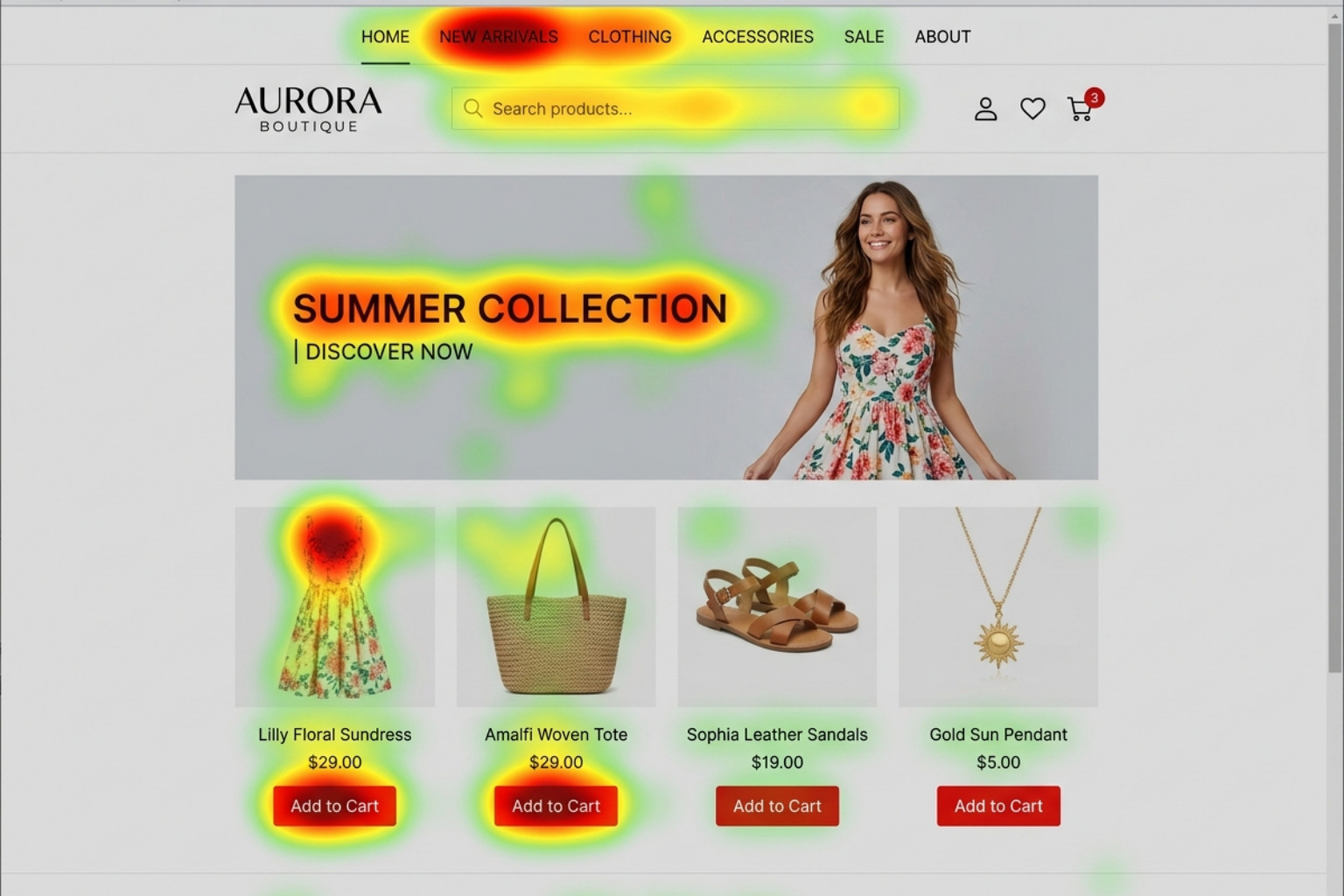
To understand where your store is losing money, my team and I look at heatmaps. These tools show us exactly where users click and how far they scroll. Often, the most important information is buried, or the "Add to Cart" button is lost in a sea of other elements. By focusing on Best Ecommerce Design 2025 standards, we help brands move the most critical actions to the areas where users are already looking.
Core Principles of General Ecommerce UI/UX & Design
Effective design follows a clear set of rules. I start by establishing a visual hierarchy. This means using size, color, and placement to tell the user what is most important. Your primary Call to Action (CTA) should be the most prominent element on the page.
Visual Hierarchy and Branding
Consistency is key. Your typography and color schemes should match your brand identity across every page. I recommend using no more than two or three fonts and a limited color palette. High contrast between text and background is a must for readability.
When we work on Shopify UX Design, we ensure that the brand's personality shines through without getting in the way of the shopping process. For example, a luxury brand might use more whitespace and minimalist fonts, while a discount retailer might use bold colors and larger price tags.
Mobile-First Reality
In 2024, smartphones accounted for over three-quarters of retail site visits. If you are not Designing for Mobile first, you are ignoring the majority of your audience. Mobile design requires larger buttons (at least 44x44 pixels) and simplified menus. If you're interested in how these principles are applied professionally, you can see the requirements for Best UX Designer Jobs in Portland, ME 2026 | Built In.
Defining General Ecommerce UI/UX & Design
The most successful stores respect user habits. People have "mental models" of how an ecommerce site should work. They expect the logo to link to the homepage, the search bar to be at the top, and the cart icon to be in the top right corner.
When you try to be too "creative" with these standard elements, you increase the cognitive load on the user. If they have to hunt for the search bar, they are more likely to leave. I use Wireframes to map out these logical paths before we ever start thinking about colors or images. This ensures the "bones" of the site are strong.
Structuring High-Performance Product and Collection Pages
The Product Detail Page (PDP) is where the sale actually happens. It needs to answer every question a customer might have. I've found that high-quality photos lead to a 94% higher conversion rate. You should include at least 3-5 images from different angles, and ideally, a short video.
Essential PDP Elements
- Clear Pricing: Don't hide the price or shipping costs until the checkout.
- Social Proof: Ratings, reviews, and "verified buyer" badges build trust.
- Scannable Descriptions: Use bullet points to highlight benefits rather than long blocks of text.
- Urgency/Scarcity: Low stock alerts or "order within X hours for next-day shipping" can nudge a buyer.
Collection Page Efficiency
For Collection Page Design Shopify, the goal is to help users find what they want as quickly as possible. This is where faceted search and filtering become vital. Users should be able to filter by size, color, price, and availability without the page reloading every time.
Friction Reduction and Checkout Optimization
The checkout process is the most fragile part of the sales funnel. This is where about 70% of shoppers abandon their carts. My goal is to make this process feel as short as possible.
One of the biggest mistakes I see is forced account creation. Many impulse buyers don't want to create a password just to buy a $20 t-shirt. Offering a guest checkout option is one of the fastest ways to increase your conversion rate.
Streamlining the Flow
I recommend using progress indicators so users know exactly how many steps are left. Keeping the form fields to a minimum also helps. Do you really need their phone number? If not, remove the field.
| Feature | Impact on Conversion | Why It Works |
|---|---|---|
| Guest Checkout | High Increase | Removes the barrier of registration |
| Progress Bar | Moderate Increase | Reduces anxiety by showing the "finish line" |
| One-Page Checkout | High Increase | Reduces page load wait times between steps |
| Address Autocomplete | Moderate Increase | Speeds up the most tedious part of the form |
We applied these principles in our User Experience Design for Ecommerce Furniture Site project, focusing on reducing the "sticker shock" of shipping large items by showing costs early in the process.
Future Trends in General Ecommerce UI/UX & Design
Looking toward 2026, the landscape of Ecommerce Design Trends 2023 is moving toward deep personalization and immersive experiences.
AI and Personalization
AI is no longer just for chatbots. It is being used to change the entire UI based on who is looking at it. If a customer frequently buys men's running shoes, the homepage should prioritize that category the next time they visit. This level of relevance makes the shopping experience feel curated rather than generic.
Immersive Product Discovery
Augmented Reality (AR) is becoming a standard for industries like furniture, eyewear, and cosmetics. Letting a customer "see" a sofa in their living room or "try on" a pair of glasses via their phone camera reduces the uncertainty that leads to cart abandonment.
Emerging Tech in General Ecommerce UI/UX & Design
Behind the scenes, tech like serverless architecture and edge computing are making sites faster than ever. This is critical because, as I mentioned, speed is a core part of UX. We also see more brands using haptic feedback (small vibrations on mobile) to confirm actions like adding an item to a cart, making the digital experience feel more tactile. These technical foundations are a big part of Shopify Landing Page Design today.
Frequently Asked Questions about Ecommerce Design
What is the difference between ecommerce UI and UX?
UI (User Interface) is the visual "skin" of the site. It includes the buttons, fonts, colors, and layout. UX (User Experience) is the functional "bones" and "muscles." It is the logic that makes the shopping journey easy and intuitive. You need both: a site can be beautiful (good UI) but impossible to navigate (bad UX).
How does site speed affect ecommerce UX?
Site speed is a pillar of UX. About 40% of shoppers will leave a site if it takes more than three seconds to load. A slow site frustrates users and erodes trust. In the eyes of the customer, a slow site is a broken site.
Why is mobile-first design necessary?
Most ecommerce traffic now comes from mobile devices. Designing for the smallest screen first forces you to prioritize the most important content and actions. If a design works well on a small touch screen, it is much easier to expand it for a desktop than it is to shrink a complex desktop site down to mobile.
Conclusion
Building a high-performance online store is a continuous process. It starts with deep user research and the creation of detailed buyer personas. You need to know who your customers are, what they worry about, and what stops them from clicking "buy."
At First Pier, we don't believe in "set and forget" design. We use analytics, A/B testing, and direct feedback to keep improving the user journey. Whether you are a local boutique in Portland, ME, or a national brand, your design should be a tool for growth, not a hurdle for your customers.
If you're ready to see how better design can change your bottom line, my team and I are here to help. We specialize in taking the guesswork out of ecommerce UX design so you can focus on running your business. Let's build something that doesn't just look great, but performs even better.





.png)
.png)

